
GPT Image 2AI 提示词
GPT-Image-2 Infographic — High-Density Tech Speculation
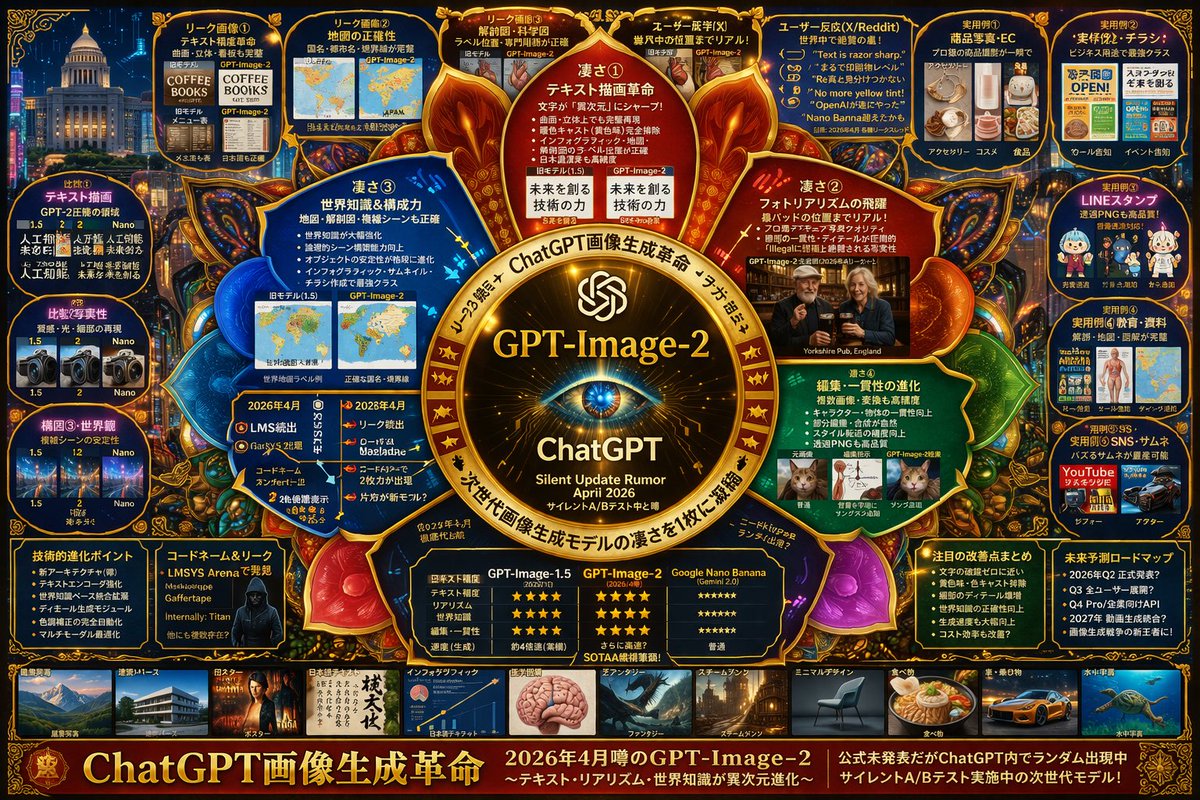
Generate a high-density mind map infographic exploring GPT-Image-2's rumored features, comparisons, and user reactions in a dark cyberpunk style.
提示词 · EN
type
复杂科技推测信息图style
{argument name="color palette" default="深蓝色背景,配以金色、红色和青色发光点缀"}, 高密度,网络调查项目,思维导图布局centerpiece
description
{argument name="central emblem" default="带有眼睛图案的发光金色圆形徽章"}text
item 1
{argument name="main title" default="GPT-Image-2"}item 2
ChatGPTitem 3
{argument name="subtitle" default="2026 年 4 月静默更新传闻"}layout
sections
item 1
title
内部节点position
围绕中心count
4labels
item 1
核心优势 ①item 2
核心优势 ②item 3
核心优势 ③item 4
核心优势 ④description
突出核心优势的发光圆形文本节点item 2
title
顶部泄露面板position
顶行count
4labels
item 1
泄露图片 ①item 2
泄露图片 ②item 3
泄露图片 ③item 4
用户既视感 (X)description
对比前后差异的图片item 3
title
用户反应position
右上角count
1labels
item 1
用户反应 (X/Reddit)description
包含 5 个引用气泡的面板item 4
title
实用案例position
最右侧列count
5labels
item 1
实用案例 ①item 2
实用案例 ②item 3
实用案例 ③item 4
实用案例 ④item 5
实用案例 ⑤description
包含电子商务、传单、LINE 贴纸、教育和缩略图的应用场景图片网格item 5
title
对比分析position
最左侧列count
3labels
item 1
对比 ①item 2
对比 ②item 3
构图 ③・世界观description
版本对比图片对item 6
title
底部数据面板position
图库上方的底行count
5labels
item 1
技术进化点item 2
代号与泄露item 3
对比表item 4
重点改进总结item 5
未来预测路线图description
包含项目符号列表、黑客肖像以及 3 列星级评分对比表item 7
title
风格图库position
底部条count
10labels
item 1
建筑・透视item 2
海报item 3
日语文本item 4
信息图item 5
奇幻item 6
蒸汽朋克item 7
极简设计item 8
食物item 9
汽车・交通工具item 10
水下宇宙description
展示不同生成风格的水平缩略图行footer
text
{argument name="footer text" default="ChatGPT 图像生成革命"}position
底边缘关于这个提示词
Generate a high-density mind map infographic exploring GPT-Image-2's rumored features, comparisons, and user reactions in a dark cyberpunk style. 它更适合作为 GPT Image 2 的概念艺术起点:先保留画面结构、主体关系和风格约束,再替换成你的品牌、人物或场景。
这条提示词使用结构化 JSON 组织信息,包含 type、style、centerpiece、layout 等字段。保留这种层级能让模型更清楚地区分画面主题、布局、界面元素和细节约束。
使用时建议先小幅修改主体、场景、镜头和色调,再生成多个版本对比构图与细节。这样页面内容对用户有实际帮助,也避免把模型名或标签机械堆在正文里。
如何使用这个提示词
- Copy the prompt above.
- Paste into an AI image generator like DALL·E 3, Midjourney, or Sora 2.
- Adjust any arguments (e.g., color palette, subtitle) if desired.
- Generate the image and review the layout.
- Use an image editor to refine text accuracy if needed.


