
GPT Image 2AI 提示词
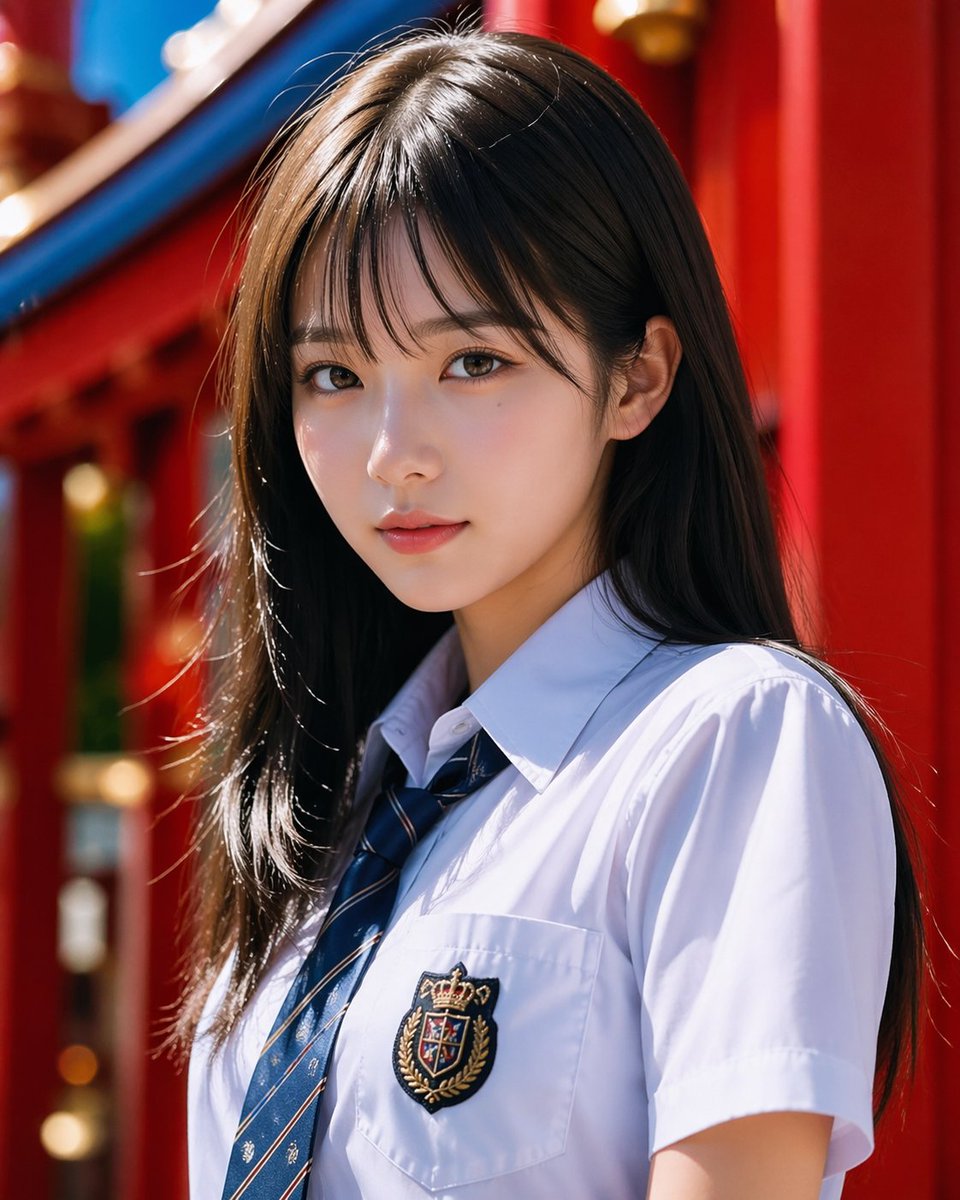
Realistic School Uniform Portrait at Shrine — Sora 2 Prompt
Generate a polished, realistic school uniform portrait with a shallow-depth shrine background, ideal for fashion editorials, character design, and lifestyle AI art.
提示词 · EN
一张写实风格的半身肖像,主体为一位 argsubject: 年轻女性,站在明亮的自然阳光下,采用竖构图。她留着一头长直的 arghair color: 深棕色 秀发,发质光泽亮丽,中分偏侧,自然垂落在双肩。她身穿一件挺括的白色短袖校服衬衫,搭配海军蓝条纹领带,左胸口袋处有精致的刺绣徽章,图案为皇冠与纹章。让她以微侧的角度站立,姿态放松,头部微微转向一侧,营造出一种精致的抓拍时尚感。背景设定为生动的 argbackground setting: 红色神社建筑,模糊的背景中可见浓郁的红色柱子和弧形蓝色屋顶细节,利用浅景深和柔和的焦外成像效果,使主体保持清晰对焦。光线应干净、高对比度且具有修饰感,头发和衬衫上有明亮的高光,展现真实的衣物褶皱、自然的肤色,呈现出类似于日本商业摄影的精致高级肖像美学。
关于这个提示词
Generate a polished, realistic school uniform portrait with a shallow-depth shrine background, ideal for fashion editorials, character design, and lifestyle AI art. 它更适合作为 GPT Image 2 的概念艺术起点:先保留画面结构、主体关系和风格约束,再替换成你的品牌、人物或场景。
使用时优先替换 subject、hair color、background setting 等占位符,并保持镜头、构图和材质描述的顺序不变。这样更容易获得稳定的画面结果,也方便继续做多版本对比。
如何使用这个提示词
- Copy the prompt text.
- Paste into your chosen AI image generator (such as Sora 2, Midjourney, or Stable Diffusion).
- Customize the variables (<code>{subject}</code>, <code>{hair color}</code>, <code>{background setting}</code>) to match your vision.
- Set the aspect ratio to vertical (e.g., 9:16) and enable high-resolution settings.
- Generate and refine details like lighting or expression for the perfect shot.


