
GPT Image 2AI 提示词
Medieval Market Portrait — Realistic Sora 2 Prompt
Create a hyper-realistic portrait of a subject with detailed clothing and dramatic lighting in a bustling medieval market scene.
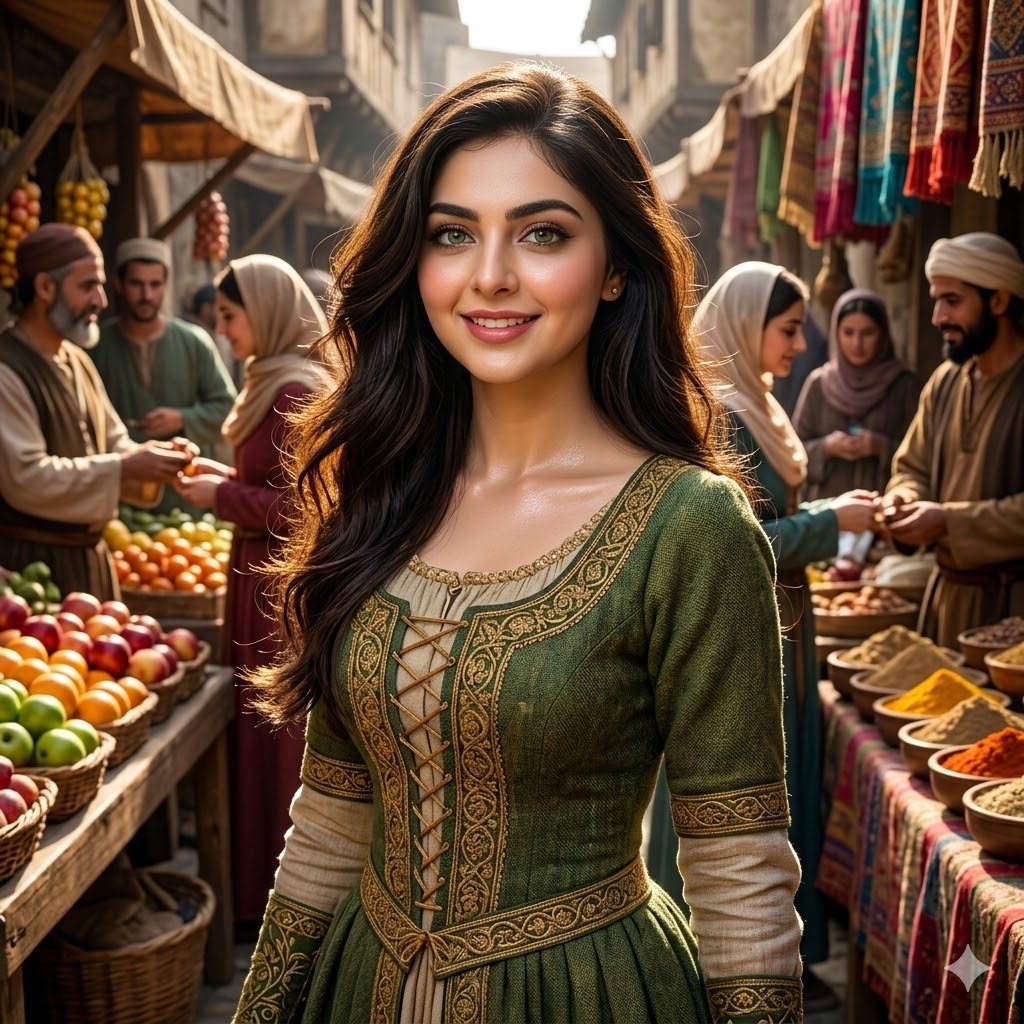
提示词 · EN
一个 argsubject: 漂亮的女孩 在拥挤的中世纪集市中,集市摊贩,上半身,细节丰富的服装,argeye color: 绿色眼睛,arghair: 飘逸的长发,光泽皮肤,次表面散射,(清晰:0.7),超细节,真实纹理,戏剧性光影,动态构图,虚幻引擎,尼康 D850 <lora:more_details:0.6>
关于这个提示词
Create a hyper-realistic portrait of a subject with detailed clothing and dramatic lighting in a bustling medieval market scene. 它更适合作为 GPT Image 2 的概念艺术起点:先保留画面结构、主体关系和风格约束,再替换成你的品牌、人物或场景。
使用时优先替换 subject、eye color、hair 等占位符,并保持镜头、构图和材质描述的顺序不变。这样更容易获得稳定的画面结果,也方便继续做多版本对比。
如何使用这个提示词
- Copy the entire prompt text from the main field.
- Paste it into your preferred AI image generation model (e.g., Sora 2, Stable Diffusion).
- Replace the default values like
{subject}or{eye color}with your specific details. - Adjust parameters like
more_detailslora strength if needed for finer control. - Generate the image and iterate on the variables for your desired result.


