
GPT Image 2AI 提示词
Sora 2 Luxury Fashion Prompt with 3D Text & Logo
Generate a sleek, magazine-style fashion photo featuring a model in designer wear, with customizable 3D text and luxury logo overlays.
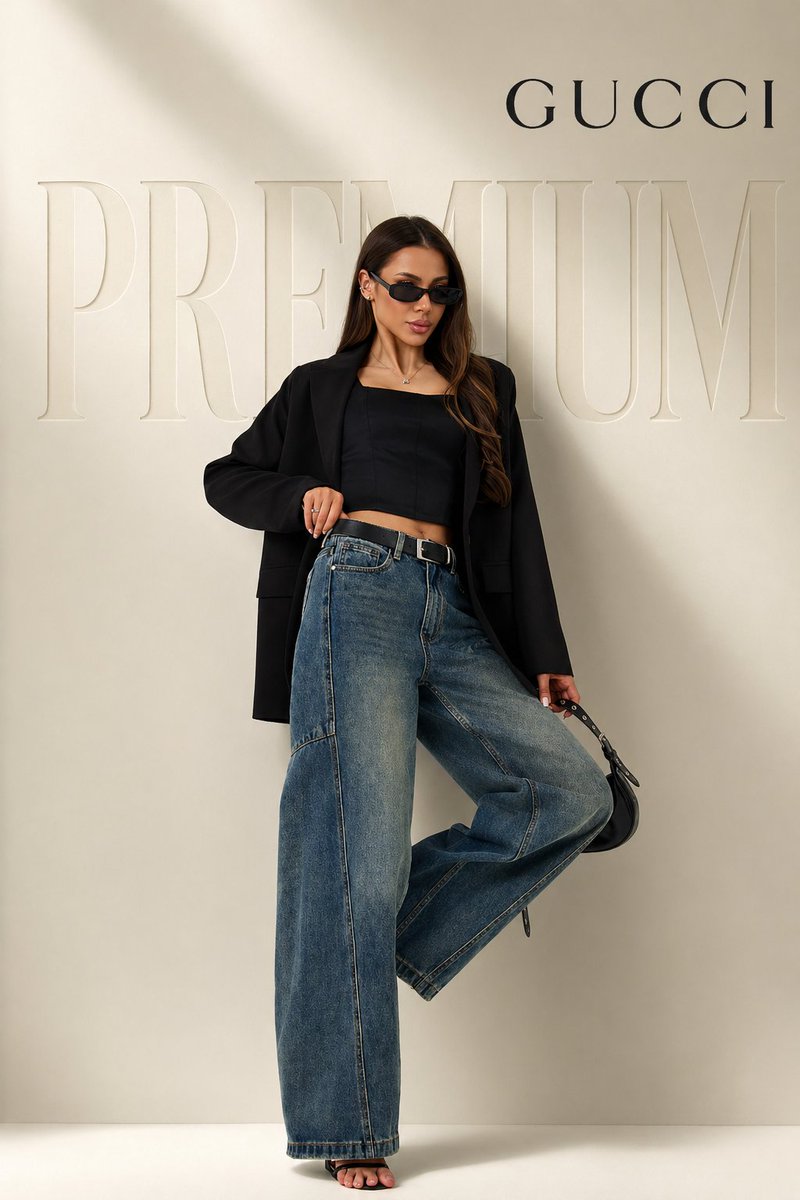
提示词 · EN
全身 argsubject: 女性模特,自信的时尚姿势(一条腿微微抬起,呈现放松的奢华站姿),身穿超大款黑色西装外套、黑色紧身露脐上衣、高腰宽松蓝色牛仔裤、黑色高跟鞋,佩戴细框太阳镜,手提小巧黑色手袋,干净的长发,轮廓分明的五官
极简奢华摄影棚背景,柔和的米色渐变墙面,平滑的阴影,编辑级灯光,高端时尚广告大片风格
背景处有巨大的浮雕式 “argbackground text: PREMIUM” 文字,微妙的 3D 深度,与墙面同色系的色彩融合,优雅且柔和
底部保留粗体且简约的 “BAGGY” 文字,采用现代高端无衬线字体
右上角添加 “arglogo: GUCCI” 标志,间距整洁,奢华排版
超写实,焦点清晰,高端色彩分级,柔和高光,景深效果,杂志级画质,构图简洁,无杂乱元素
关于这个提示词
Generate a sleek, magazine-style fashion photo featuring a model in designer wear, with customizable 3D text and luxury logo overlays. 它更适合作为 GPT Image 2 的概念艺术起点:先保留画面结构、主体关系和风格约束,再替换成你的品牌、人物或场景。
使用时优先替换 subject、background text、logo 等占位符,并保持镜头、构图和材质描述的顺序不变。这样更容易获得稳定的画面结果,也方便继续做多版本对比。
如何使用这个提示词
- Copy the entire prompt from the page.
- Open Sora 2 or your preferred AI image generator.
- Replace the variables like
{subject},{background text}, and{logo}with your desired values. - Adjust the generation settings to high resolution and photo-realistic mode for best results.
- Generate the image and tweak the prompt if needed to perfect the output.


