
GPT Image 2AI 提示词
Breaking News Style Character Art — Sora 2 Prompt
Transform any character into a dramatic, broadcast-ready news scene with tickers, headlines, and a serious on-the-ground composition.
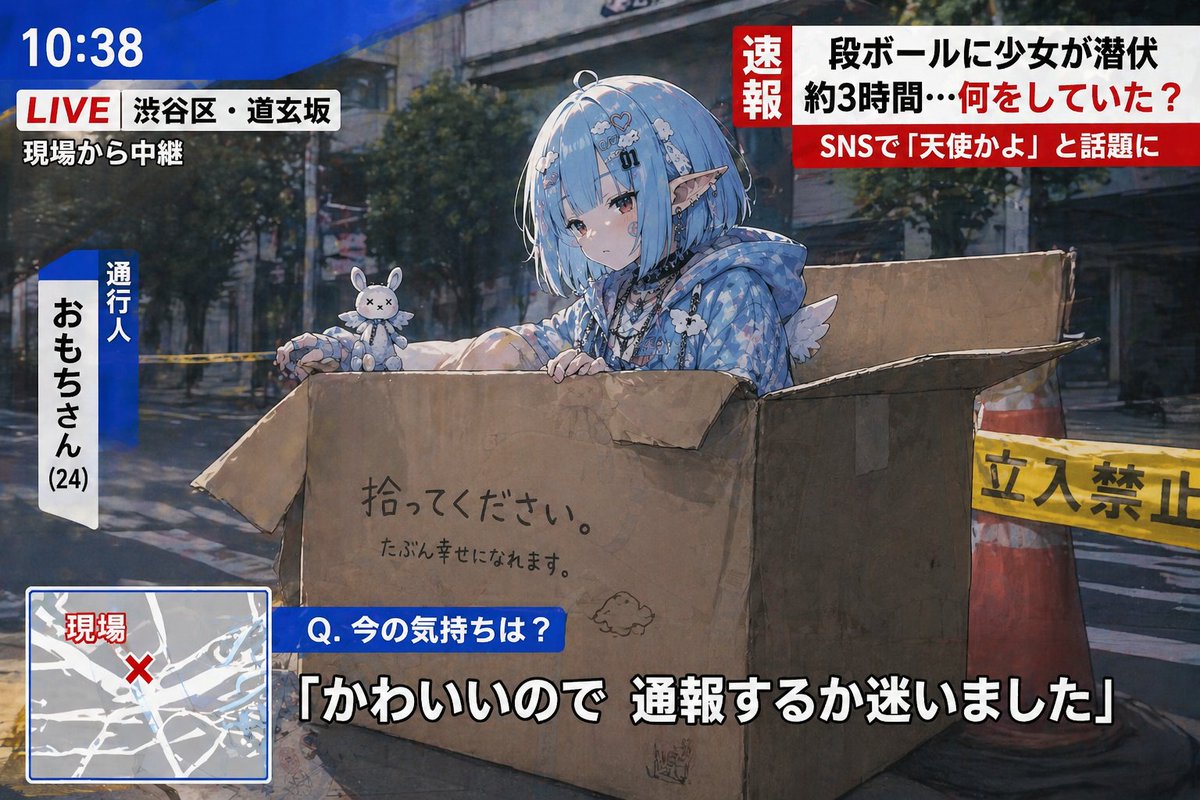
提示词 · EN
使用此角色,绘制一张 argtheme: 突发新闻风格 插图。请勿直接使用参考图像;相反,应创建一个适合新闻报道的情境和构图。包含滚动字幕、标题以及现场报道风格的构图。即使内容琐碎,也要使其看起来严肃认真。
关于这个提示词
Transform any character into a dramatic, broadcast-ready news scene with tickers, headlines, and a serious on-the-ground composition. 它更适合作为 GPT Image 2 的概念艺术起点:先保留画面结构、主体关系和风格约束,再替换成你的品牌、人物或场景。
使用时优先替换 theme 等占位符,并保持镜头、构图和材质描述的顺序不变。这样更容易获得稳定的画面结果,也方便继续做多版本对比。
如何使用这个提示词
- Copy the prompt below into your preferred AI image generator.
- Select a model that supports high-detail and stylistic rendering (e.g., Sora 2).
- Replace the default
themevariable (e.g., '突发新闻风格') with your desired news theme or style. - For best results, describe your character's key features in the prompt to ensure accurate representation.
- Generate the image and iterate by adjusting the theme or adding specific news context (e.g., 'tech breakthrough' or 'local event').


