
GPT Image 2AI 提示词
Japan Chaos Weather Meme — Sora 2 Viral Infographic Prompt
Generate a bold 1:1 infographic meme showing Japan's wild same-day weather extremes across three regions, perfect for viral social media posts and thumbnails.
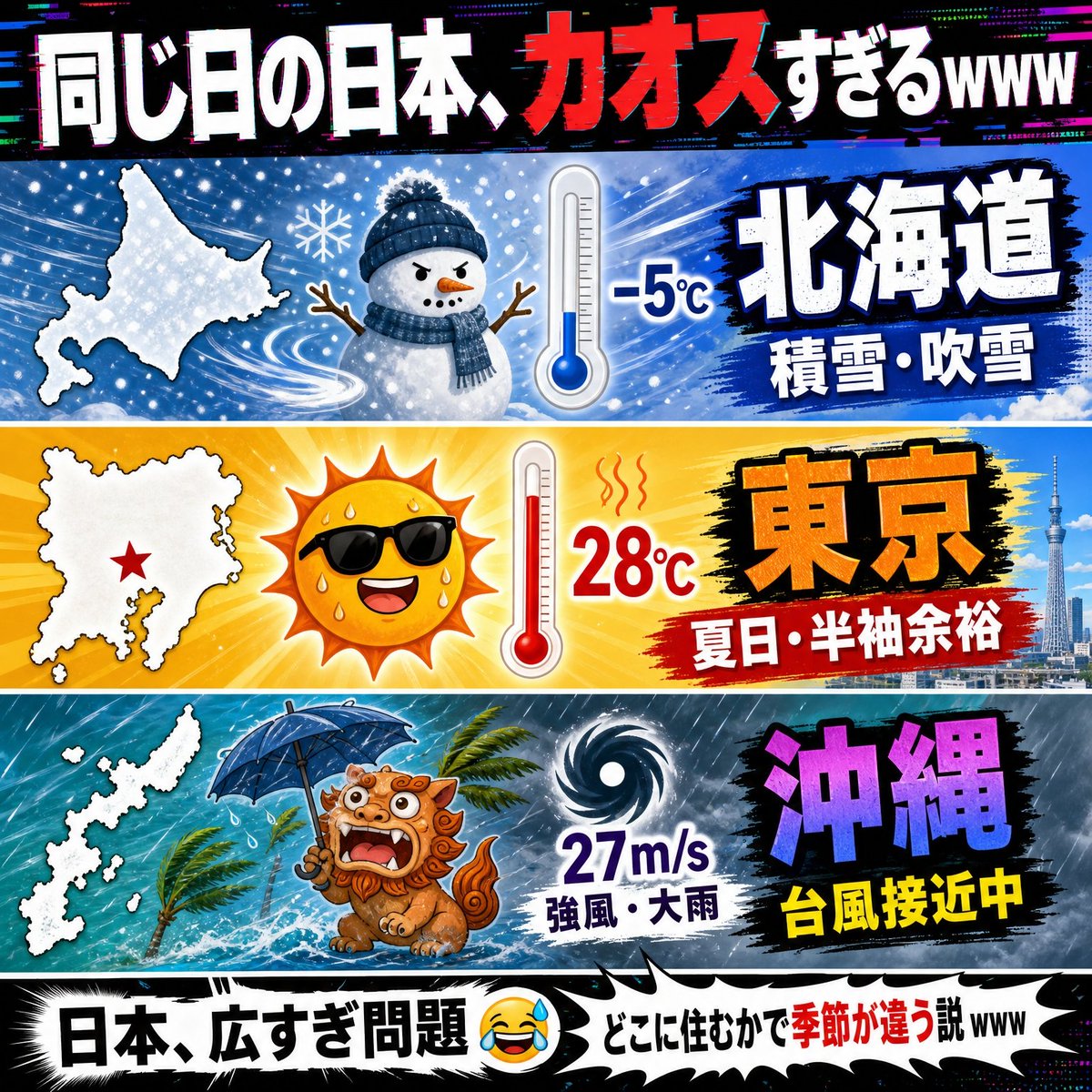
提示词 · EN
type
病毒式日本社交媒体信息图 / 梗图缩略图theme
日本同一天内各地区天气迥异canvas
1:1 正方形构图,高对比度,强烈的 YouTube 缩略图风格,故障风 RGB 色差,漫画式冲击线,夸张的天气图标,粗黑轮廓,高饱和度色彩headline
position
顶部全宽黑色横幅text
{argument name="headline text" default="同じ日の日本、カオスすぎるwww"}style
巨大的粗体日文字体,白色文字,在“カオス”处使用红色强调,带有故障效果,轻微 3D 阴影layout
panel_count
3panels
item 1
position
顶部天气面板region_label
{argument name="first region label" default="北海道"}background
冰蓝色暴风雪场景,伴随旋转的雪花、雪片和风痕map
左侧北海道的白色剪影地图weather_icons_count
2weather_icons
item 1
戴着海军蓝针织帽和围巾、长着树枝手臂的可爱雪人item 2
显示冰点温度的蓝色温度计temperature
-5°Ccondition_text
积雪・暴风雪region_text_style
巨大的白色日文字符,带有深蓝色轮廓,置于黑色笔触色块上item 2
position
中部天气面板region_label
{argument name="second region label" default="东京"}background
明亮的黄橙色夏季热浪,伴随阳光,右侧为东京天际线和晴空塔map
左侧关东/东京地区的白色剪影地图,带有一个红色星形标记weather_icons_count
2weather_icons
item 1
戴着黑色墨镜、正在流汗的微笑烈日item 2
显示高温的红色温度计,带有热浪波纹temperature
28°Ccondition_text
夏日・短袖无压力region_text_style
巨大的橙色日文字符,带有黑色轮廓,置于黑色笔触色块上item 3
position
底部天气面板region_label
{argument name="third region label" default="冲绳"}background
暴风雨中的青色海洋,伴随大雨、海浪、在风中弯曲的棕榈树以及阴暗的台风天map
左侧冲绳群岛的白色剪影地图weather_icons_count
2weather_icons
item 1
受惊的冲绳风狮爷,撑着蓝色雨伞,张着嘴,周围有雨水飞溅item 2
黑白螺旋台风符号wind_speed
27m/scondition_text
强风・大雨alert_text
台风接近中region_text_style
巨大的紫色日文字符,带有黑色轮廓,下方有黄色警示文字footer
position
底部全宽漫画标题横幅text
{argument name="footer text" default="日本、広すぎ問題 😂💦 どこに住むかで季節が違う説www"}style
白色锯齿状对话气泡条,带有粗黑色边框,粗体黑色日文,在“季节不同”处使用红色强调,带有流汗笑的表情符号overall_style
日本梗图信息图,混乱但易读,三个水平带由白色边框分隔,戏剧性的排版,清晰的矢量卡通图标与照片般的城市细节相结合,生动的蓝/黄/青色调,俏皮夸张的灾难天气幽默关于这个提示词
Generate a bold 1:1 infographic meme showing Japan's wild same-day weather extremes across three regions, perfect for viral social media posts and thumbnails. 它更适合作为 GPT Image 2 的概念艺术起点:先保留画面结构、主体关系和风格约束,再替换成你的品牌、人物或场景。
这条提示词使用结构化 JSON 组织信息,包含 type、theme、canvas、headline、layout、footer、overall style 等字段。保留这种层级能让模型更清楚地区分画面主题、布局、界面元素和细节约束。
使用时建议先小幅修改主体、场景、镜头和色调,再生成多个版本对比构图与细节。这样页面内容对用户有实际帮助,也避免把模型名或标签机械堆在正文里。
如何使用这个提示词
- Copy the full prompt JSON and paste it into your preferred AI image generator (Sora 2, DALL-E, Midjourney, etc.).
- Choose your model — Sora 2 or similar tools that handle complex layouts and Japanese text work best.
- Customize the
{argument}variables such as headline text, region labels, and footer text to match your target audience or topic. - Adjust weather data or add regional details if you want to highlight a specific day's forecast for authenticity.
- Generate the image and review — tweak the prompt variables or regenerate until the layout, colors, and text placement feel meme-ready.


