
GPT Image 2AI 提示词
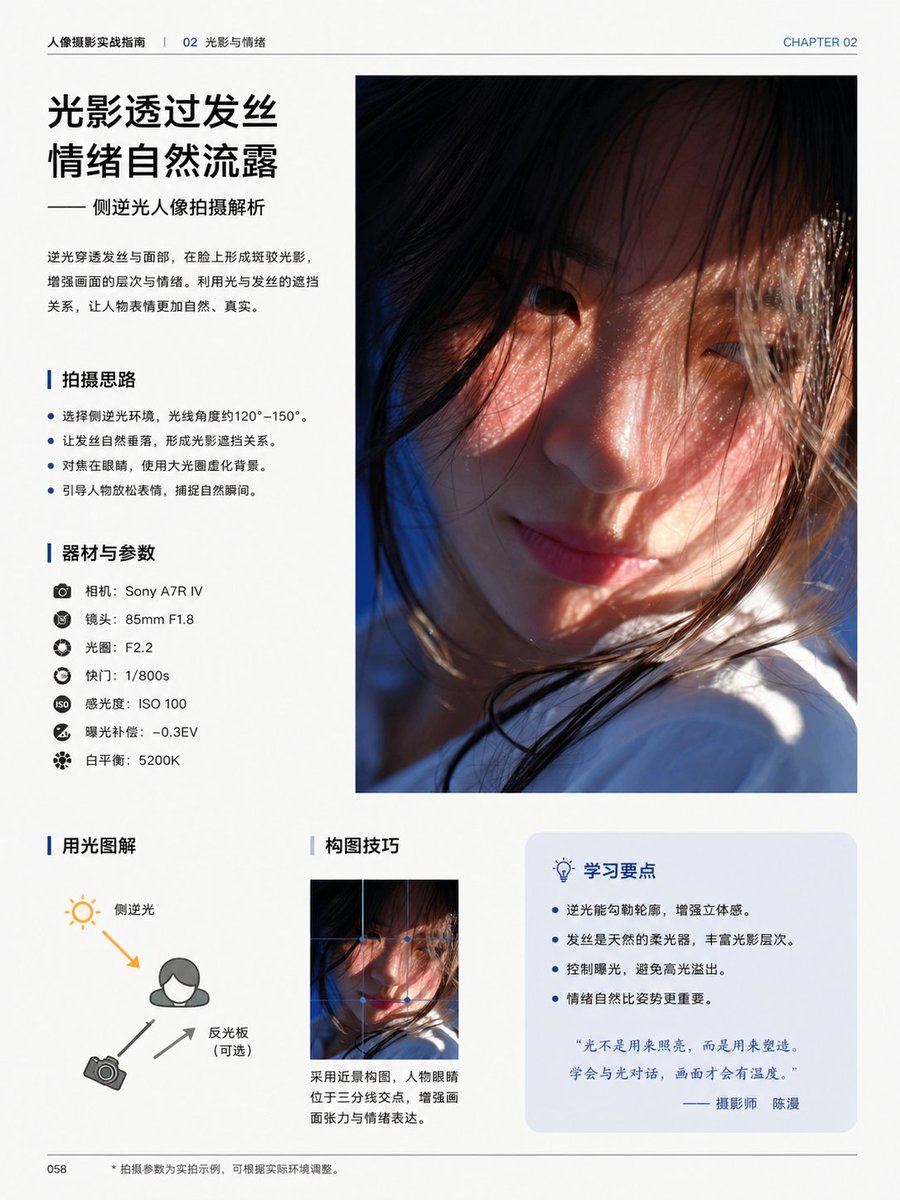
Side-Backlight Portrait Tutorial — Sora 2 Book Page Prompt
Generate a sleek book page teaching backlight portrait photography, with lighting diagrams, gear settings, and composition tips—perfect for guides and mockups.
提示词 · EN
type
编辑类摄影教程书籍页面style
简洁现代的中文杂志排版,极简白色背景,专业排版,宽裕的页边距,细分割线,蓝色点缀色,高端印刷设计page
chapter_label
第 02 章header_left
人像摄影实战指南 | 02 光影与情绪page_number
058size
单页纵向书籍页面content_blocks
item 1
kind
headline_blockposition
top-lefttitle
{argument name="headline text" default="光影透过发丝
情绪自然流露"}subtitle
—— 侧逆光人像拍摄解析body
逆光穿透发丝与面部,在脸上形成斑驳光影,增强画面的层次与情绪。利用光与发丝的遮挡关系,让人物表情更加自然、真实。item 2
kind
main_photoposition
top-rightcount
1description
占据页面右上半部分的巨幅纵向人像照片,电影感特写,年轻女性侧逆光,温暖阳光穿过散落的发丝,柔和的肤色,浅景深,部分面部被发丝和构图遮挡,底部可见白色衣物,氛围感强且亲密item 3
kind
bullet_sectionposition
mid-lefttitle
拍摄思路count
4items
item 1
选择侧逆光环境,光线角度约 120°–150°。item 2
让发丝自然垂落,形成光影遮挡关系。item 3
对焦在眼睛,使用大光圈虚化背景。item 4
引导人物放松表情,捕捉自然瞬间。item 4
kind
gear_sectionposition
left-centertitle
器材与参数count
7items
item 1
相机:{argument name="camera model" default="Sony A7R IV"}item 2
镜头:85mm F1.8item 3
光圈:F2.2item 4
快门:1/800sitem 5
感光度:ISO 100item 6
曝光补偿:-0.3EVitem 7
白平衡:5200Kitem 5
kind
diagram_sectionposition
bottom-lefttitle
用光图解count
3labels
item 1
侧逆光item 2
反光板(可选)item 3
相机description
简单的布光图解,包含人物图标、左上角的太阳图标、左下角的相机图标,一个橙色箭头表示背侧光线射向主体,两个灰色箭头表示相机与反光板的位置关系item 6
kind
composition_sectionposition
bottom-centertitle
构图技巧count
1image
同一人像照片的小尺寸纵向裁剪caption
采用近景构图,人物眼睛位于三分线交点,增强画面张力与情绪表达。item 7
kind
tips_boxposition
bottom-righttitle
学习要点count
4items
item 1
逆光能勾勒轮廓,增强立体感。item 2
发丝是天然的柔光器,丰富光影层次。item 3
控制曝光,避免高光溢出。item 4
情绪自然比姿势更重要。quote
“光不是用来照亮,而是用来塑造,学会与光对话,画面才会有温度。”—— 摄影师 {argument name="photographer name" default="陈漫"}footer
left
058center
• 拍摄参数为实拍示例,可根据实际环境调整。visual_notes
所有正文使用简体中文,标题采用加粗黑色中文字体,章节标题前带有蓝色竖向强调条,提示框后方带有淡蓝色圆角矩形,逼真的印刷级编辑排版,高端摄影教育书籍美学关于这个提示词
Generate a sleek book page teaching backlight portrait photography, with lighting diagrams, gear settings, and composition tips—perfect for guides and mockups. 它更适合作为 GPT Image 2 的概念艺术起点:先保留画面结构、主体关系和风格约束,再替换成你的品牌、人物或场景。
这条提示词使用结构化 JSON 组织信息,包含 type、style、page、content blocks、footer、visual notes 等字段。保留这种层级能让模型更清楚地区分画面主题、布局、界面元素和细节约束。
使用时建议先小幅修改主体、场景、镜头和色调,再生成多个版本对比构图与细节。这样页面内容对用户有实际帮助,也避免把模型名或标签机械堆在正文里。
如何使用这个提示词
- Copy the prompt into your preferred AI image generator (e.g., Sora 2, DALL·E).
- Choose a model optimized for editorial design layouts.
- Customize variable arguments like camera model and headline text if needed.
- Generate the image and refine with negative prompts for cleaner output.
- Download the high-resolution book page for your project.


