
AI 提示词
Photorealistic Figure Bursting Out of Manga — Sora 2 Prompt
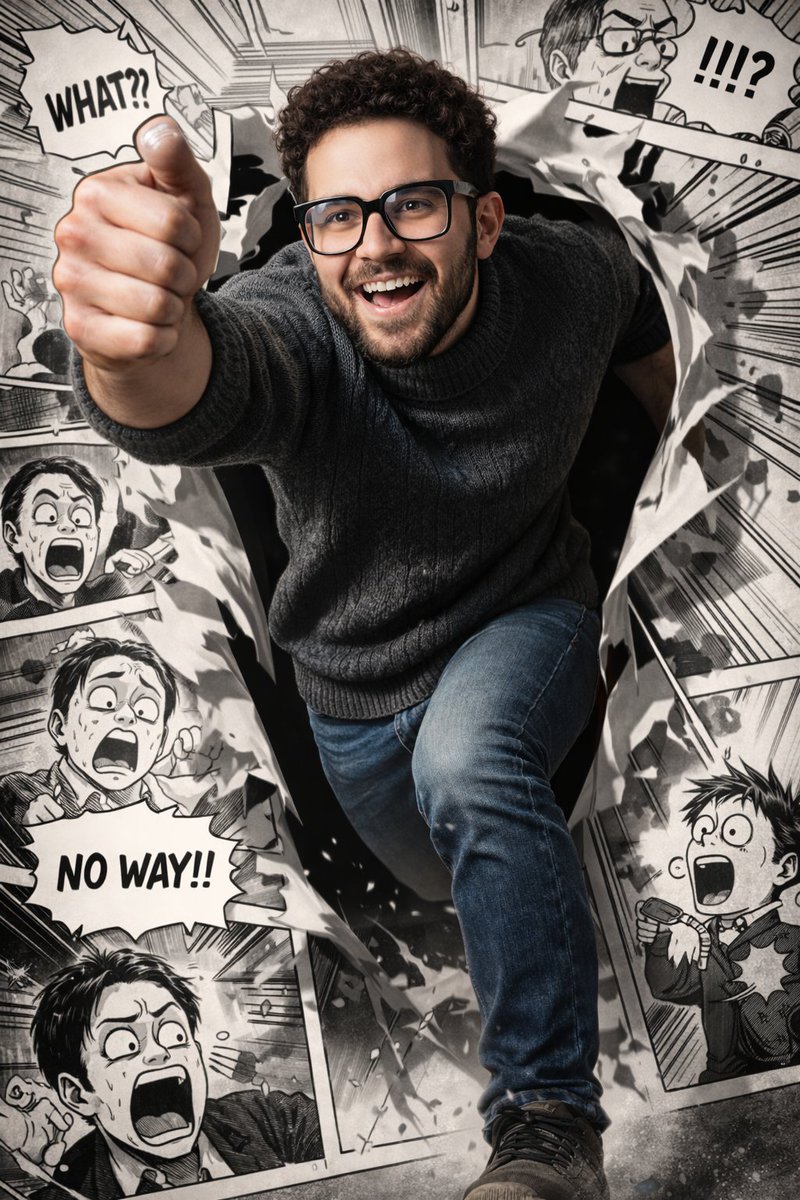
Create a stunning, ultra-detailed 8K image of a photorealistic man dynamically leaping from a black-and-white manga panel, blending reality and comic art.
提示词 · EN
prompt
Ultra-realistic, vibrant photorealistic rendering of a young man with short curly dark hair, neatly trimmed beard, and black rectangular glasses, wearing a dark textured turtleneck sweater and jeans. He is captured mid-run in a dynamic, forward-breaking pose, dramatically emerging from a torn manga panel — one leg and one arm bursting into the real world while the rest of his body remains inside the comic frame. His expression is energetic and joyful, with sharp facial details, natural skin texture, and dramatic cinematic lighting with high contrast and depth.
Background: a highly detailed black-and-white manga layout filled with humorous, exaggerated reaction scenes that directly interact with him. The surrounding manga characters display shocked and comedic expressions, with bold speech bubbles and motion lines. The manga panels are illustrated in a classic high-contrast ink style with crisp linework and halftone shading. Torn paper edges and debris enhance the illusion of him breaking through the comic world. The fully colored, photorealistic figure contrasts strongly against the monochrome manga environment, creating a dynamic hybrid between reality and comic art. Ultra-detailed, 8k resolution, sharp focus, dramatic shadows, cinematic depth of field.关于这个提示词
Create a stunning, ultra-detailed 8K image of a photorealistic man dynamically leaping from a black-and-white manga panel, blending reality and comic art. 它更适合作为 AI 模型 的概念艺术起点:先保留画面结构、主体关系和风格约束,再替换成你的品牌、人物或场景。
这条提示词使用结构化 JSON 组织信息,包含 prompt 等字段。保留这种层级能让模型更清楚地区分画面主题、布局、界面元素和细节约束。
使用时建议先小幅修改主体、场景、镜头和色调,再生成多个版本对比构图与细节。这样页面内容对用户有实际帮助,也避免把模型名或标签机械堆在正文里。
如何使用这个提示词
- Copy the prompt to your clipboard.
- Open your preferred AI image generator (e.g., Midjourney, DALL·E 3, Stable Diffusion).
- Paste the prompt into the input field.
- Optionally tweak parameters like aspect ratio (e.g., --ar 16:9) or style for best results.
- Generate and iterate, adjusting details like clothing or expression until satisfied.


