
GPT Image 2AI 提示词
18th-Century Character Portrait Swap — Sora 2 Prompt
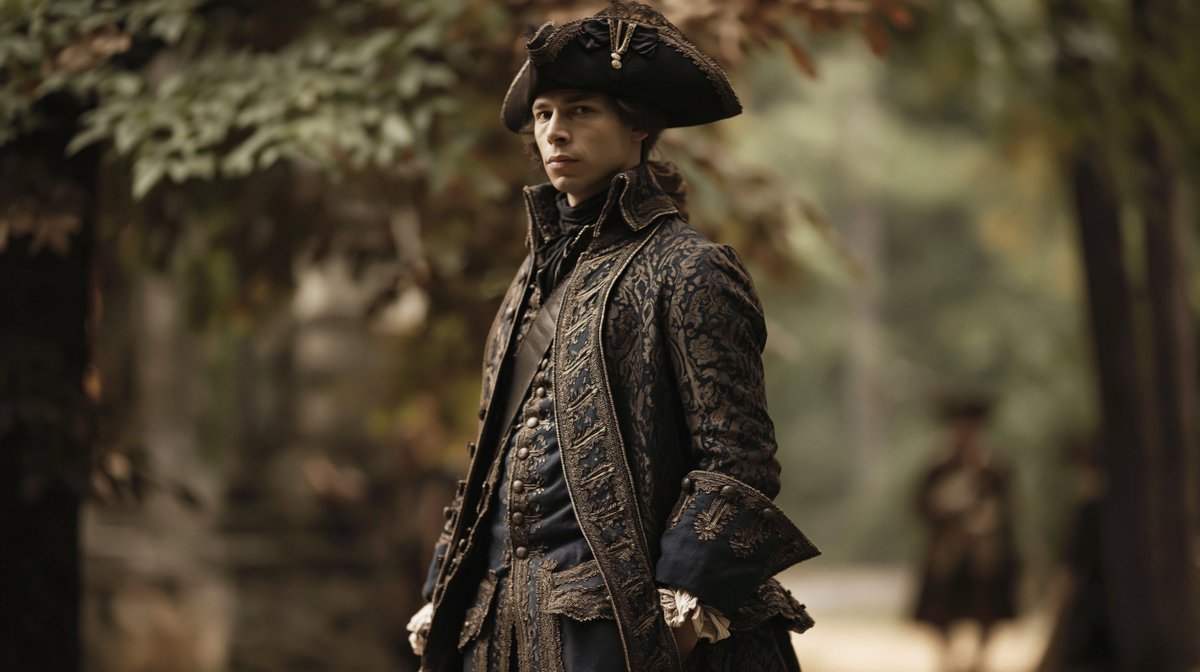
Create a cinematic historical portrait by swapping the subject in your reference photo into an 18th-century aristocrat, with bokeh background and distant figure.
1 / 4
提示词 · EN
使用提供的参考图像,将原图中的男性替换为指定角色,同时保持相同的站姿、构图和写实的摄影风格。将场景转换为户外历史背景,并配以浅景深的森林或花园背景。为角色穿上精致的 18 世纪深色贵族服饰:1 顶三角帽、1 件刺绣长外套、1 件带有排扣的合身马甲、1 条高领领巾以及 2 只白色荷叶边袖口。保持角色居中且充满气场,运用电影级布光,背景需柔和虚化,并在右侧包含 1 个远处的模糊身影。
关于这个提示词
Create a cinematic historical portrait by swapping the subject in your reference photo into an 18th-century aristocrat, with bokeh background and distant figure. 它更适合作为 GPT Image 2 的概念艺术起点:先保留画面结构、主体关系和风格约束,再替换成你的品牌、人物或场景。
使用时建议先小幅修改主体、场景、镜头和色调,再生成多个版本对比构图与细节。这样页面内容对用户有实际帮助,也避免把模型名或标签机械堆在正文里。
如何使用这个提示词
- Upload a reference photo featuring a standing male subject.
- Copy this prompt into your AI tool (Sora 2, Midjourney, etc.) and replace "[specified character]" with your desired character name or description.
- Optionally modify elements like the forest/garden background, clothing details, or the position of the distant figure.
- Generate the image to create a cinematic 18th-century noble portrait with the new character.


