
GPT Image 2AI 提示词
Corporate Meeting Photo Upgrade — Sora 2 Prompt
Transform CCTV-style meeting footage into polished, high-end corporate photography with bright natural light, modern office interiors, and professional keynote slides.
提示词 · EN
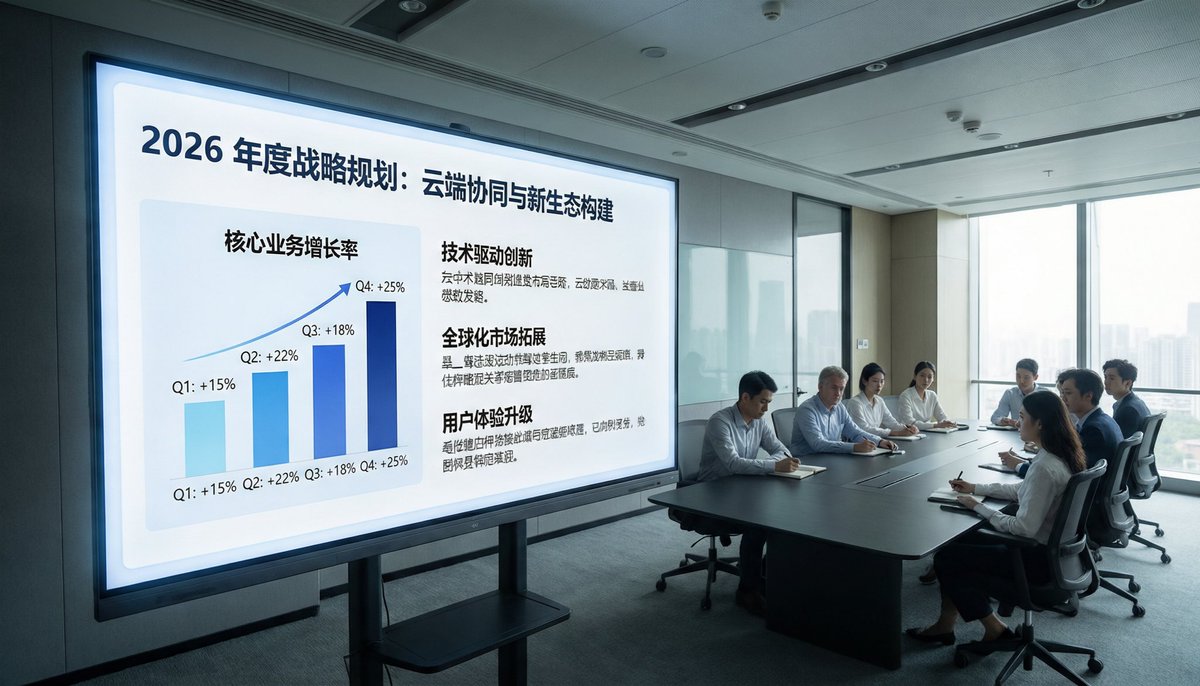
使用提供的参考图像,以全新的视角重新创作同一场商务会议,将其打造为精致的高端企业宣传照。将视角移近演示屏幕,并切换至左前方广角视角,使显示屏占据左侧,会议桌及参会人员位于右侧靠近落地窗的位置。将昏暗的监控摄像头风格替换为明亮的自然光、整洁的现代办公照明以及专业的建筑室内质感。移除所有 CCTV 叠加层、时间戳、录制指示器、地面/设备文字及其他监控摄像头的伪影。将显示内容升级为精美的 Keynote 风格战略 Slides,标题为“2026 年度战略规划:云端协同与新生态构建”。在 Slides 左侧展示 1 个季度增长趋势柱状图,标注 4 个季度:Q1 +15%、Q2 +22%、Q3 +18%、Q4 +25%。在右侧展示 3 个带有加粗标题的文本板块:“技术驱动创新”、“全球化市场拓展”和“用户体验升级”,下方各配有简短的中文正文。保持场景的写实感,呈现高端企业品牌美学,座位布置整齐,并对人物进行细微的匿名化处理或柔焦处理。
关于这个提示词
Transform CCTV-style meeting footage into polished, high-end corporate photography with bright natural light, modern office interiors, and professional keynote slides. 它更适合作为 GPT Image 2 的概念艺术起点:先保留画面结构、主体关系和风格约束,再替换成你的品牌、人物或场景。
使用时建议先小幅修改主体、场景、镜头和色调,再生成多个版本对比构图与细节。这样页面内容对用户有实际帮助,也避免把模型名或标签机械堆在正文里。
如何使用这个提示词
- Copy the full prompt text above and paste it into your chosen AI video generation model (e.g., Sora 2).
- Provide a reference image of a business meeting scene you want to upgrade.
- Customize specific details like the slide title, quarterly growth percentages, or text blocks to match your branding.
- Adjust camera angle or lighting preferences if the model allows fine-tuning.
- Generate the output and review — iterate by refining prompt variables for the desired corporate aesthetic.


