
GPT Image 2AI 提示词
Chinese Palace Architecture Poster — Sora 2 Prompt
Generate a cinematic, minimalist poster where Chinese characters transform into the grand, weathered architecture of the Forbidden City.
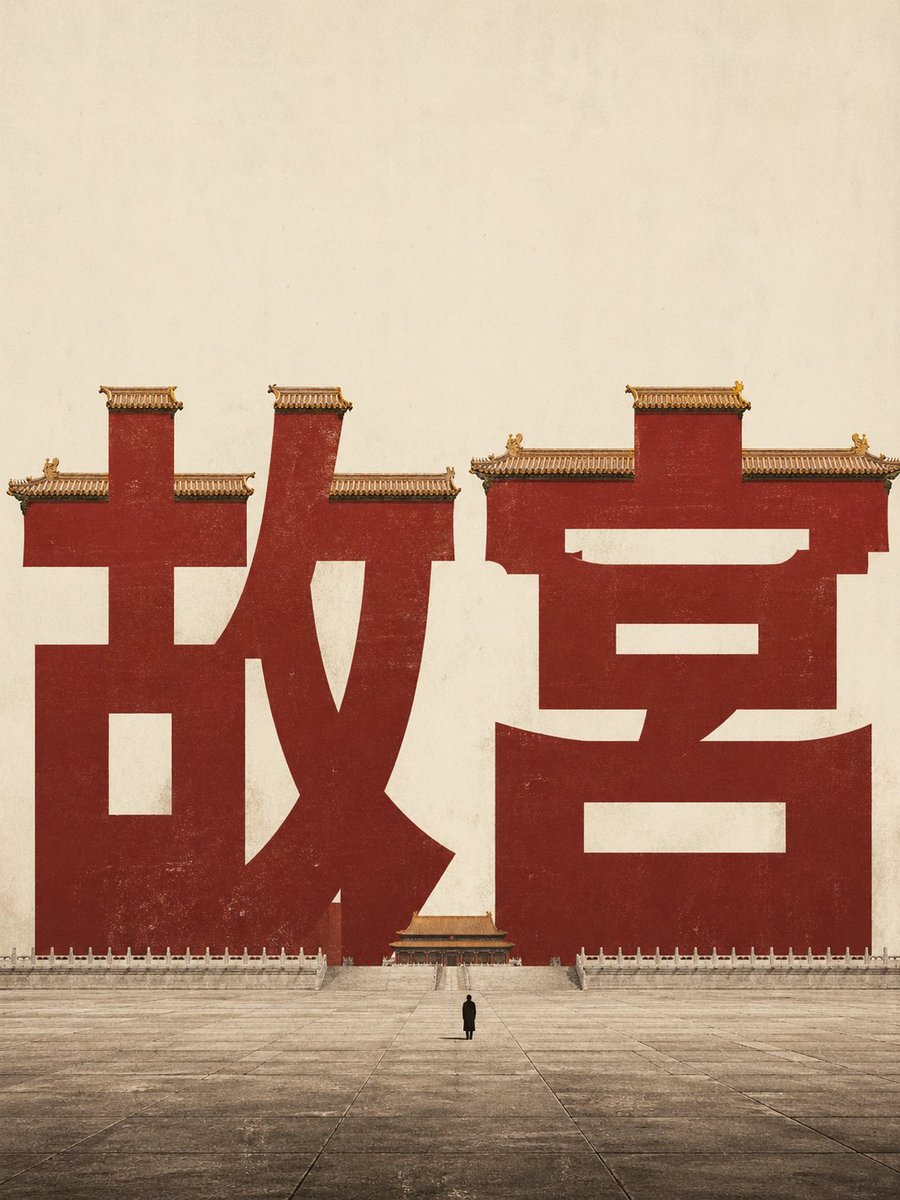
提示词 · EN
创作一张极简主义电影质感的中国字体海报,背景为陈旧的暖米色纸张,画面中心为巨大的深朱红色中文标题文字 argheadline text: 故宫。这两个巨大的字符应像宏伟的宫殿建筑一样占据画面主体,其笔画呈现为红色的故宫宫墙。在字符顶端边缘添加传统的金黄色琉璃瓦屋顶和华丽的檐角,并包含小巧的装饰性屋脊兽。字符矗立在广阔空旷的石质庭院远端,底部配有浅色大理石栏杆和对称的露台。在画面正前方的中心位置,放置一个身穿深色外套的微小孤独身影,以突显比例感。采用低视角、正面、对称的构图,上方米色天空留出大量负空间,运用柔和的历史色调、细腻的胶片颗粒感、磨损的纸张纹理、红色漆面的轻微风化效果,以及受中国文化遗产和故宫启发的优雅海报设计美学。无需额外文字、Logo 或边框。
关于这个提示词
Generate a cinematic, minimalist poster where Chinese characters transform into the grand, weathered architecture of the Forbidden City. 它更适合作为 GPT Image 2 的概念艺术起点:先保留画面结构、主体关系和风格约束,再替换成你的品牌、人物或场景。
使用时优先替换 headline text 等占位符,并保持镜头、构图和材质描述的顺序不变。这样更容易获得稳定的画面结果,也方便继续做多版本对比。
如何使用这个提示词
- Copy the entire prompt text from the 'PROMPT BODY' section.
- Choose your preferred AI image generation model (e.g., Sora, DALL-E, Midjourney).
- To customize, edit the
headline textvariable (e.g., change "故宫" to another word like "长城"). - For best results, generate the image with a 16:9 aspect ratio for a cinematic feel.
- Review the output and regenerate or adjust the prompt's descriptive keywords if needed.


