
GPT Image 2AI 提示词
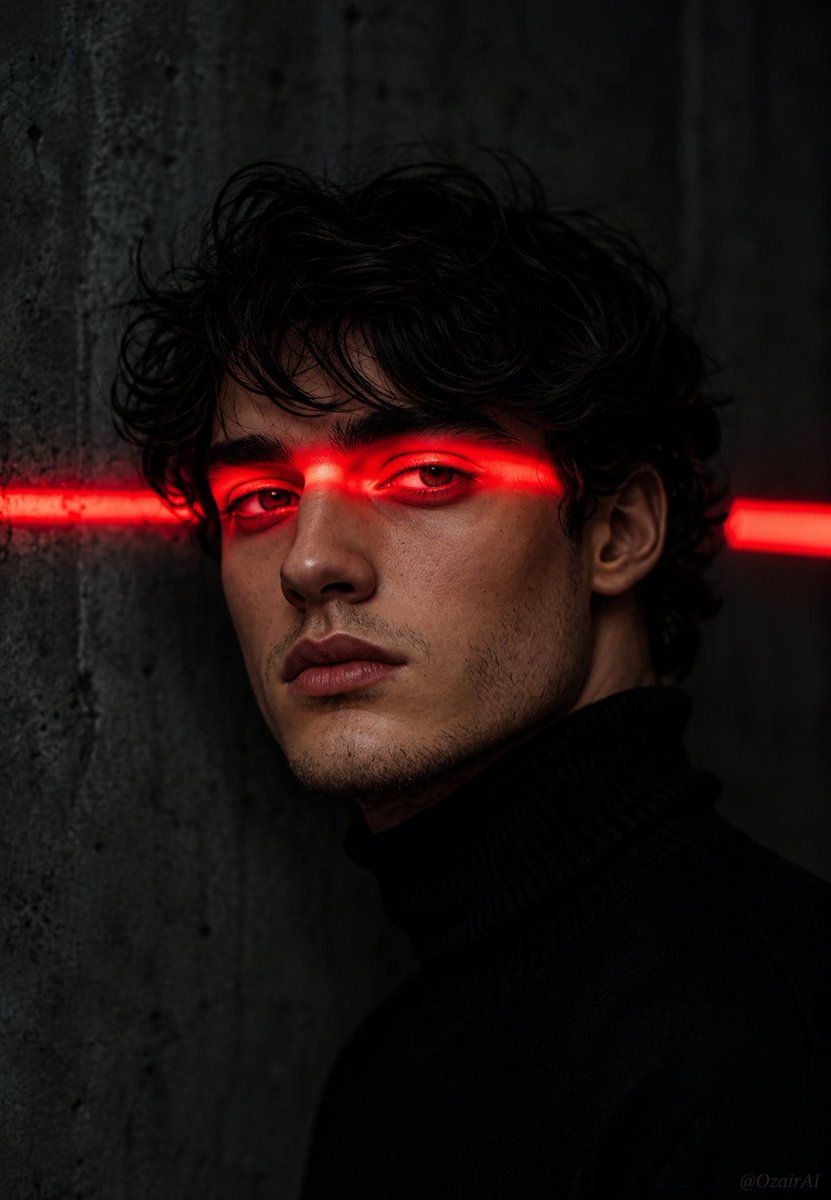
Cinematic Noir Neon Portrait — Sora 2 AI Prompt
Create hyper-realistic, dramatic 8K portraits with intense red neon lighting, deep shadows, and a noir film aesthetic while preserving facial identity.
提示词 · EN
请使用我上传的参考图像中的面部作为主体。 请勿更改面部特征、下颌线、眼睛形状、鼻子或胡茬。 确保面部与参考图像 100% 一致。 现在,请将此面部置于以下场景中: 电影感暗黑人像,人物拥有 argfacial detail: 清晰的下颌线和淡淡的胡茬, 凌乱的黑色头发垂在额前,身穿 argclothing: 黑色高领毛衣。 一道强烈的水平 arglight color: 红色 霓虹灯带横穿双眼, 在眼睑、眉毛和鼻梁上投下深红色的光芒。 双眼半睁,冷峻而锐利地直视镜头。 背景为暗淡的灰色混凝土墙,右侧可见第二道模糊的 红色灯带,略微失焦。 深邃的阴影,极具戏剧性的灯光,黑色电影氛围。 右下角有微弱的 "OzairAI" 水印。 垂直 9:13 比例。超写实,8K 分辨率,电影级调色。
关于这个提示词
Create hyper-realistic, dramatic 8K portraits with intense red neon lighting, deep shadows, and a noir film aesthetic while preserving facial identity. 它更适合作为 GPT Image 2 的概念艺术起点:先保留画面结构、主体关系和风格约束,再替换成你的品牌、人物或场景。
使用时优先替换 facial detail、clothing、light color 等占位符,并保持镜头、构图和材质描述的顺序不变。这样更容易获得稳定的画面结果,也方便继续做多版本对比。
如何使用这个提示词
- Copy the entire prompt template into your AI video or image generator.
- Select the appropriate model, such as Sora 2, for best photorealism and cinematic results.
- Customize the variables in the curly braces
{ }to change the subject's clothing, facial details, and lighting color to match your vision. - Upload your reference image as instructed to ensure the model uses the correct facial features.
- Generate the image, review the output, and adjust variables for refinement if needed.


