
GPT Image 2AI 提示词
Luxury Embossed Card Effect — Sora 2 Prompt
Transform any illustration into a stunning luxury embossed card with realistic 3D depth, tactile paper or metal textures, and exquisite light-and-shadow relief effects.
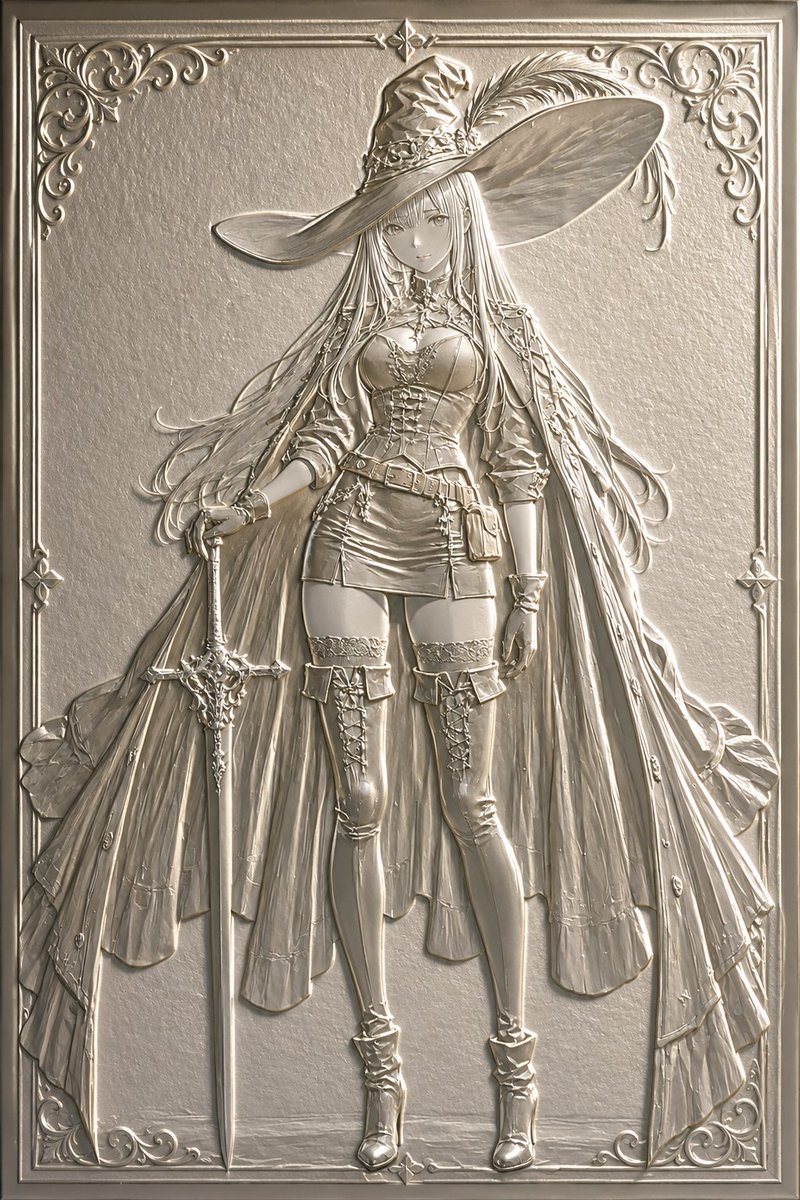
1 / 4
提示词 · EN
将此插画转换为 argprocessing type: 浮雕 argstyle: 奢华卡片或浮雕 风格。强调如同纸张或金属压制般的立体凹凸感,营造出令人想要触摸的质感,并通过光影呈现出精美的浮雕效果。同时保持原插画的构图与角色。
关于这个提示词
Transform any illustration into a stunning luxury embossed card with realistic 3D depth, tactile paper or metal textures, and exquisite light-and-shadow relief effects. 它更适合作为 GPT Image 2 的概念艺术起点:先保留画面结构、主体关系和风格约束,再替换成你的品牌、人物或场景。
使用时优先替换 processing type、style 等占位符,并保持镜头、构图和材质描述的顺序不变。这样更容易获得稳定的画面结果,也方便继续做多版本对比。
如何使用这个提示词
- Copy the Prompt: Copy the full prompt text from the prompt page.
- Choose Your Model: Select a compatible AI image model (e.g., Sora 2, Midjourney, DALL·E).
- Set Variables: Customize the
{processing type}(e.g., Emboss, Relief) and{style}(e.g., Luxury Card, Metal Emboss) to match your vision. - Attach Your Image: Upload or reference the original illustration you want to transform.
- Generate & Refine: Run the prompt and adjust settings for desired depth and texture intensity.


