
GPT Image 2AI 提示词
Mecha Anime Girl Shrine — Sora 2 Prompt
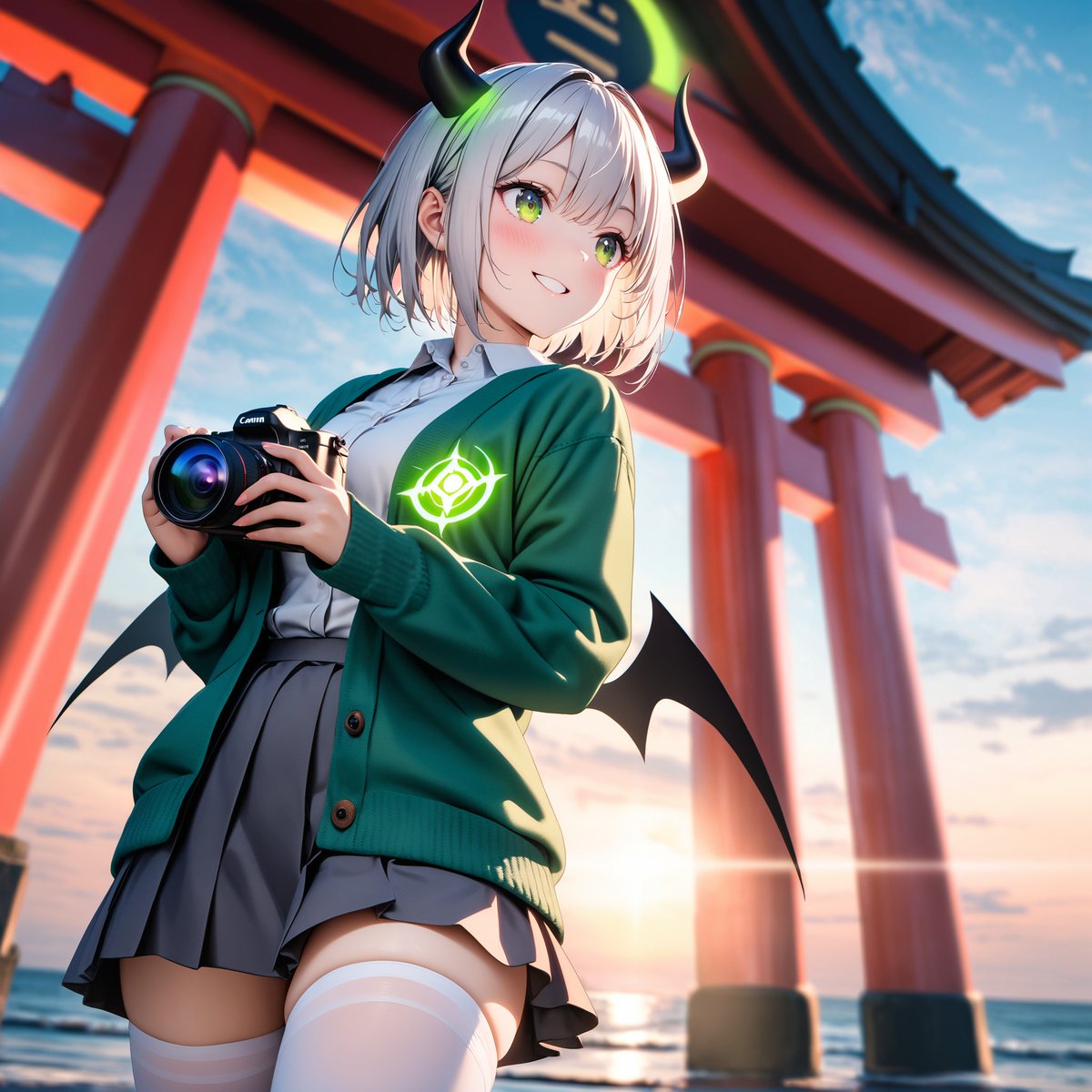
Transform a robot toy into a cinematic anime shrine maiden with glowing green accents, bat wings, and a camera, perfect for stunning, high-detail illustrations.
提示词 · EN
以 REFERENCE_0 为设计主题,将机器人模型转换为可爱的动漫风格拟人化少女,同时仅保留其标志性的色彩灵感和机甲特征:深绿色/棕色外套、棕褐色/灰色制服色调、爪子/怪兽般的轮廓暗示,以及发光的单眼风格徽章。将玩具/桌面背景替换为日落时分海边神社的戏剧性户外场景,背景可见巨大的红色鸟居柱和海平线。在角色手中添加一台手持式黑色 Canon 风格相机,呈现出她正在拍照的姿态。为角色添加 2 只带有霓虹绿发光装饰的黑色弯角、2 只小型黑色蝙蝠翅膀、短款白/银色头发;身穿白色衬衫和灰色百褶裙,外搭绿色开衫,穿着白色过膝袜,开衫胸前饰有发光的绿色徽章。用一个简单的米色方形遮挡块覆盖角色面部,以隐藏五官。渲染为精致的高细节动漫插画,采用电影级光效、低角度构图、鲜艳色彩、浅景深,且不带有任何可见的玩具/塑料质感。可选自定义:argcharacter style: 可爱的动漫拟人化少女, arglocation: 日落时分带有红色鸟居的海边神社, argheld object: 黑色 Canon 风格相机, argglowing emblem color: 霓虹绿, argface censor: 覆盖面部的简单米色方块。
关于这个提示词
Transform a robot toy into a cinematic anime shrine maiden with glowing green accents, bat wings, and a camera, perfect for stunning, high-detail illustrations. 它更适合作为 GPT Image 2 的概念艺术起点:先保留画面结构、主体关系和风格约束,再替换成你的品牌、人物或场景。
使用时优先替换 character style、location、held object、glowing emblem color 等占位符,并保持镜头、构图和材质描述的顺序不变。这样更容易获得稳定的画面结果,也方便继续做多版本对比。
如何使用这个提示词
- Copy the entire prompt text from above.
- Select your preferred AI video or image generation model.
- Edit the customizable variables in curly braces {} to change the character style, location, held object, glowing color, and face censor design.
- Paste the modified prompt and generate your image.
- Refine the output by adjusting the variables or adding your own descriptive details.


