GPT Image 2AI 提示词
Shibuya Selfie: Realistic AI Prompt for Sora 2
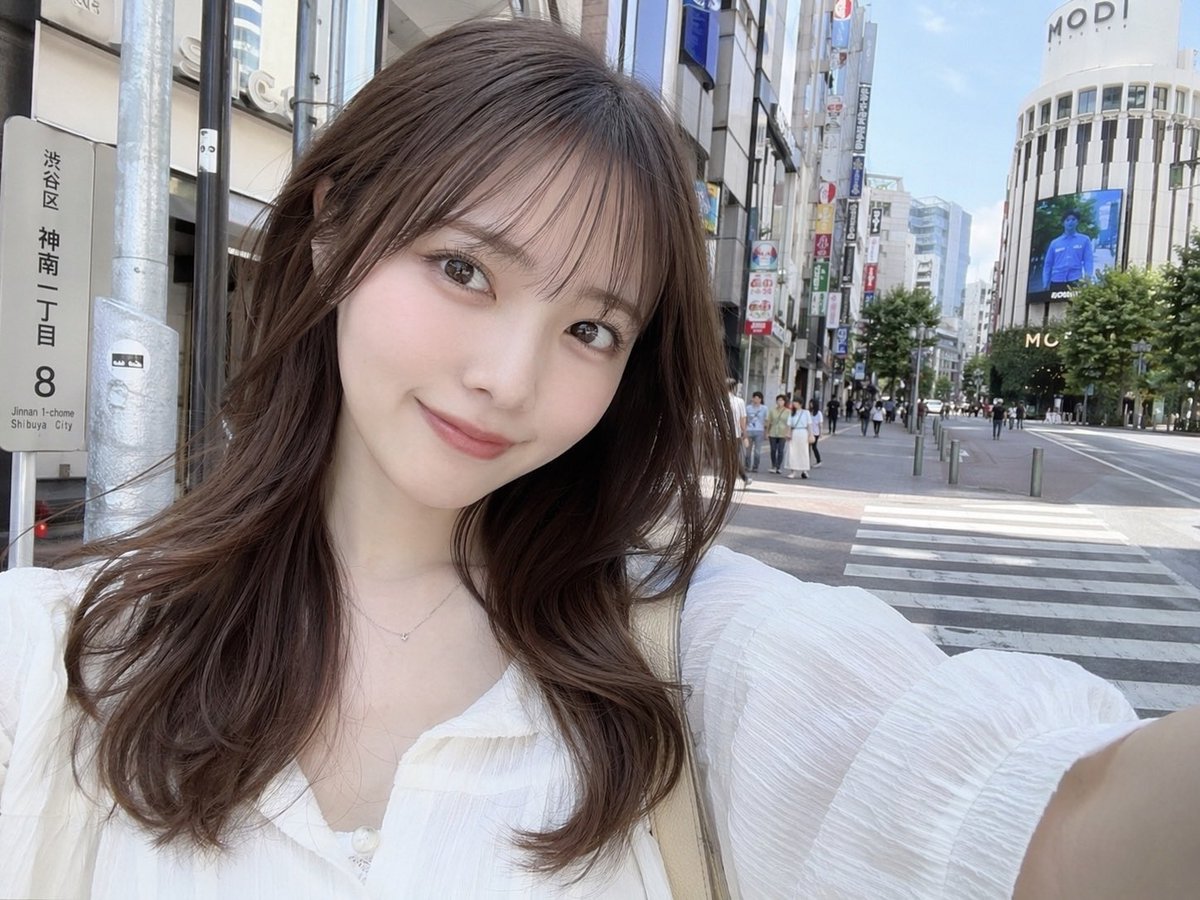
Generate a photorealistic selfie of a young Japanese woman on a sunny Shibuya street with a custom street sign — perfect for AI image generation.
提示词 · EN
一张写实风格的自拍,主角是 argsubject description: 一位年轻日本女性,留着 arghair style: 带有空气刘海的长波浪棕色卷发。她穿着一件 argclothing: 白色质感衬衫,V 领设计,佩戴着精致的银色项链,正对着镜头温柔微笑。她手臂伸展,以典型的自拍姿势拿着相机。背景是 arglocation: 涩谷街头 明媚的白昼场景。在她的左侧,有一个逼真的日本街道地址牌,清晰地写着 "argstreet sign text: 渋谷区 神南一丁目 8"。背景中可以看到人行横道、行人、城市建筑,以及顶部写有 "MODI" 字样的醒目弧形建筑,旁边还有一个大型数字广告牌。光线自然且柔和,捕捉到了休闲、日常的都市氛围。
关于这个提示词
Generate a photorealistic selfie of a young Japanese woman on a sunny Shibuya street with a custom street sign — perfect for AI image generation. 它更适合作为 GPT Image 2 的概念艺术起点:先保留画面结构、主体关系和风格约束,再替换成你的品牌、人物或场景。
使用时优先替换 subject description、hair style、clothing、location 等占位符,并保持镜头、构图和材质描述的顺序不变。这样更容易获得稳定的画面结果,也方便继续做多版本对比。
如何使用这个提示词
- Copy the prompt text from above.
- Open your preferred AI image generator (Sora 2, DALL·E, Midjourney, etc.).
- Paste the prompt and adjust any variables (subject description, hair style, clothing, location, street sign text) as desired.
- Run the generation to get your realistic street selfie image.
- (Optional) Tweak the prompt further to refine details like lighting or composition.