
GPT Image 2AI 提示词
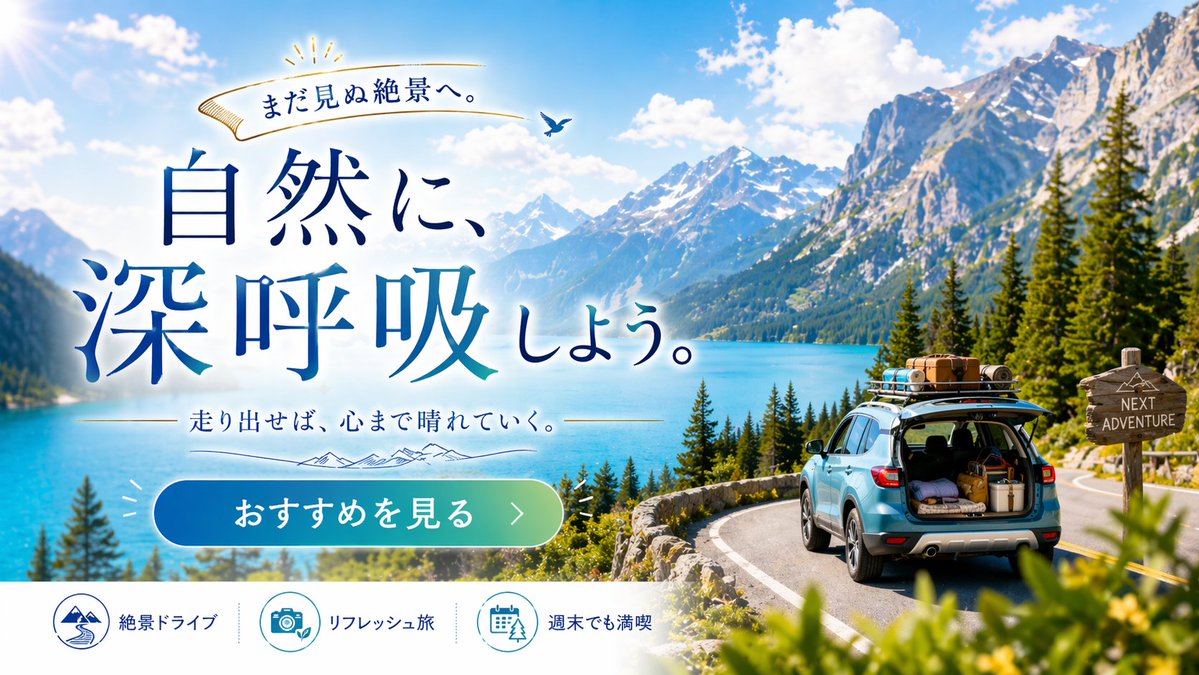
Road Trip Adventure Web Banner — Sora 2 Prompt
Generate stunning travel ad banners with customizable scenery, typography, and call-to-action for road trip promotions.
提示词 · EN
type
旅行广告网页横幅layout
background
{argument name="scenery type" default="雄伟的雪山和绿松石色的湖泊"},松树,蜿蜒的柏油路,万里无云的湛蓝天空foreground_right
{argument name="car color" default="浅蓝色"} SUV 行驶在路上,后备箱打开装有行李,车顶行李架已装载,木制路标写着 'NEXT ADVENTURE'typography_left
top_ribbon
金色丝带,带有文字 'まだ見ぬ絶景へ。' 和小鸟图案main_headline
大型衬线字体 '{argument name="main headline" default="回归自然,深呼吸。"}',采用深蓝色渐变sub_headline
文字 '{argument name="sub headline" default="出发吧,让心灵放晴。"}',配有细线条和山脉图形ui_elements
cta_button
药丸状蓝绿渐变按钮,文字为 '{argument name="cta button text" default="查看推荐 >"}'bottom_bar
description
白色页脚栏count
3items
item 1
icon
山脉与道路text
绝景自驾item 2
icon
相机与树叶text
焕新之旅item 3
icon
日历与树木text
周末畅游关于这个提示词
Generate stunning travel ad banners with customizable scenery, typography, and call-to-action for road trip promotions. 它更适合作为 GPT Image 2 的概念艺术起点:先保留画面结构、主体关系和风格约束,再替换成你的品牌、人物或场景。
这条提示词使用结构化 JSON 组织信息,包含 type、layout 等字段。保留这种层级能让模型更清楚地区分画面主题、布局、界面元素和细节约束。
使用时建议先小幅修改主体、场景、镜头和色调,再生成多个版本对比构图与细节。这样页面内容对用户有实际帮助,也避免把模型名或标签机械堆在正文里。
如何使用这个提示词
- Copy the entire prompt JSON above.
- Paste it into your preferred AI image generator (e.g., Sora 2, Midjourney, DALL·E).
- Customize the variables like
scenery type,car color,main headline, andcta button textto match your campaign. - Adjust the
sub headlineand footer icons if needed for different travel themes. - Generate and download the high-resolution banner for your website or ad campaign.


