
GPT Image 2AI 提示词
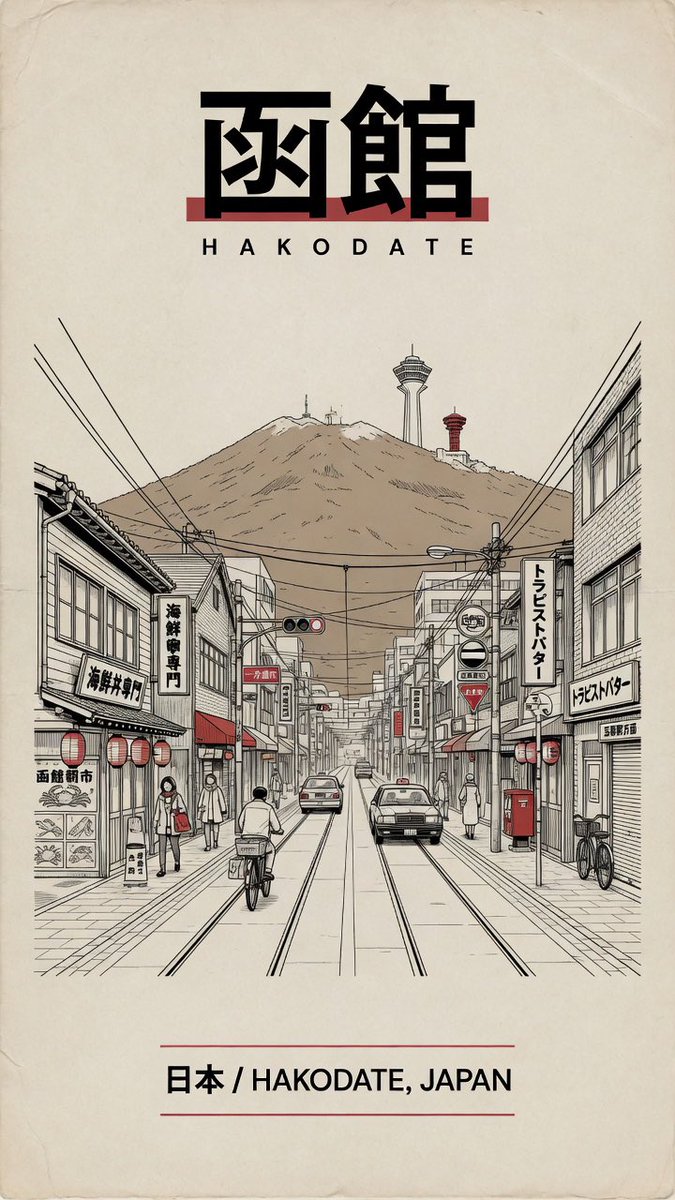
Retro Hakodate Travel Poster — Vintage Japanese City Illustration Prompt
Generate a charming, nostalgic Japanese travel poster featuring Hakodate's iconic street scene and mountain, with authentic Showa-era flat design typography.
提示词 · EN
创作一张复古风格的日本旅行海报,主题为 argdestination city: 日本函馆,背景采用带有细微折痕、污渍和磨损边缘的暖色调旧米色纸张。构图采用垂直居中布局,包含三个主要文本元素:顶部为醒目的黑色粗体日文标题 argJapanese headline text: 函馆,下方为字母间距较宽的罗马拼音标题 argromanized title: HAKODATE,底部为位于两条细红横线之间的说明文字 argbottom caption: 日本 / HAKODATE, JAPAN。在标题下方,绘制一幅复古线条风格的详细街景,采用柔和的米色、黑色墨水以及克制的红色点缀:一条带有电车轨道的笔直城市街道,以一点透视法向远方延伸,两侧是带有竖向店招、灯笼、遮阳篷、架空电线、交通信号灯、红色邮筒、自行车、行人和两辆行驶车辆的低矮日式店面。背景处描绘一座宽阔的棕色山峰矗立在城镇后方,山顶设有高大的观景塔和一座较小的红色塔楼,以此呈现函馆山风貌。采用清晰的建筑钢笔线条、极简的平涂色彩、昭和时代的怀旧平面设计风格、旅行指南海报美学、整洁的居中布局,且不追求照片级真实感。
关于这个提示词
Generate a charming, nostalgic Japanese travel poster featuring Hakodate's iconic street scene and mountain, with authentic Showa-era flat design typography. 它更适合作为 GPT Image 2 的概念艺术起点:先保留画面结构、主体关系和风格约束,再替换成你的品牌、人物或场景。
使用时优先替换 destination city、Japanese headline text、romanized title、bottom caption 等占位符,并保持镜头、构图和材质描述的顺序不变。这样更容易获得稳定的画面结果,也方便继续做多版本对比。
如何使用这个提示词
- Copy the entire prompt text.
- Paste it into your preferred AI image generator (e.g., Sora, Midjourney, DALL-E).
- Customize the variables in curly brackets
{}like destination city or headline text to match your vision. - Initiate the generation process.
- Refine the prompt with additional style details if needed for a perfect result.


