
GPT Image 2AI 提示词
Chinese Calligraphy City Poster — Sora 2 Prompt
Create a stunning art poster blending bold ink brushstrokes with a transparent bird and modern city landmarks in a dreamlike, cinematic style.
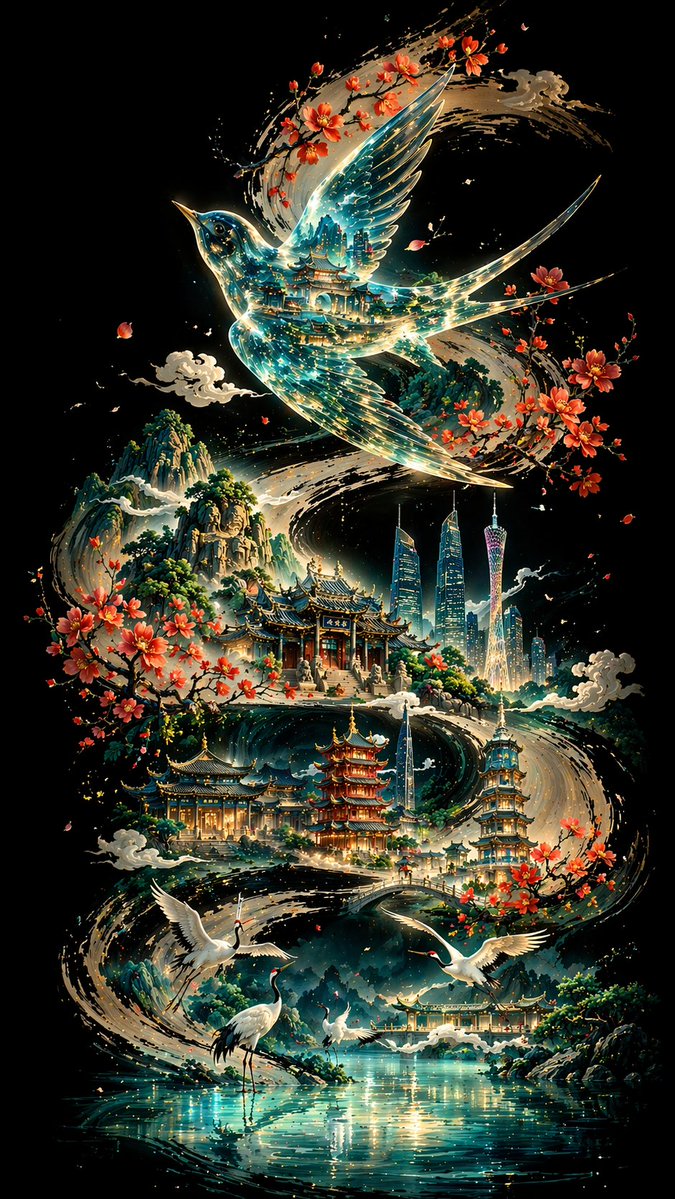
提示词 · EN
【背景与骨架线条】 深黑色背景,一条厚重有力的水墨书法 S 型曲线蜿蜒贯穿画面,笔触雄浑且墨色浓淡相间,构成了视觉骨架与叙事流动。 【主体:argsubject bird: 画眉鸟】 曲线之上,一只 argsubject bird: 画眉鸟 展翅占据视觉核心;身体如玻璃般透明,内部映射出层叠的传统建筑与青绿色光流;轮廓边缘勾勒着精细的金线。 【中景:古典建筑序列】 鸟身下方,argcity: 广州 的多处景点沿墨线错落分布:白云山、陈家祠和广州塔;主色调为青绿色与淡金色,建筑细节清晰;木棉花与水墨云雾增添了空灵的层次感。 【前景:白鹤与水面】 湖畔前景:几只姿态优雅的白鹤;浅蓝色的水面如镜面般波光粼粼,营造出宁静的氛围。 【背景:山峦】 远山在靛青色的水墨晕染下起伏,由浓转淡,营造出景深感。 【构图与光影】 以墨色曲线为轴的非线性透视;光线从中心向外辐射,形成强烈的对比;冷色调为主,暖色点缀;融合了东方美学与现代意象。 【技术规格】 8K 超高清渲染,极致细节精度,最佳画质,比例 argaspect ratio: 9:16
关于这个提示词
Create a stunning art poster blending bold ink brushstrokes with a transparent bird and modern city landmarks in a dreamlike, cinematic style. 它更适合作为 GPT Image 2 的概念艺术起点:先保留画面结构、主体关系和风格约束,再替换成你的品牌、人物或场景。
使用时优先替换 subject bird、city、aspect ratio 等占位符,并保持镜头、构图和材质描述的顺序不变。这样更容易获得稳定的画面结果,也方便继续做多版本对比。
如何使用这个提示词
- Copy the full prompt text.
- Select a capable AI image generation model like Sora 2.
- Customize the variables (
subject bird,city,aspect ratio) to your preference. - Generate the image and refine if needed.


