
GPT Image 2AI 提示词
Pink & Silver Fantasy Style Transfer — Sora 2 Prompt
Transform any image into a highly detailed fantasy scene with soft pink, white, and silver hues, ethereal lighting, and ornate details.
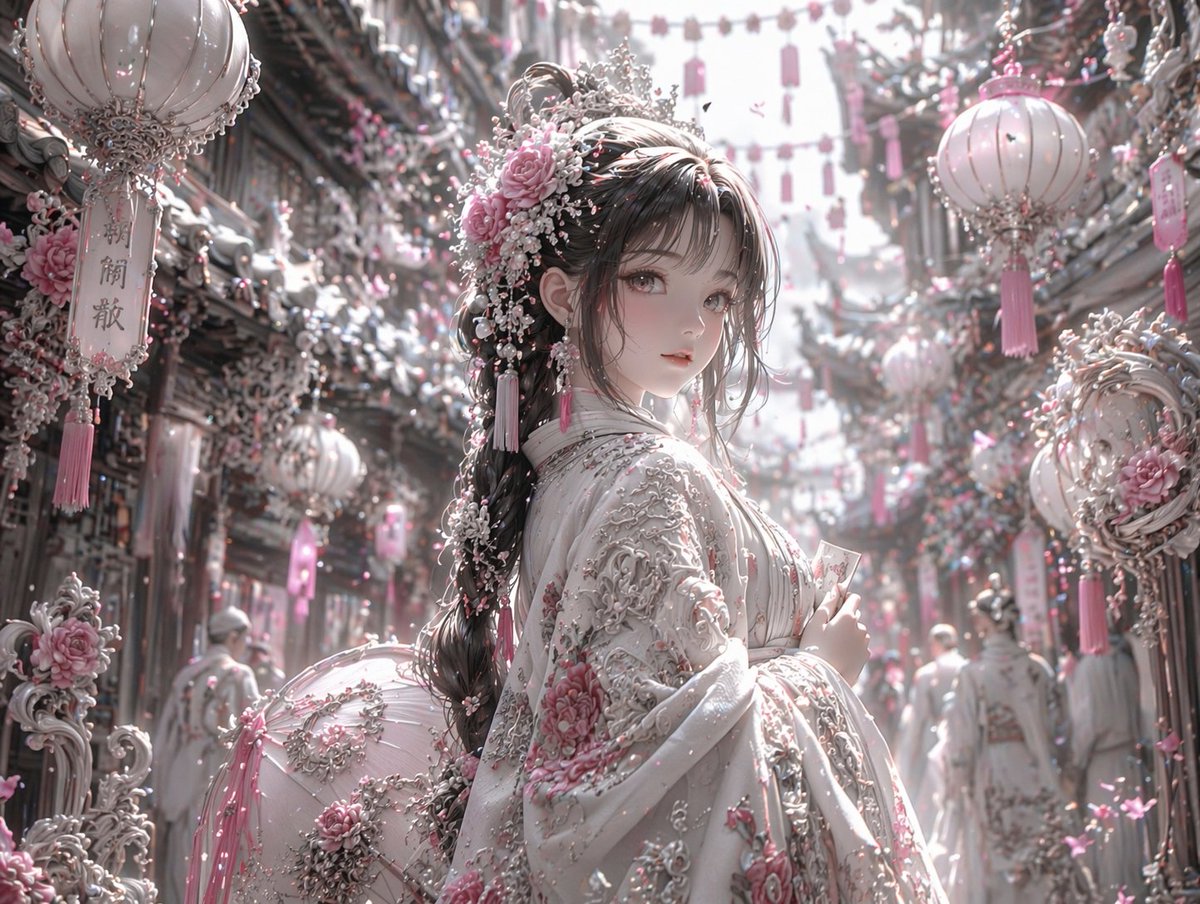
提示词 · EN
使用 REFERENCE_0,将图像的美学风格转换为高度细腻的华丽奇幻风格。将整体色调从暖红色和黑色更改为 argcolor palette: 柔粉色、白色和银色。将角色的深色服装转换为带有 argclothing details: 粉色花卉刺绣和厚重银色金银丝细工 的奢华白色服饰。将其发饰替换为精致的粉色玫瑰、白色珍珠和银色装饰品。在背景中,将 3 个显眼的悬挂灯笼转换为 arglantern style: 带有流苏的白色和粉色华丽灯笼。用 argenvironment details: 白色和粉色花朵以及复杂的银色建筑元素 覆盖周围的街道和建筑物。将光照调整为 arglighting: 明亮、柔和、空灵的日光。保留角色原本的姿势、面部表情以及场景的整体结构构图。
关于这个提示词
Transform any image into a highly detailed fantasy scene with soft pink, white, and silver hues, ethereal lighting, and ornate details. 它更适合作为 GPT Image 2 的概念艺术起点:先保留画面结构、主体关系和风格约束,再替换成你的品牌、人物或场景。
使用时优先替换 color palette、clothing details、lantern style、environment details 等占位符,并保持镜头、构图和材质描述的顺序不变。这样更容易获得稳定的画面结果,也方便继续做多版本对比。
如何使用这个提示词
- Copy the prompt template from this page.
- Open an AI image model that supports style transfer (e.g., Stable Diffusion with ControlNet, Midjourney).
- Upload your reference image and replace the variables in parentheses with your preferred settings (color palette, clothing details, etc.).
- Generate the image and iterate by tweaking the arguments until you achieve the desired look.


