
GPT Image 2AI 提示词
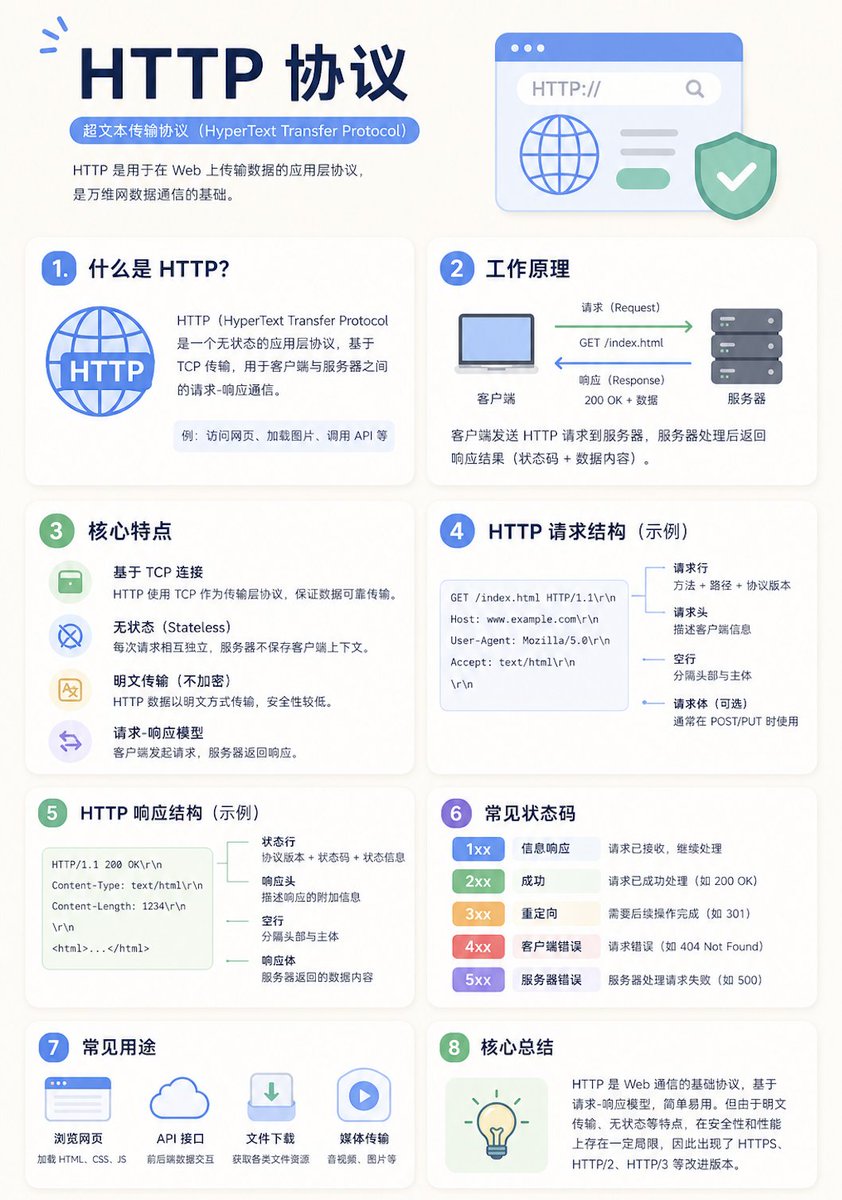
Minimalist Education Infographic — Adaptive Grid Prompt
Generates clean, modern education infographics with auto-adapting card layouts, clear visual hierarchy, and topic-responsive structure for any subject.
1 / 2
提示词 · EN
一张简洁的教育信息图海报,用于解释“argtopic: 主题”。 [整体风格]
现代极简 UI 风格,背景采用柔和的浅色调(例如:奶油色 #FAF7F2 / 浅灰蓝色),配色克制且舒适,适合长时间阅读。 [核心要求 (关键)]
根据“主题”的信息结构自然地组织内容模块。不要强行固定模块的数量或顺序;优先考虑清晰的逻辑信息,而非形式上的对称。 [布局 (自适应)]
- 使用网格布局(自动选择 2 列 / 3 列 / 不规则分布)
- 卡片数量根据内容调整(通常为 5–9 个)
- 高信息密度的模块可以放大(增加视觉权重)
- 简单的模块可以缩小或合并 [卡片设计]
- 白色卡片 (#FFFFFF)
- 圆角 + 微弱阴影(柔和的层次感)
- 保持统一的间距和对齐 [每个信息模块包含]
- 简单的插图(统一风格)
- 清晰的标题(强层级感)
- 1–3 句核心解释性文字(避免冗长)
- 必要时提供示例 / 对比 / 总结 [内容组织原则 (重点)]
根据主题自动选择合适的结构,例如:
- 概念类 → 定义 + 原理 + 特征 + 示例
- 对比类 → A vs B(对比结构)
- 流程类 → 步骤 / 流程图
- 系统类 → 组件 + 关系
- 技能类 → 方法 + 技巧 + 常见错误 [视觉层级]
- 标题 > 模块标题 > 正文 > 辅助信息
- 重要信息可通过颜色或图标进行高亮显示 [配色建议]
- 主色:根据主题选择(科技=蓝色,学习=绿色,警告=橙色)
- 辅色:1–2 种即可
- 避免高饱和度和花哨的配色 [风格要求]
- 留白充足,具有强烈的“呼吸感”
- 统一的图标(线性或扁平化)
- 优先考虑高可读性
- 清晰的教育导向 [额外优化 (可选)]
- 可包含:对比模块 / 流程箭头 / 结构图
- 可设置一个“核心总结”模块作为视觉结尾。
关于这个提示词
Generates clean, modern education infographics with auto-adapting card layouts, clear visual hierarchy, and topic-responsive structure for any subject. 它更适合作为 GPT Image 2 的概念艺术起点:先保留画面结构、主体关系和风格约束,再替换成你的品牌、人物或场景。
使用时优先替换 topic 等占位符,并保持镜头、构图和材质描述的顺序不变。这样更容易获得稳定的画面结果,也方便继续做多版本对比。
如何使用这个提示词
- Copy the full prompt template into your Sora 2 or compatible AI image generator.
- Replace
{topic}with your desired subject (e.g., "Photosynthesis", "Machine Learning", "French Revolution"). - Optionally adjust color hints or layout preferences in the prompt body to match your brand or style.
- Generate the image and review the output; the layout and card count adapt automatically to your topic's complexity.
- Iterate by refining the topic input or adding specific structural hints for tighter results.


