
GPT Image 2AI 提示词
Realistic Kimono Portrait in Autumn Garden — Sora 2 Prompt
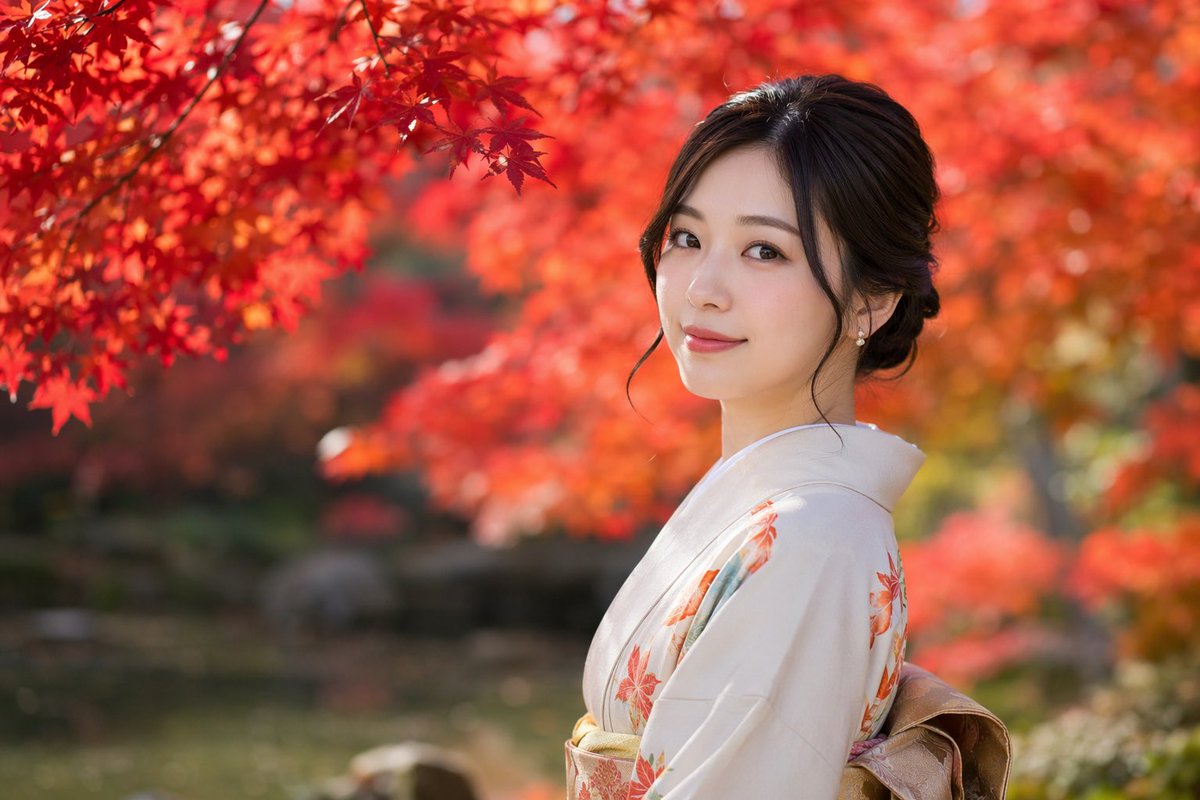
Create a cinematic, photorealistic portrait of a Japanese woman in a kimono, set in a vibrant, softly blurred autumn garden.
提示词 · EN
一张 argphotography style: 具有浅景深和柔和虚化效果的写实人像,主角是一位 argsubject: 年轻日本女性,正回头看向镜头,脸上带着 argexpression: 温柔的微笑。她身着 argattire: 带有橙色枫叶图案的浅米色和服,腰间系着金色腰带。深色长发盘成优雅的发髻,几缕发丝垂在脸颊旁,耳边戴着精致的珍珠耳环。背景设定为 argsetting: 红叶绚烂的秋日庭院,左上角点缀着鲜艳的红叶,背景经过深度虚化处理,营造出宁静而富有电影感的氛围。
关于这个提示词
Create a cinematic, photorealistic portrait of a Japanese woman in a kimono, set in a vibrant, softly blurred autumn garden. 它更适合作为 GPT Image 2 的概念艺术起点:先保留画面结构、主体关系和风格约束,再替换成你的品牌、人物或场景。
使用时优先替换 photography style、subject、expression、attire 等占位符,并保持镜头、构图和材质描述的顺序不变。这样更容易获得稳定的画面结果,也方便继续做多版本对比。
如何使用这个提示词
- Copy the prompt text and paste it into your AI image generation tool (e.g., Sora 2, Midjourney, DALL-E).
- Choose a model that excels at photorealism, such as Sora 2 or Flux.
- (Optional) Adjust the variables like
photography style,subject,expression,attire, orsettingto customize the output. - Set your preferred aspect ratio and quality parameters, then generate the image.
- Iterate by tweaking the prompt details or model settings until you achieve the desired result.


