
GPT Image 2AI 提示词
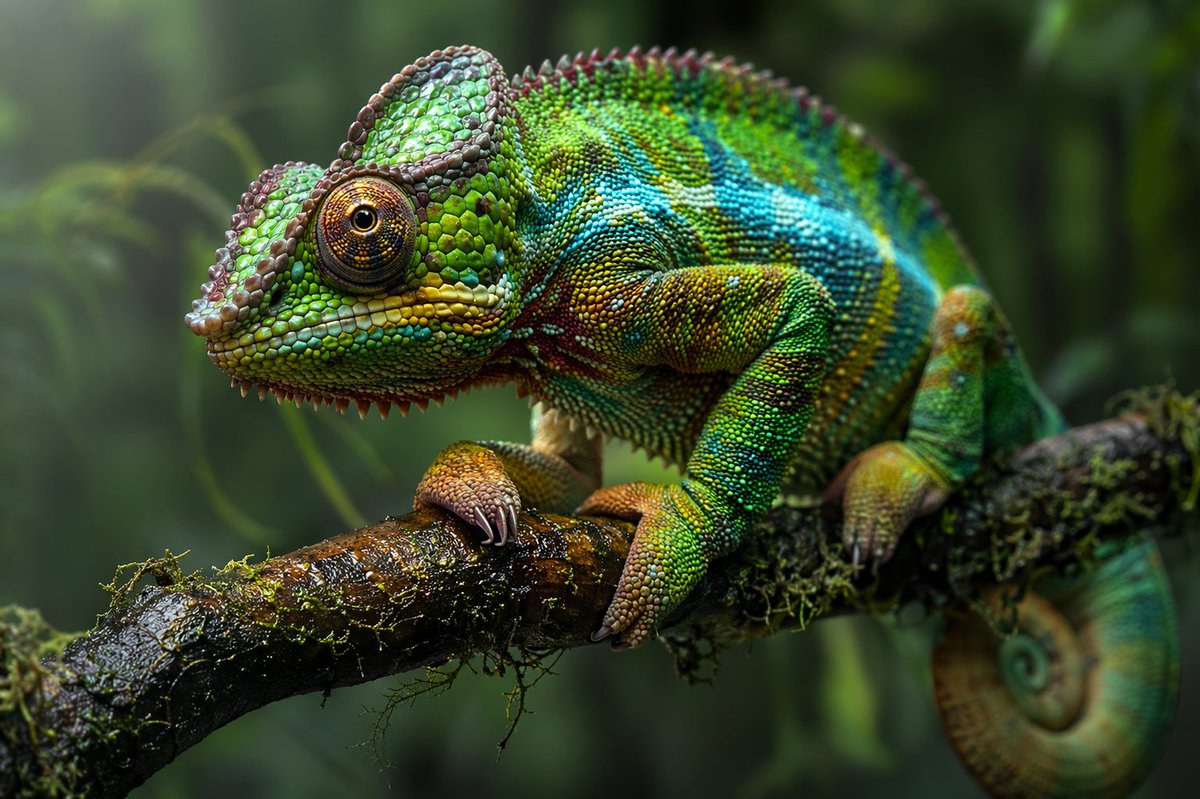
Hyperrealistic Chameleon Macro Photography — Sora 2 Prompt
Generate a stunning hyperrealistic macro photo of a vibrant chameleon perched on a mossy branch, with customizable colors and lush jungle backgrounds.
提示词 · EN
一张 argphotography style: 超写实微距摄影作品,主体为一只 argprimary color: 鲜艳的绿色和蓝色 变色龙,栖息在 argbackground environment: 茂密丛林 中潮湿且长满苔藓的树枝上。变色龙拥有错综复杂的凸起鳞片,点缀着黄色和红色,并配有一只细节极其丰富的硕大眼睛。它锋利的爪子紧紧抓着深色且纹理分明的木头,尾巴紧紧卷成螺旋状垂在树枝下方。背景是柔和的深绿色虚化叶片,突出了爬行动物身上极度清晰的 8k 分辨率细节。柔和的自然光衬托出潮湿的质感。
关于这个提示词
Generate a stunning hyperrealistic macro photo of a vibrant chameleon perched on a mossy branch, with customizable colors and lush jungle backgrounds. 它更适合作为 GPT Image 2 的概念艺术起点:先保留画面结构、主体关系和风格约束,再替换成你的品牌、人物或场景。
使用时优先替换 photography style、primary color、background environment 等占位符,并保持镜头、构图和材质描述的顺序不变。这样更容易获得稳定的画面结果,也方便继续做多版本对比。
如何使用这个提示词
- Copy the entire prompt text above.
- Paste it into your preferred AI image generator (e.g., Sora 2, Midjourney, DALL·E 3).
- Replace the text inside curly braces (e.g.,
{argument name="primary color" default="鲜艳的绿色和蓝色"}) with your desired colors, style, or background. - Run the generation and enjoy your detailed 8K chameleon macro shot!


