
GPT Image 2AI 提示词
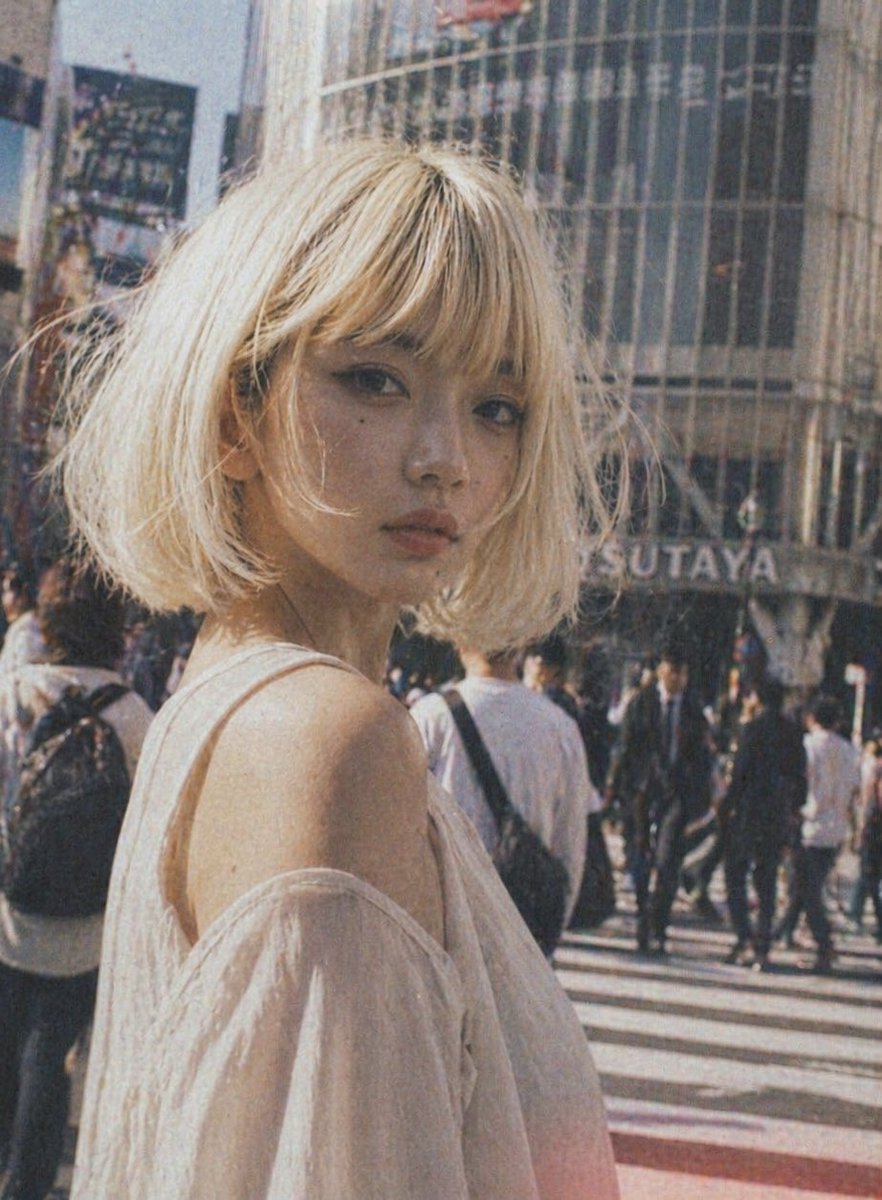
Vintage Shibuya Street Portrait — Sora 2 Prompt
Create a nostalgic fashion portrait of a young woman in a bustling Tokyo street, with a vintage film aesthetic and customizable details.
提示词 · EN
一张年轻女性站在繁忙的东京十字路口白天的街拍时尚肖像,取景范围为上半身,她微微背对镜头,突显出裸露的肩部。她留着一头凌乱的短波波头,发色为 arghair color: 铂金色,质感轻盈柔和,身形娇小。她穿着一件 argclothing color: 白色 的露肩上衣,面料轻薄半透明,垂坠感十足,营造出浪漫轻盈的氛围。将她置于画面左侧前景,采用浅景深效果,背景是熙熙攘攘的过街行人。在她身后,加入一栋带有弧形玻璃的建筑,并可见 argbackground sign: TSUTAYA 的标志,以此呈现涩谷风情。采用温暖的复古胶片美学,色调略显褪色,带有明显的颗粒感、轻微模糊、柔和的阳光、柔和的对比度,以及怀旧的模拟快照氛围。整体基调应显得时尚、自然且具有电影感,如同在繁华都市中抓拍的时尚大片。
关于这个提示词
Create a nostalgic fashion portrait of a young woman in a bustling Tokyo street, with a vintage film aesthetic and customizable details. 它更适合作为 GPT Image 2 的概念艺术起点:先保留画面结构、主体关系和风格约束,再替换成你的品牌、人物或场景。
使用时优先替换 hair color、clothing color、background sign 等占位符,并保持镜头、构图和材质描述的顺序不变。这样更容易获得稳定的画面结果,也方便继续做多版本对比。
如何使用这个提示词
- Copy the prompt from the page.
- Open Sora 2 or any compatible AI image generator.
- (Optional) Tweak the variables like
hair color,clothing color, orbackground signto customize the look. - Generate the image and adjust settings if needed.
- Refine the output by iterating with different variable values for your desired aesthetic.


