
GPT Image 2AI 提示词
Industrial Design Showcase Grid — Sora 2 Prompt
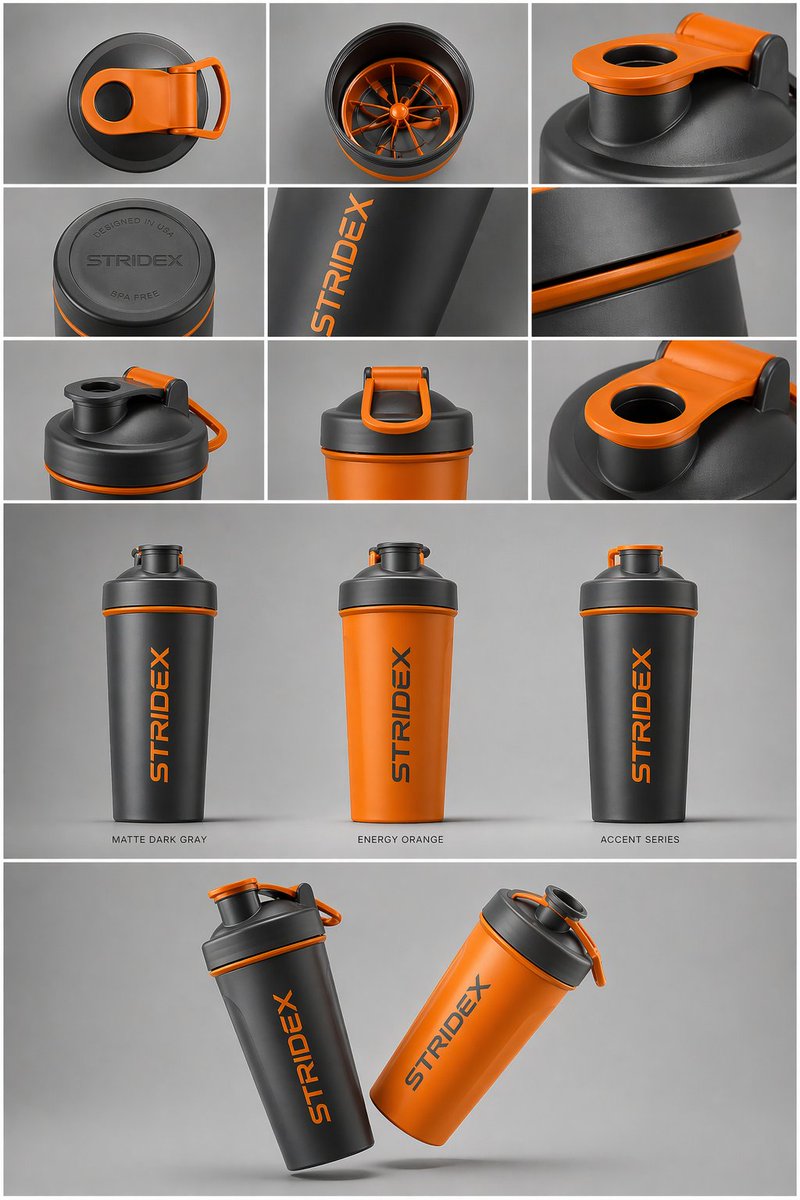
Generate a professional industrial design product showcase with a clean grid layout, multiple colorways, and hyper-realistic 4K renders.
提示词 · EN
核心主题:[argreference: 使用上传的图片,保持细节、排版和结构 100% 不变] 布局与构图:一个 argpresentation type: 专业的工业设计展示页。图片应组织成清晰的网格系统。 顶行:3x3 布局,展示俯视平铺视图和材质的微距细节。 中间部分:三张产品垂直站立的精选特写,展示不同配色(哑光黑、北极白及强调色变体)。产品应略微倾斜以展现深度和形态。 底部部分:动态的“悬浮”构图,通过两个产品以相反角度重叠,同时展示正面和侧面轮廓。 环境与光影:背景为极简的中性摄影棚灰色。采用柔和的顶光,带有真实的接触阴影。高端产品摄影美学。 风格与质感:哑光纹理、干净的轮廓和锐利的边缘。在产品表面留出指定的空白区域用于“占位品牌标识”和“图形样机”。4k 分辨率,Unreal Engine 5 渲染风格,超写实,干净的美学风格。
关于这个提示词
Generate a professional industrial design product showcase with a clean grid layout, multiple colorways, and hyper-realistic 4K renders. 它更适合作为 GPT Image 2 的概念艺术起点:先保留画面结构、主体关系和风格约束,再替换成你的品牌、人物或场景。
使用时优先替换 reference、presentation type 等占位符,并保持镜头、构图和材质描述的顺序不变。这样更容易获得稳定的画面结果,也方便继续做多版本对比。
如何使用这个提示词
- Copy the prompt text.
- Choose an AI image model like Sora 2, Midjourney, or DALL-E.
- Customize variables such as the reference image, presentation type, and color variants.
- Paste the prompt and generate.
- Review and refine for your desired output.


