
GPT Image 2AI 提示词
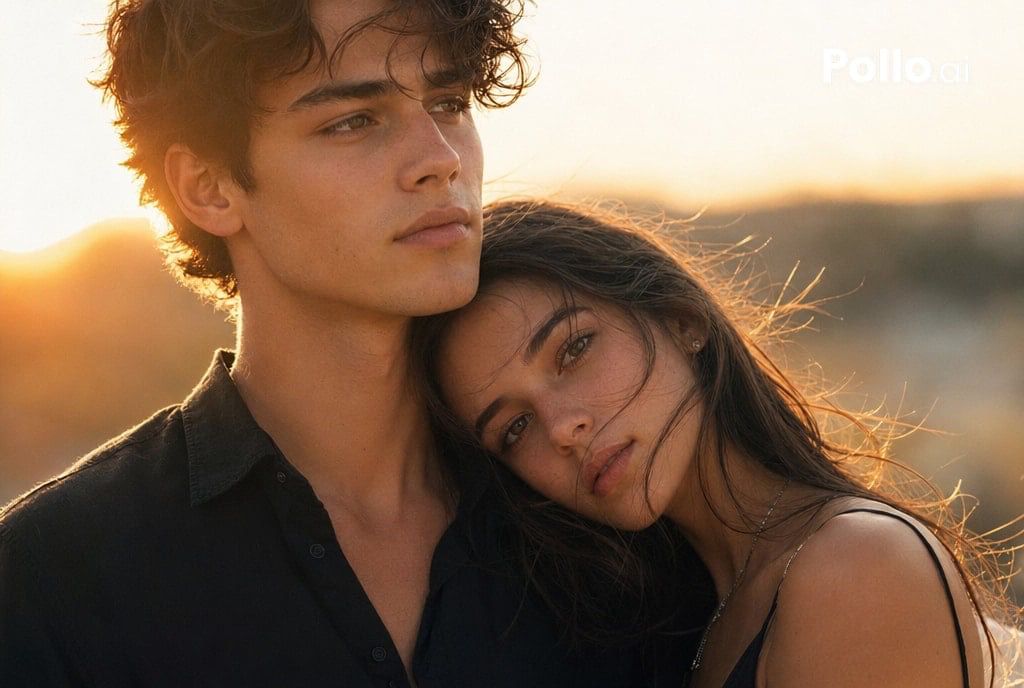
Golden Hour Couple Portrait Prompt — Cinematic Close-Up
Generate a photorealistic golden hour couple portrait with a protective embrace, backlight glow, and magazine-style elegance—ideal for fashion and romantic visuals.
提示词 · EN
这是一张电影质感的黄金时刻特写,拍摄了一对年轻情侣在户外亲密互动的瞬间,取景范围为胸部以上。画面焦点是一位英俊的年轻男子,他留着 arghair color: dark brown 的凌乱波浪卷发,下颌线条柔和分明,肤色呈现细腻的浅棕色,神情平静而深邃,目光微微向上并投向左侧。他身穿一件剪裁宽松优雅的黑色开领衬衫。一名留着深棕色长发的年轻女子依偎在他怀中,她的脸庞大半埋在他的肩头和胸前,营造出一种温柔且充满保护感的氛围;画面中仅可见她的部分秀发、肩膀以及黑色细肩带连衣裙。采用温暖的日落逆光,太阳位于他们左后方的低空,在他们的发丝和肩头勾勒出明亮的轮廓光,伴有柔和的镜头光晕、琥珀色高光、浅景深效果,背景是模糊的自然景观和低矮的山丘。构图应充满浪漫、杂志大片和电影感,如同高端香水或时尚广告,呈现细腻的皮肤质感、逼真的纹理、微风拂过的发丝、柔和的大地色调以及高端的电影级调色。照片级真实感,情感充沛,亲密无间,50mm 镜头视觉,超高细节,自然光,柔和对比度。
关于这个提示词
Generate a photorealistic golden hour couple portrait with a protective embrace, backlight glow, and magazine-style elegance—ideal for fashion and romantic visuals. 它更适合作为 GPT Image 2 的概念艺术起点:先保留画面结构、主体关系和风格约束,再替换成你的品牌、人物或场景。
使用时优先替换 hair color 等占位符,并保持镜头、构图和材质描述的顺序不变。这样更容易获得稳定的画面结果,也方便继续做多版本对比。
如何使用这个提示词
- Copy the prompt text from the box above.
- Paste it into your AI image generator (e.g., Sora 2, Midjourney, or DALL·E).
- Customize the
hair colorvariable (default: dark brown) by replacing it with desired shades like blonde, black, or auburn. - Generate the image and review the result; tweak other details like clothing or lighting if needed.
- Download the high-resolution output for use in social media, ads, or print.


