
GPT Image 2AI 提示词
Trompe l'Oeil Sketch Illusion — Sora 2 Prompt
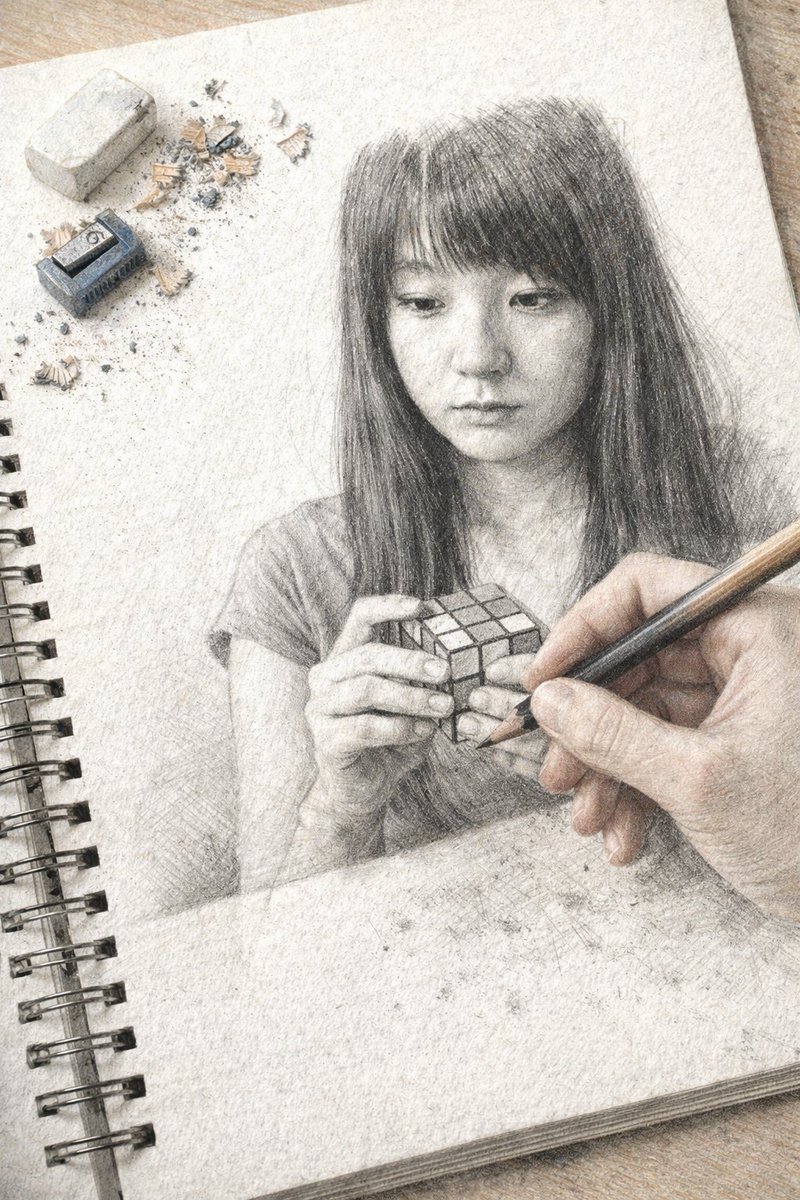
Create a hyper-realistic trompe l'oeil image of a hand drawing a detailed graphite portrait in a sketchbook, complete with realistic props and a seamless illusion.
提示词 · EN
一张超写实的错视画,画面中是一个放在木质桌面上的螺旋装订速写本。速写本页面上是一幅高度精细的石墨铅笔素描,描绘了一位 argsubject description: 留着黑色直发和刘海的年轻亚裔女性,她正低头沉思,双手拿着一个 argobject held: 魔方。从右下角,一只写实的人手握着木质铅笔进入画面,仿佛正在绘制这幅素描。在纹理纸张的左上角,放着 1 块长方形白色橡皮擦、1 个小型蓝色金属卷笔刀以及散落的铅笔屑。写实的手与石墨素描之间的过渡营造出一种天衣无缝的视觉错觉。
关于这个提示词
Create a hyper-realistic trompe l'oeil image of a hand drawing a detailed graphite portrait in a sketchbook, complete with realistic props and a seamless illusion. 它更适合作为 GPT Image 2 的概念艺术起点:先保留画面结构、主体关系和风格约束,再替换成你的品牌、人物或场景。
使用时优先替换 subject description、object held 等占位符,并保持镜头、构图和材质描述的顺序不变。这样更容易获得稳定的画面结果,也方便继续做多版本对比。
如何使用这个提示词
- Copy the prompt text from this page.
- Open your preferred AI image generator that supports detailed text prompts (e.g., DALL·E 3, Midjourney, Stable Diffusion).
- Replace the {subject description} and {object held} placeholders with your desired subject and object (e.g., "elderly man with glasses" and "book").
- Paste the modified prompt into the model and generate the image.
- Experiment with iterations to refine the trompe l'oeil effect and realism.


