
GPT Image 2AI 提示词
Retro Noir Portrait — Sora 2 Prompt with Censorship Block
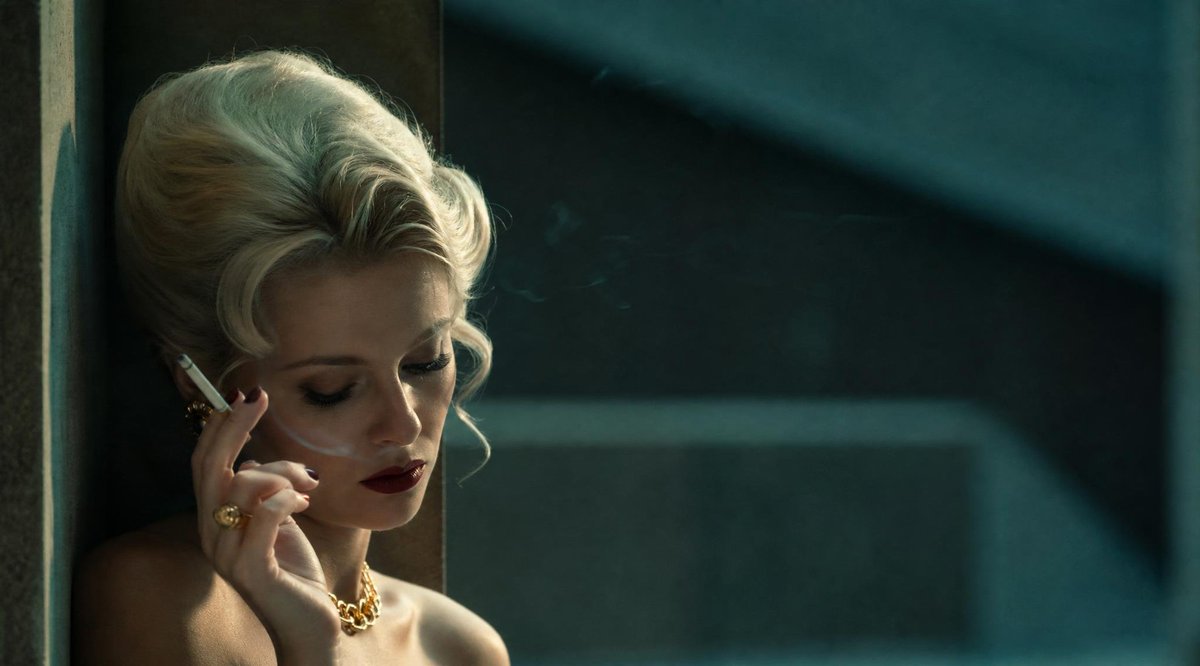
Generate a cinematic, widescreen portrait of a 1960s blonde with a censored face block for a tense, vintage film noir aesthetic.
1 / 4
提示词 · EN
创作一张电影宽银幕剧照,画面左侧是一位迷人的 20 世纪中期金发女性,正倚靠在深色窗框旁,画面右侧大部分区域为失焦的青绿色城市窗户或墙壁。她留着 20 世纪 60 年代蓬松的白金发蜂窝头,带有柔和的卷发;裸露的肩膀暗示着她穿着优雅的抹胸装,佩戴着金饰,包括粗链项链和戒指;她手持一支点燃的香烟靠近面部,淡淡的烟雾向上飘散。她的面部被一个位于面部区域中心、从眼睛一直延伸到嘴部下方的巨大不透明棕色方形审查块刻意遮挡。采用低调的电影布光,温暖的阳光掠过她的头发和肩膀,形成深邃的阴影;使用青金色的色调分级、浅景深、逼真的胶片颗粒感、变形宽银幕构图,营造出紧张的复古黑色电影氛围。场景应如同艺术电影的剧照,无文字、无水印、无额外人物。自定义主体为 argcharacter description: 迷人的 20 世纪中期白金发女性,面部遮挡物为 argcensorship block color: 柔和棕色,道具为 arghandheld prop: 点燃的香烟,氛围为 argcinematic mood: 紧张的复古黑色电影,色调为 argcolor grade: 青金色。
关于这个提示词
Generate a cinematic, widescreen portrait of a 1960s blonde with a censored face block for a tense, vintage film noir aesthetic. 它更适合作为 GPT Image 2 的概念艺术起点:先保留画面结构、主体关系和风格约束,再替换成你的品牌、人物或场景。
使用时优先替换 character description、censorship block color、handheld prop、cinematic mood 等占位符,并保持镜头、构图和材质描述的顺序不变。这样更容易获得稳定的画面结果,也方便继续做多版本对比。
如何使用这个提示词
- Copy the entire prompt text from the page.
- Select your preferred AI video or image model (e.g., Sora 2, Runway).
- Paste the prompt into the model's input field.
- Customize the variables in curly braces
{}(likecharacter descriptionorcensorship block color) to change the subject and style. - Generate and refine your cinematic, widescreen image.


