
GPT Image 2AI 提示词
Retro Pop Art Tokyo Postcard Generator
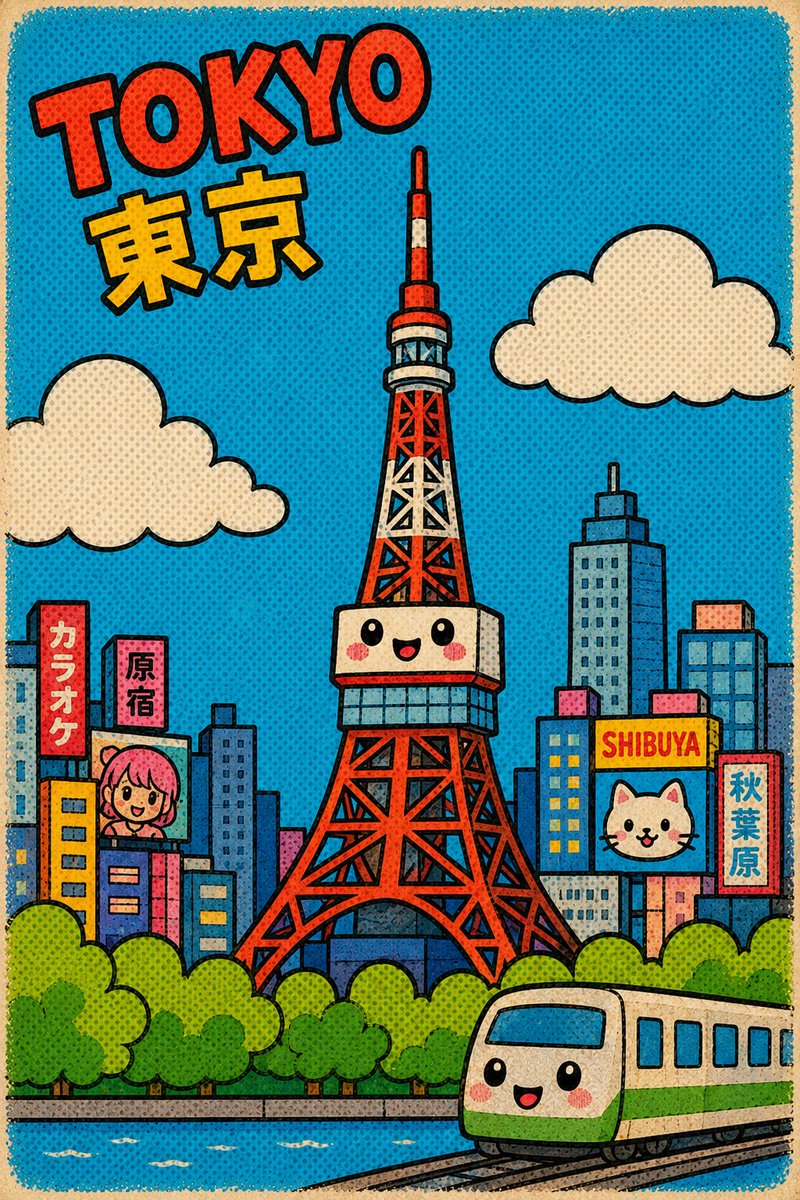
Create a charming vintage cartoon postcard of Tokyo with iconic landmarks, pop-art colors, and whimsical details in a fun, childlike illustration style.
提示词 · EN
创作一张可爱的复古卡通明信片城市景观,主题为 argcity name: Tokyo,并将该城市最具标志性的地标作为画面中心:画面中央是一座可爱的东京塔,采用红白格纹结构、简化的块状几何图形、粗黑线条勾勒,观景台上有带红晕的笑脸,并运用夸张的儿童绘本比例。采用 2:3 的竖版明信片构图,配以绿松石蓝的天空、奶油色纸张边框、可见的复古印刷纹理、网点效果、轻微的油墨套印偏差以及大胆的波普艺术色彩。在左上角添加倾斜的红色大号块状字母,拼写为 argheadline text: TOKYO,并带有黑色描边;下方添加醒目的黄色日文 arglocal city text: 東京。在塔的周围环绕着极简风格的天际线,由蓝色、粉色、橙色和黄色的矩形建筑组成。城市中包含 5 个清晰可见的招牌或广告牌元素:一个写有「カラオケ」的红色竖招牌、一个写有「原宿」的粉色竖招牌、一个写有“SHIBUYA”的黄色横招牌、一个带有可爱猫脸的蓝色广告牌,以及一个写有「秋葉原」的红色竖招牌。添加 2 朵奶油色的圆形卡通云,左右各一。前景处绘制一排亮绿色的圆形树冠、一条带有白色水纹的蓝色河流或运河,以及右下角一列带有笑脸、黑色轨道和圆形车窗的可爱绿奶油色通勤火车。所有建筑保持极度简化,细节极少,采用块状几何形状、稚拙的儿童插画风格、粗黑线条、欢快的可爱表情、复古漫画网点阴影、高饱和度的波普配色,且完全不追求写实感。
关于这个提示词
Create a charming vintage cartoon postcard of Tokyo with iconic landmarks, pop-art colors, and whimsical details in a fun, childlike illustration style. 它更适合作为 GPT Image 2 的概念艺术起点:先保留画面结构、主体关系和风格约束,再替换成你的品牌、人物或场景。
使用时优先替换 city name、headline text、local city text 等占位符,并保持镜头、构图和材质描述的顺序不变。这样更容易获得稳定的画面结果,也方便继续做多版本对比。
如何使用这个提示词
- Copy the prompt and replace the default city name and text with your preferred city and local language.
- Paste the prompt into your preferred AI image generator (e.g., Sora, Midjourney, DALL-E).
- Adjust the style keywords (e.g., 'pop-art', 'vintage') to refine the aesthetic.
- Generate the image and iterate by tweaking variables like colors or landmark focus.
- Use the output for social media posts, digital art projects, or printable decorations.


