
GPT Image 2AI 提示词
Cinematic CCTV Surveillance Interface — Sora 2 AI Prompt
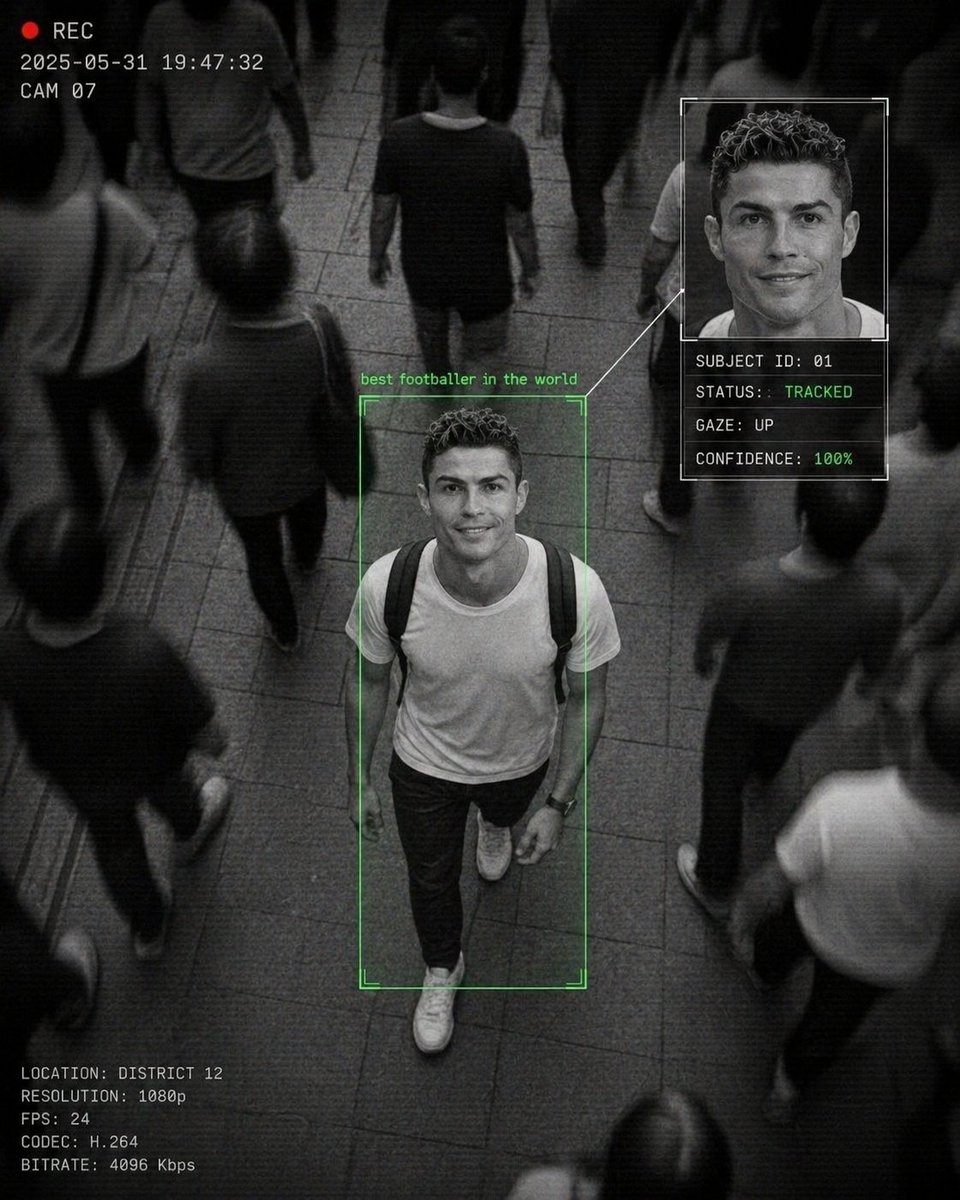
Generate a dramatic monochrome surveillance scene with a focused subject, digital UI overlays, and motion-blur crowds for a documentary-style AI aesthetic.
1 / 4
提示词 · EN
一张 CCTV 风格的监控画面,俯拍 arglocation: 拥挤的街道场景,画面中心是一名 argsubject: 年轻男子 正向前走并抬头看向镜头,露出温暖友好的微笑,周围是模糊的行人动态,argcolor tone: 黑白单色调,周围人群有强烈的运动模糊,主体清晰对焦,戏剧性对比,俯视视角,AI 人脸识别界面叠加层,女性周围有绿色边框并标注 "PERSON OF INTEREST",侧边栏显示放大的面部肖像及数据文本:"SUBJECT ID: 01","STATUS: TRACKED","GAZE: UP","CONFIDENCE: 86%",面部面板与主体之间有连接线,角落有时间戳叠加,"REC" 指示灯,颗粒感纹理,数字噪点,压缩伪影,细微扫描线,电影级监控美学,纪录片风格,略微扭曲的透视,城市环境,动态构图。
关于这个提示词
Generate a dramatic monochrome surveillance scene with a focused subject, digital UI overlays, and motion-blur crowds for a documentary-style AI aesthetic. 它更适合作为 GPT Image 2 的概念艺术起点:先保留画面结构、主体关系和风格约束,再替换成你的品牌、人物或场景。
使用时优先替换 location、subject、color tone 等占位符,并保持镜头、构图和材质描述的顺序不变。这样更容易获得稳定的画面结果,也方便继续做多版本对比。
如何使用这个提示词
- Copy the prompt and paste it into your preferred AI image or video generator that supports Sora 2 or similar models.
- Replace the default arguments in the curly braces
{}likelocation,subject, andcolor tonewith your own creative details to customize the scene. - Choose a compatible model (e.g., Sora 2, Runway Gen-3, Pika) and set an appropriate aspect ratio like 16:9 for a cinematic surveillance look.
- Generate the image and refine your prompt by adjusting the subject's action, UI data, or aesthetic descriptors if needed.
- Download and use the output for projects requiring a high-tech, gritty, or thriller-inspired visual style.


