
GPT Image 2AI 提示词
Full-Stack Software Architecture Prompt — Sora 2
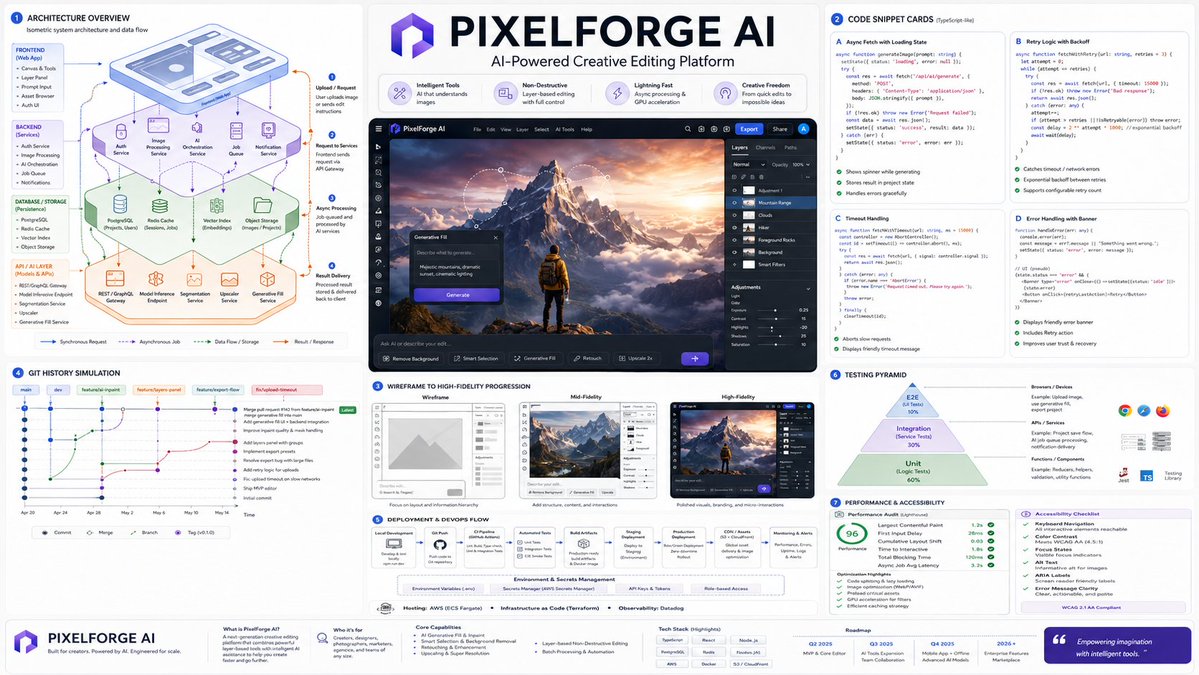
Generate a complete software development lifecycle visualization: isometric architecture diagrams, annotated code snippets, UI wireframes, Git history, deployment flowcharts, and testing pyramids in o
提示词 · EN
针对一款 AI 驱动的类似 Photoshop 的应用执行以下操作:Render_Target = ( Isometric_Architecture_Diagram_Of_argproject name: [PROJECT_NAME] * 1.7 ) + ( Code_Snippet_Cards_Annotated_With_Async_Fetch_State_And_Error_Handling_For_argproject name: [PROJECT_NAME] * 1.6 ) + ( Wireframe_To_High_Fidelity_UI_Progression_In_3_Panels_For_argproject name: [PROJECT_NAME] * 1.5 ) + ( Git_Commit_History_Simulation_With_Branch_Names_And_Feature_Merge_For_argproject name: [PROJECT_NAME] * 1.3 ) + ( Deployment_Flowchart_Environment_Variables_Hosting_CI/CD_For_argproject name: [PROJECT_NAME] * 1.4 ) + ( Testing_Pyramid_Visual_Unit_Integration_E2E_With_Example_Snippets_For_argproject name: [PROJECT_NAME] * 1.2 ) + ( Performance_Audit_Card_And_Accessibility_Checklist_For_argproject name: [PROJECT_NAME] * 1.0 ) - ( Clichéd_Hacker_Terminal_Green_On_Black_Or_Hoodie_Programmer_Stock_Photos / 3.4 ) - ( Uncommented_Code_Dumps_Without_Layman_Explanation / 3.0 )
关于这个提示词
Generate a complete software development lifecycle visualization: isometric architecture diagrams, annotated code snippets, UI wireframes, Git history, deployment flowcharts, and testing pyramids in o。 它更适合作为 GPT Image 2 的概念艺术起点:先保留画面结构、主体关系和风格约束,再替换成你的品牌、人物或场景。
使用时优先替换 project name 等占位符,并保持镜头、构图和材质描述的顺序不变。这样更容易获得稳定的画面结果,也方便继续做多版本对比。
如何使用这个提示词
- Copy the entire prompt template above.
- In your chosen AI image generator (e.g., Sora 2), paste the prompt.
- Replace every
[PROJECT_NAME]placeholder with your actual project or app name (e.g.,MyFitnessApp). - Optionally adjust the weight multipliers (e.g.,
* 1.7) to emphasize or de-emphasize specific components like architecture or testing. - Generate the image. If results are noisy, simplify the prompt by removing a few components to focus the output.


