
GPT Image 2AI 提示词
Fermentation Science Infographic Grid — Sora 2 Prompt
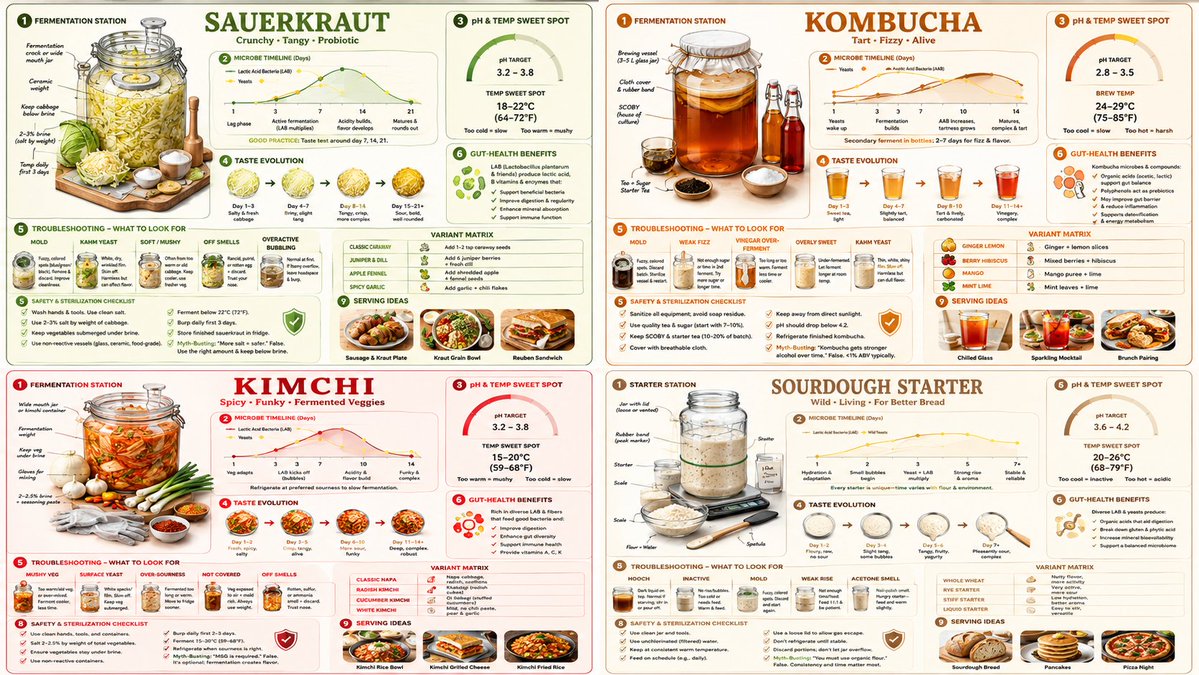
Generate a detailed 2x2 educational grid on fermenting sauerkraut, kombucha, or kimchi, featuring setup diagrams, timelines, flavor wheels, and troubleshooting guides.
提示词 · EN
16:9, 2x2 网格,适用于 “argfood: sauerkraut”、“康普茶”、“泡菜”、“酸种酵母”。 => fermentation_content = ( 针对 [fermented_food] 的等距发酵站设置,包含罐子、重物、气闸 * 1.6 ) + ( 针对 [fermented_food] 的微生物时间轴图表,按天显示细菌与酵母活性 * 1.5 ) + ( 针对 [fermented_food] 的 pH 值与温度最佳范围图 * 1.4 ) + ( 针对 [fermented_food] 的口味演变风味轮,从甜味到酸味按天展示 * 1.3 ) + ( 针对 [fermented_food] 的常见发酵失败排查,包含霉菌、产膜酵母、软烂等照片 * 1.5 ) + ( 将 [fermented_food] 代谢产物与微生物组关联的肠道健康益处说明 * 1.2 ) + ( [fermented_food] 的食谱变体矩阵,包含辛辣、草本、果味版本 * 1.1 ) + ( 针对 [fermented_food] 的安全与消毒清单,包含误区辟谣 * 1.0 ) + ( 将 [fermented_food] 融入日常饮食的餐盘摆盘建议 * 0.9 ) - ( 基于恐惧的“危险细菌”库存图片 / 3.2 ) - ( 缺乏说明的过度风格化网红梅森罐 / 2.9 ) - ( 不明确的排气或维护流程 / 3.1 )
关于这个提示词
Generate a detailed 2x2 educational grid on fermenting sauerkraut, kombucha, or kimchi, featuring setup diagrams, timelines, flavor wheels, and troubleshooting guides. 它更适合作为 GPT Image 2 的概念艺术起点:先保留画面结构、主体关系和风格约束,再替换成你的品牌、人物或场景。
使用时优先替换 food 等占位符,并保持镜头、构图和材质描述的顺序不变。这样更容易获得稳定的画面结果,也方便继续做多版本对比。
如何使用这个提示词
- Copy the entire prompt text.
- Paste it into your preferred AI model like Sora 2.
- Replace the
{food}variable with your choice (e.g., "sauerkraut", "kombucha", "kimchi", or "sourdough"). - Adjust the numerical weights (e.g.,
* 1.6) to change the visual emphasis on different sections. - Generate to create your custom fermentation infographic.


