
GPT Image 2AI 提示词
Dark Lace Fashion Portrait — Moody Studio Photography Prompt
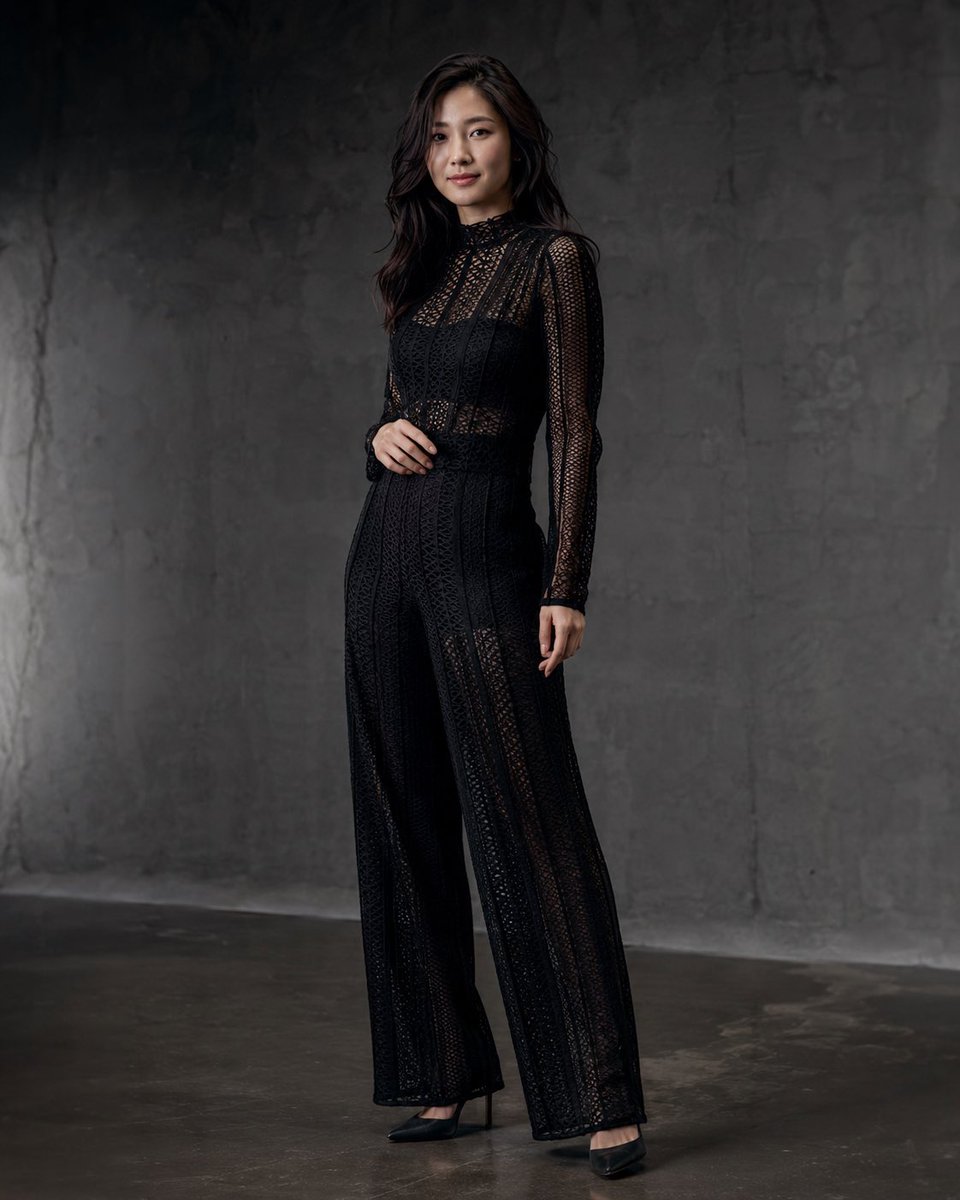
Create a striking high-fashion studio portrait featuring a figure in elegant black lace against industrial concrete, with dramatic low-key lighting and blurred anonymity.
提示词 · EN
生成一张写实的全身影棚时尚肖像,画面中一位 argsubject: 年轻女性 站在极简风格的深灰色混凝土房间内,背景是粗糙纹理的墙面和抛光混凝土底面。她留着 arghair color and style: 深棕色长卷发,面部被柔和的矩形模糊效果刻意遮挡,没有可见的五官特征。她身穿一件 argoutfit: 黑色透视蕾丝长袖高领阔腿连体裤,带有精致的几何网眼图案,腰部修身,内搭深色底衬,搭配 argshoes: 黑色尖头高跟鞋。让她身体略微侧向镜头,一只手放在腰间附近,另一只手自然垂在身侧,展现出优雅的时尚杂志大片感。采用来自左上方的暗调低调照明,呈现微妙的阴影和柔和的炭灰色调,具备高级时装目录的质感,面料细节清晰,比例写实,采用竖构图,全身取景,背景为干净的工业风,画面中不含任何文字或多余道具。
关于这个提示词
Create a striking high-fashion studio portrait featuring a figure in elegant black lace against industrial concrete, with dramatic low-key lighting and blurred anonymity. 它更适合作为 GPT Image 2 的概念艺术起点:先保留画面结构、主体关系和风格约束,再替换成你的品牌、人物或场景。
使用时优先替换 subject、hair color and style、outfit、shoes 等占位符,并保持镜头、构图和材质描述的顺序不变。这样更容易获得稳定的画面结果,也方便继续做多版本对比。
如何使用这个提示词
- Copy the full prompt text and paste it into your preferred AI image generation model (e.g., Sora 2, Midjourney, or DALL·E).
- Customize the bracketed variables such as
subject,hair color and style,outfit, andshoesto match your creative vision. - Keep the core mood descriptors like ‘moody low-key lighting’ and ‘industrial background’ to preserve the editorial aesthetic.
- Generate the image using portrait/vertical aspect ratio for best results.
- Review the output and adjust outfit details or lighting intensity in subsequent iterations as needed.


