
GPT Image 2AI 提示词
Photoreal Tokyo Neon Streets — Sora 2 Prompt
Create a stunning photorealistic Tokyo street at night with fully customizable neon signs and city location.
提示词 · EN
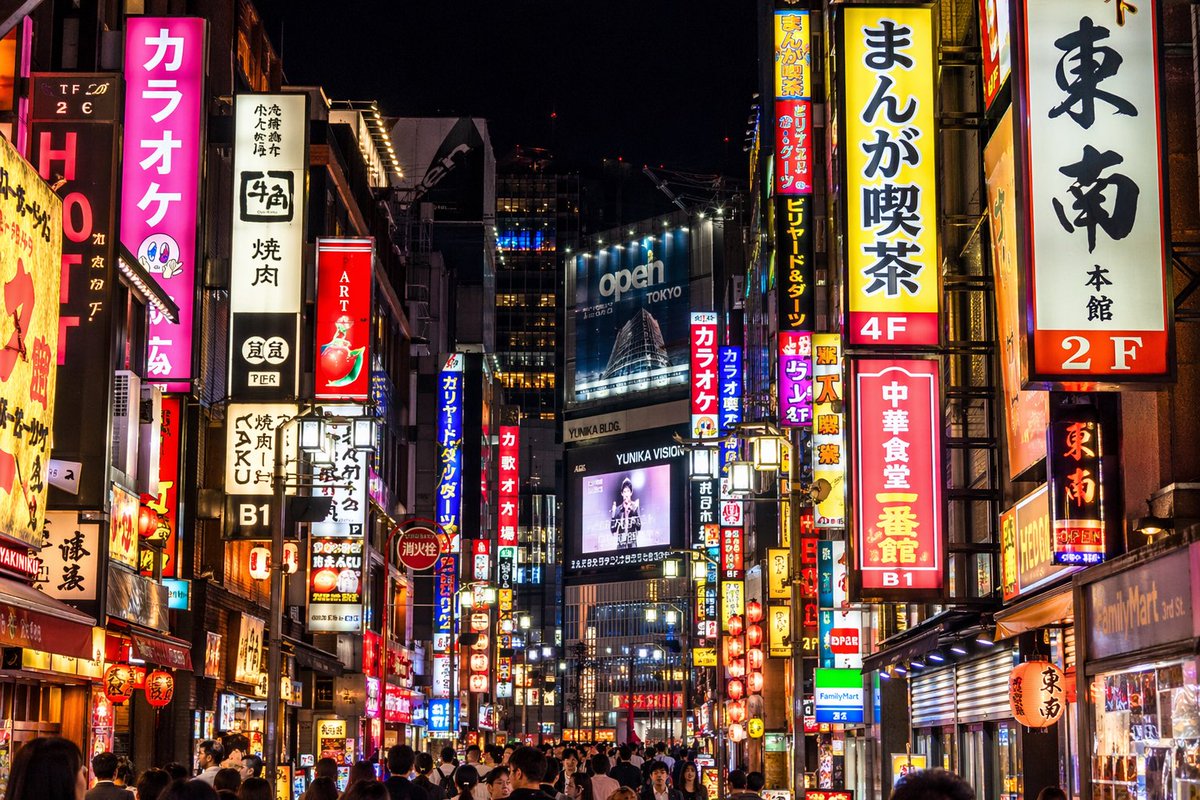
一张照片级写实的夜间街头摄影作品,展现了繁华的 argcity location: 东京 街道,街道被密集的垂直霓虹灯牌和广告牌照亮。左侧是一个显眼的亮粉色招牌,上面写着 "argpink sign text: カラオケ",旁边是一个写着 "牛角 焼肉" 的白色招牌。右侧显眼的招牌包括一个黄色的 "argyellow sign text: まんが喫茶 4F",一个白色的 "東南 本館 2F",以及一个红色的 "argred sign text: 中華食堂 一番館 B1"。在中心远景处,一个巨大的蓝色广告牌上显示着 "argbillboard text: open TOKYO",其上方是一个显示着人物图像的数字屏幕,屏幕上带有 "YUNIKA VISION" 字样。街道上挤满了行人的背影,他们穿梭在这充满活力、光影交错的城市峡谷中。画面光影对比强烈,丰富的霓虹色彩在周围环境中产生倒影。
关于这个提示词
Create a stunning photorealistic Tokyo street at night with fully customizable neon signs and city location. 它更适合作为 GPT Image 2 的概念艺术起点:先保留画面结构、主体关系和风格约束,再替换成你的品牌、人物或场景。
使用时优先替换 city location、pink sign text、yellow sign text、red sign text 等占位符,并保持镜头、构图和材质描述的顺序不变。这样更容易获得稳定的画面结果,也方便继续做多版本对比。
如何使用这个提示词
- Copy the prompt template from the page.
- Open your preferred AI image generator (like Sora, Midjourney, or DALL·E 3).
- Replace the variables in curly braces (e.g.,
{city location},{pink sign text}) with your own text. - Ensure the model is set to generate photorealistic images for best quality.
- Generate the image and tweak variables as needed for different results.


