
GPT Image 2AI 提示词
AI Engineering Assembly Sequence Prompt
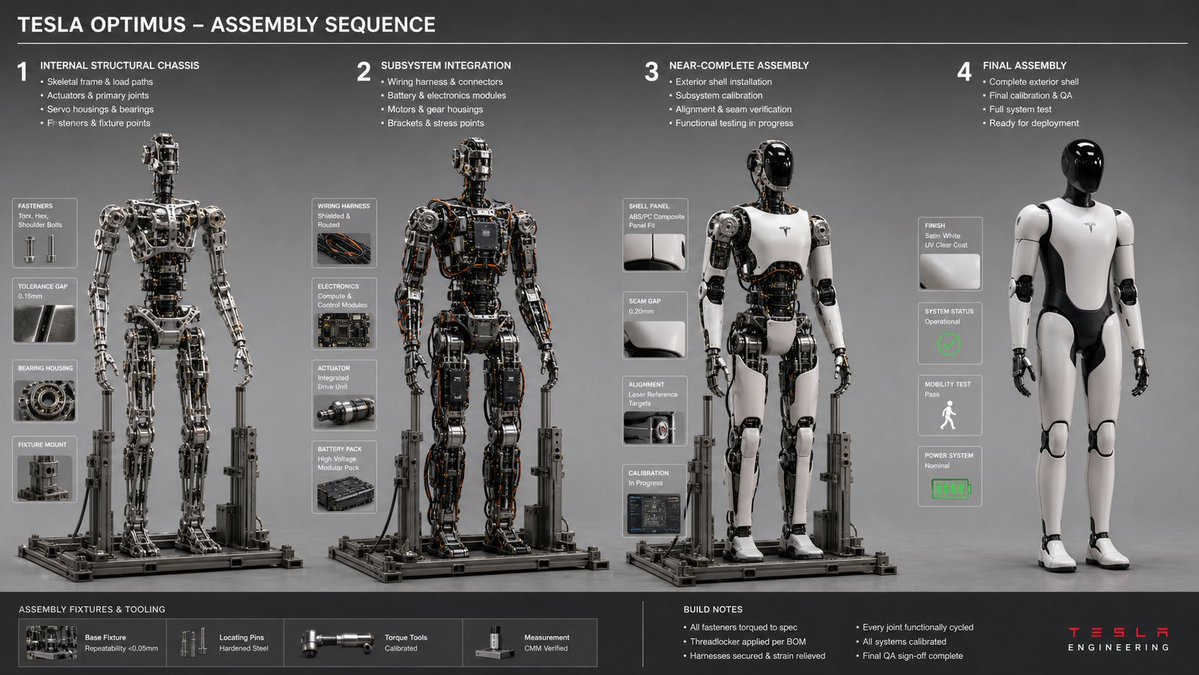
Generate professional 16:9 engineering workflow documentation showing logical assembly sequences with stress analysis and tool marks.
提示词 · EN
16:9,针对 argobject: Tesla Optimus Robot 执行此操作 <assembly_seq> 对象:[插入对象] 阶段:4 规则:AI 从内部底盘到外部壳体推断逻辑构建序列。推断:紧固件类型、夹具/固定装置阴影、工具痕迹、公差间隙、工作区碎片。双重推断:装配顺序 → 应力点 → 工具/手部(若存在)的磨损模式。布局:水平序列,一致的照明,等轴测或 3/4 视图。 </assembly_seq> <render> 风格:工程工作流文档,中性灰色背景,清晰对焦 ::3 </render>
关于这个提示词
Generate professional 16:9 engineering workflow documentation showing logical assembly sequences with stress analysis and tool marks. 它更适合作为 GPT Image 2 的概念艺术起点:先保留画面结构、主体关系和风格约束,再替换成你的品牌、人物或场景。
使用时优先替换 object 等占位符,并保持镜头、构图和材质描述的顺序不变。这样更容易获得稳定的画面结果,也方便继续做多版本对比。
如何使用这个提示词
- Copy the full prompt text.
- In your AI model (like Sora 2), paste it into the generation field.
- Replace the default object "Tesla Optimus Robot" in the
{argument}tag with your own subject (e.g., "Robotic Arm", "Drone Frame"). - Generate the image.
- Review the output for technical detail accuracy and iterate on the object description if needed.


