
GPT Image 2AI 提示词
OPUS vs CODEX: Pixar-Style Split-Screen AI Prompt
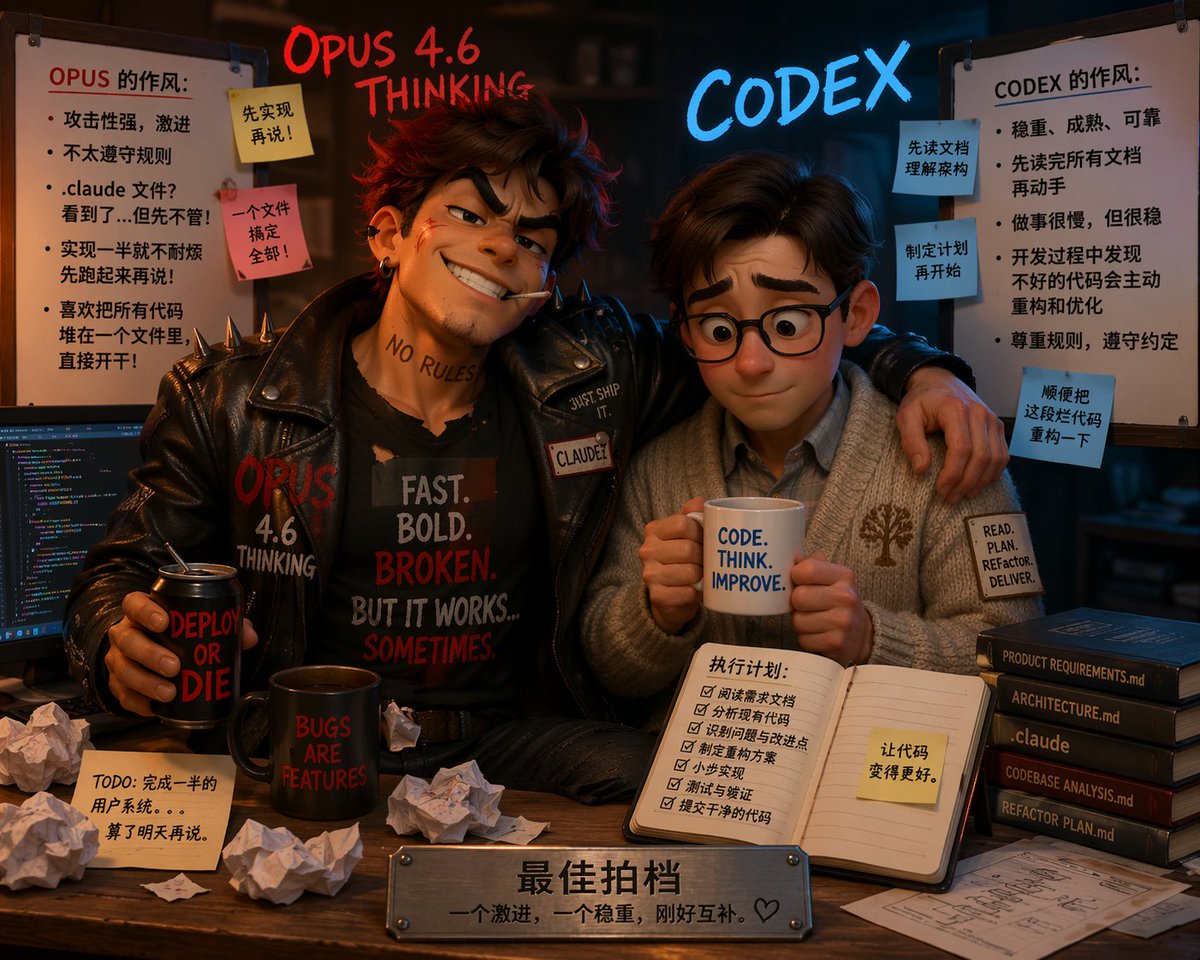
Generate a highly detailed 3D Pixar-style illustration contrasting two opposite programmer personalities with customizable text, props, and environmental storytelling.
提示词 · EN
type
3D 皮克斯风格动画插画composition
两个性格迥异的角色坐在书桌前,采用分屏美学,左侧凌乱,右侧整洁floating_text
left
{argument name="left character name" default="OPUS 4.6 THINKING"} 使用发光的红色手写字体right
{argument name="right character name" default="CODEX"} 使用发光的蓝色霓虹字体characters
item 1
position
左侧persona
叛逆、激进的程序员appearance
凌乱的棕色头发,自信的坏笑,嘴里叼着烟,脖子上有“NO RULES”纹身clothing
带有铆钉的黑色皮夹克,黑色 T 恤上印有“{argument name="left shirt text" default="FAST. BOLD. BROKEN. BUT IT WORKS... SOMETIMES."}”pose
手臂搭在右侧角色身上,手里拿着写有“DEPLOY OR DIE”的黑色易拉罐item 2
position
右侧persona
有条理、稳重的程序员appearance
整洁的棕色头发,圆框眼镜,表情紧张但顺从clothing
舒适的灰色开衫,带有树木标志,衬衫领口,袖口贴片写着“READ. PLAN. REFACTOR. DELIVER.”pose
双手捧着写有“{argument name="right mug text" default="CODE. THINK. IMPROVE."}”的白色马克杯environment
left_side
vibe
混乱且凌乱props
item 1
显示着彩色代码的电脑显示器item 2
写有“BUGS ARE FEATURES”的黑色马克杯item 3
5 张揉皱的纸团item 4
桌上贴着 1 张便签,写着“TODO: 完成一半的用户系统。。。算了明天再说。”whiteboard
title
OPUS 的作风:bullet_points_count
5sticky_notes_count
2sticky_notes_text
item 1
先实现再说!item 2
一个文件搞定全部!right_side
vibe
结构化且整洁props
item 1
打开的笔记本,上面有 6 项清单,标题为“执行计划:”,并贴有一张黄色便签“让代码变得更好。”item 2
一叠 5 本深色书籍,书脊文字为:“PRODUCT REQUIREMENTS.md”、“ARCHITECTURE.md”、“.claude”、“CODEBASE ANALYSIS.md”、“REFACTOR PLAN.md”item 3
桌上放着整齐的架构蓝图whiteboard
title
CODEX 的作风:bullet_points_count
5sticky_notes_count
3sticky_notes_text
item 1
先读文档理解架构item 2
制定计划再开始item 3
顺便把这段代码重构一下foreground
plaque
书桌前缘的金属铭牌,刻有文字“{argument name="plaque text" default="最佳拍档 一个激进,一个稳重,刚好互补。♡"}”关于这个提示词
Generate a highly detailed 3D Pixar-style illustration contrasting two opposite programmer personalities with customizable text, props, and environmental storytelling. 它更适合作为 GPT Image 2 的概念艺术起点:先保留画面结构、主体关系和风格约束,再替换成你的品牌、人物或场景。
这条提示词使用结构化 JSON 组织信息,包含 type、composition、floating text、characters、environment、foreground 等字段。保留这种层级能让模型更清楚地区分画面主题、布局、界面元素和细节约束。
使用时建议先小幅修改主体、场景、镜头和色调,再生成多个版本对比构图与细节。这样页面内容对用户有实际帮助,也避免把模型名或标签机械堆在正文里。
如何使用这个提示词
- Copy the prompt into your AI image generator (e.g., Sora, Midjourney, DALL-E).
- Ensure your model supports detailed scene composition and text rendering.
- Replace placeholder texts like character names, shirt text, and mug text to your preference.
- Generate the image and refine by emphasizing 'split-screen' or adjusting details if needed.
- Use the final illustration for presentations, concept art, or social media to highlight coding philosophies.


