
GPT Image 2AI 提示词
Intimate Late-Night Charcoal Art Desk — Sora 2 Prompt
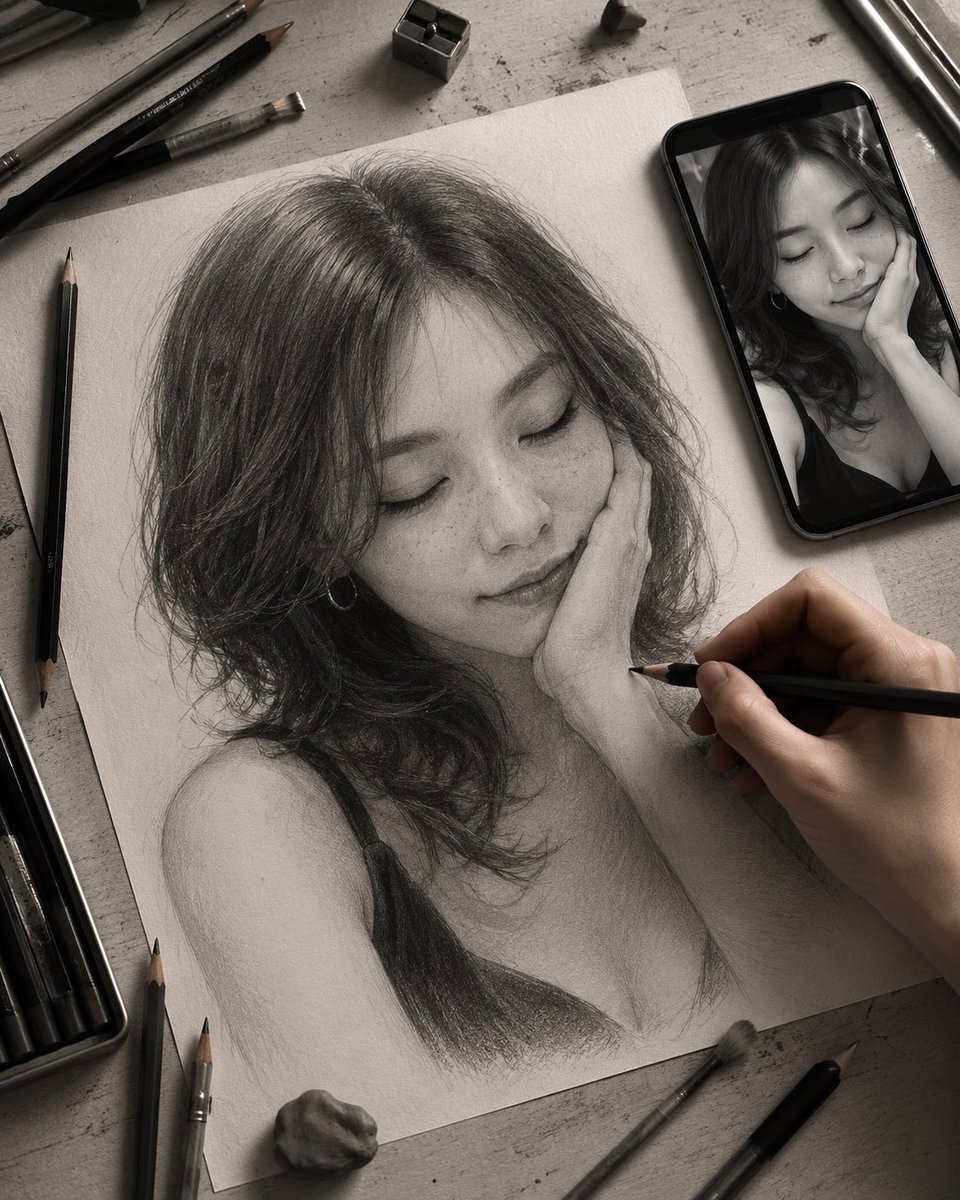
Generate a stunning monochrome top-down artist workspace with unfinished graphite portrait, drawing tools, and moody lamplight atmosphere.
1 / 2
提示词 · EN
创建一个充满情绪感的单色俯视写实场景,展现深夜艺术家工作台:一张纹理质感的灰白色绘图纸斜放在磨损的灰色桌面上,纸上绘有一幅未完成的石墨肖像,描绘对象为 argsubject description: 一位留着齐肩波浪卷深色头发、露肩、穿着黑色吊带背心的年轻女性。肖像在头发、颈部、肩部和衣物细节上刻画入微,呈现出明显的层叠石墨笔触、涂抹痕迹、纸张纹理以及柔和的未完成阴影。一只逼真的右手从右下角伸入,正拿着一支黑色铅笔在肖像的脸颊和颈部区域进行绘制。在右上角放置一部黑色智能手机,屏幕上显示着同一对象的黑白参考照片。添加两个不透明且边缘柔和的灰色隐私遮盖矩形:一个较大的正方形遮盖铅笔肖像的面部,另一个较小的矩形遮盖手机屏幕上的面部。在纸张周围布置写实的艺术家桌面:顶部放置一个金属卷笔刀,底部放置一块可塑橡皮或小石头,左下角放置一个打开的铅笔盒,五支散落的黑色石墨铅笔、两支画笔以及两件金属绘图工具自然地散布在纸张周围。使用 arglighting mood: 昏暗温暖的台灯照明,营造深邃阴影、微妙暗角、私密创作过程的氛围,强调真实的纸张质感、炭笔与石墨色调、浅景深,呈现高分辨率的编辑摄影风格,画面中无可见文字。
关于这个提示词
Generate a stunning monochrome top-down artist workspace with unfinished graphite portrait, drawing tools, and moody lamplight atmosphere. 它更适合作为 GPT Image 2 的概念艺术起点:先保留画面结构、主体关系和风格约束,再替换成你的品牌、人物或场景。
使用时优先替换 subject description、lighting mood 等占位符,并保持镜头、构图和材质描述的顺序不变。这样更容易获得稳定的画面结果,也方便继续做多版本对比。
如何使用这个提示词
- Copy the prompt and paste it into your preferred AI video or image generator.
- Choose a high-quality model such as Sora 2 or a comparable text-to-image engine that supports detailed realism.
- Customize the
subject descriptionvariable to change the portrait subject and thelighting moodvariable to adjust ambiance. - Generate the output and review the result, then regenerate with minor tweaks if needed for the perfect composition.


