
GPT Image 2AI 提示词
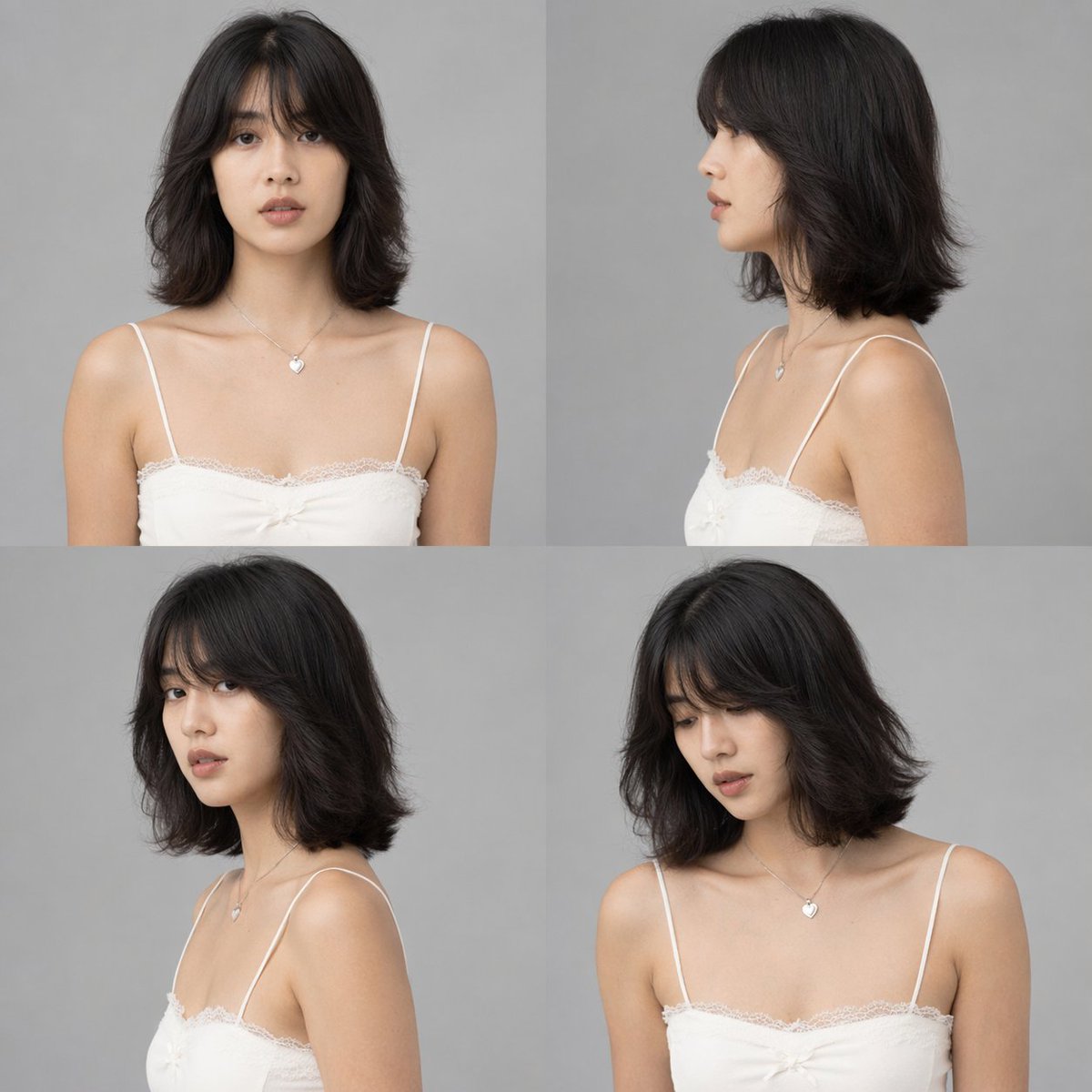
Multi-Angle Character Sheet from Any Image — Sora 2 Prompt
Transform any portrait into a full-color, multi-angle character reference sheet with clean studio lighting and a neutral gray background.
提示词 · EN
使用提供的参考图像,生成一张 argnumber of panels: 4 格的工作室风格角色设定图。将黑白参考图转换为全彩色,应用自然的肤色和黑色头发。移除原始环境,并将主体置于 argbackground color: 纯灰色 背景下,配合 arglighting style: 干净、中性的工作室灯光。生成的网格必须展示完全相同的角色,穿着保留的白色蕾丝吊带衫和心形项链,呈现 argnumber of panels: 4 种不同的姿势:1) 正面视角,2) 右侧面视角,3) 左侧 3/4 视角(回头看),以及 4) 右侧 3/4 视角(微微低头)。
关于这个提示词
Transform any portrait into a full-color, multi-angle character reference sheet with clean studio lighting and a neutral gray background. 它更适合作为 GPT Image 2 的概念艺术起点:先保留画面结构、主体关系和风格约束,再替换成你的品牌、人物或场景。
使用时优先替换 number of panels、background color、lighting style 等占位符,并保持镜头、构图和材质描述的顺序不变。这样更容易获得稳定的画面结果,也方便继续做多版本对比。
如何使用这个提示词
- Copy and paste this prompt into your AI image generator (e.g., Sora 2, Midjourney, Stable Diffusion).
- Upload your reference portrait image as input.
- Adjust the
number of panels,background color, orlighting stylevariables if desired. - Generate the image to get a multi-angle character sheet with four different poses.
- Refine by editing the prompt or regenerating with tweaked settings.


