
GPT Image 2AI 提示词
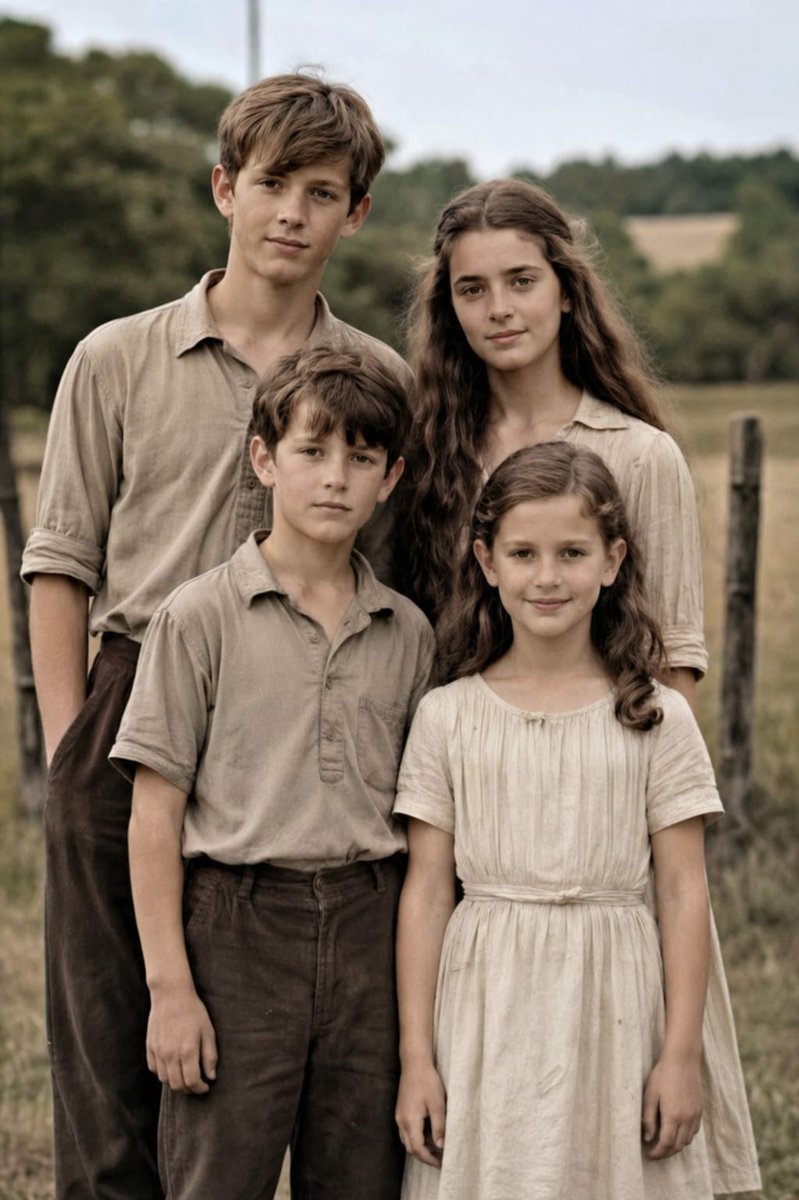
Old Photo Restoration to DSLR Portraits — Sora 2 Prompt
Transform damaged family photos into vivid, high-resolution DSLR portraits with accurate colors, enhanced details, and a natural shallow depth of field.
提示词 · EN
使用提供的参考图像,将受损的家庭老照片修复为自然、现代的高分辨率人像,同时保持原有的 4 人构图、姿势、取景、服装及户外乡村背景不变。去除所有可见的岁月痕迹,包括撕裂、裂纹、折痕、污渍、磨损的纸张边缘、划痕及褪色。将黑白/棕褐色图像转换为逼真的柔和色彩,保留准确的肤色和中性大地色系的服装。增强细节,锐化织物与头发纹理,改善对比度与动态范围,并将其提升至专业级的 DSLR 画质,实现清晰对焦与微妙的浅景深效果,如同使用 argcamera model: Canon EOS R6 II 拍摄一般。确保最终结果高度写实、自然,并忠实于原始人物的面部特征与比例。
关于这个提示词
Transform damaged family photos into vivid, high-resolution DSLR portraits with accurate colors, enhanced details, and a natural shallow depth of field. 它更适合作为 GPT Image 2 的概念艺术起点:先保留画面结构、主体关系和风格约束,再替换成你的品牌、人物或场景。
使用时优先替换 camera model 等占位符,并保持镜头、构图和材质描述的顺序不变。这样更容易获得稳定的画面结果,也方便继续做多版本对比。
如何使用这个提示词
- Copy the prompt from this page.
- Upload your vintage family photo as a reference image.
- Optionally modify the camera model variable (e.g., "Canon EOS R6 II" default) to match your preferred DSLR.
- Use an AI image model like Sora 2 that supports detailed image restoration.
- Generate and download your restored high-quality portrait.


