
GPT Image 2AI 提示词
Natural Street Fashion Portrait — Sora 2 Prompt
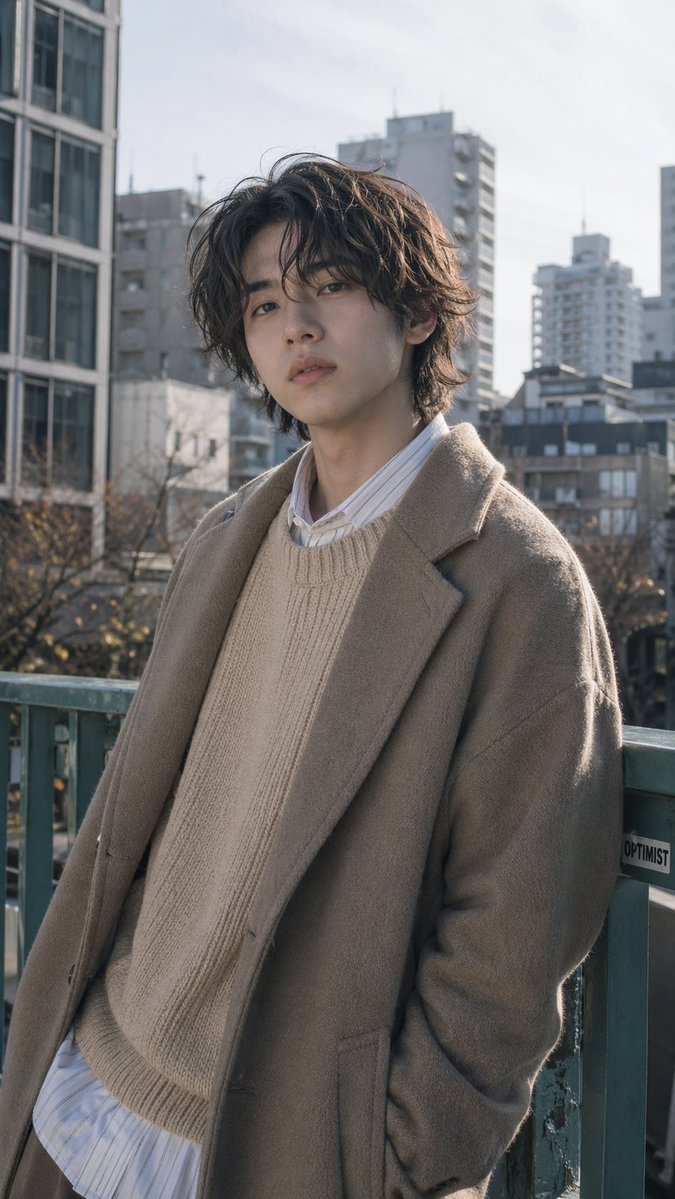
Generate a photorealistic editorial portrait of a young man in layered neutral winter fashion, set against a blurred Tokyo cityscape with natural lighting.
提示词 · EN
一张自然风格的街头时尚肖像,主体为一位 argsubject: 年轻日本男性,在日光下站在城市人行天桥上,构图为从大腿中部到头部的竖版肖像。他随意地倚靠在磨损的绿色金属栏杆上,一只手插在外套口袋里,身体微微倾斜,呈现出一种放松且时髦的抓拍姿态,而非笔直站立。他留着中等长度的微卷凌乱发型,发色为 arghair color: 深棕色,耳部和额头处有自然的蓬松感,身材修长。为他穿上叠穿风格的中性色调冬季时装:一件 argcoat color: 灰褐色 的超大款羊毛大衣,内搭一件 argsweater color: 米白色 的粗棒针圆领毛衣,领口和下摆露出长款条纹衬衫。整体氛围冷静、精致且充满现代感,如同日本男士时尚杂志的内页。使用柔和的自然光,呈现真实的肤色、细腻的阴影、柔和的色彩以及浅景深效果。背景中展示失焦的中高层城市建筑、冬季的枯树以及明亮的浅色天空,营造出真实的东京式都市氛围。写实风格,低调的色彩分级,细腻的织物纹理,杂志编辑级构图,无戏剧性特效,无文字叠加,无其他路人。
关于这个提示词
Generate a photorealistic editorial portrait of a young man in layered neutral winter fashion, set against a blurred Tokyo cityscape with natural lighting. 它更适合作为 GPT Image 2 的概念艺术起点:先保留画面结构、主体关系和风格约束,再替换成你的品牌、人物或场景。
使用时优先替换 subject、hair color、coat color、sweater color 等占位符,并保持镜头、构图和材质描述的顺序不变。这样更容易获得稳定的画面结果,也方便继续做多版本对比。
如何使用这个提示词
- Copy the prompt from this page.
- Open your preferred AI image generator (e.g., Sora 2, Stable Diffusion).
- Customize the subject, hair color, coat color, or sweater color by editing the
{argument...}fields. - Generate the image and review the result.
- Adjust the prompt or model settings if needed for different styles.


