
AI 提示词
Magnus Effect Academic Infographic — Sora 2 Prompt
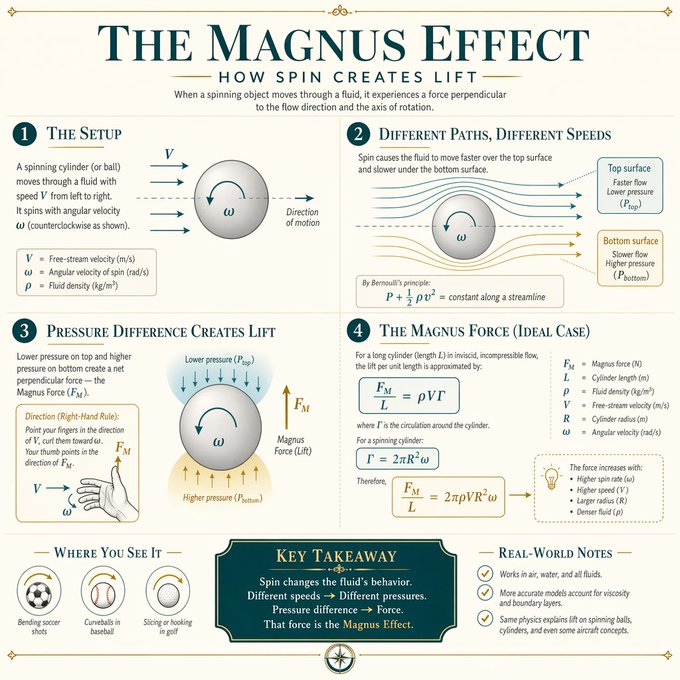
Create a visually stunning, clean academic infographic explaining the Magnus Effect with elegant typography, diagrams, and a premium textbook aesthetic.
提示词 · EN
Create a visually stunning educational infographic explaining Magnus Effect in a clean, modern academic style. Use a soft neutral background (cream or light beige), elegant serif typography for titles, and minimalist sans-serif for body text. Structure the layout into clearly separated numbered sections (e.g., 1, 2, 3, 4), each with a concise heading and short explanation. Include subtle dividing lines and balanced spacing. Incorporate mathematical notation, symbols, and step-by-step visual diagrams (like grids, arrows, highlights, or boxed elements) to illustrate the concept clearly. Use a limited color palette (teal, gold accents, dark gray text) with soft highlights for emphasis. Add visual cues like arrows, dotted lines, or highlighted boxes to guide the viewer’s eye through the logic. Maintain symmetry, alignment, and a polished “textbook meets modern design” aesthetic. The final design should feel like a premium educational poster - minimal, elegant, highly readable, and intellectually satisfying.
关于这个提示词
Create a visually stunning, clean academic infographic explaining the Magnus Effect with elegant typography, diagrams, and a premium textbook aesthetic. 它更适合作为 AI 模型 的概念艺术起点:先保留画面结构、主体关系和风格约束,再替换成你的品牌、人物或场景。
常见用途包括 chatgpt、信息图、学术风、物理学。这些标签只作为创作方向参考,实际生成时仍应以提示词结构和预览图为准。
使用时建议先小幅修改主体、场景、镜头和色调,再生成多个版本对比构图与细节。这样页面内容对用户有实际帮助,也避免把模型名或标签机械堆在正文里。
如何使用这个提示词
- Copy the prompt to your clipboard.
- Paste into Sora 2 or any AI image generator (DALL·E 3, Midjourney).
- Modify any design variables like color palette or text labels as needed.
- Generate the infographic and adjust the layout using in-painting if required.
- Export your premium educational poster for prints or digital sharing.


