
GPT Image 2AI 提示词
Cinematic Rainy Bus Portrait — Hyperreal Sora 2 Prompt
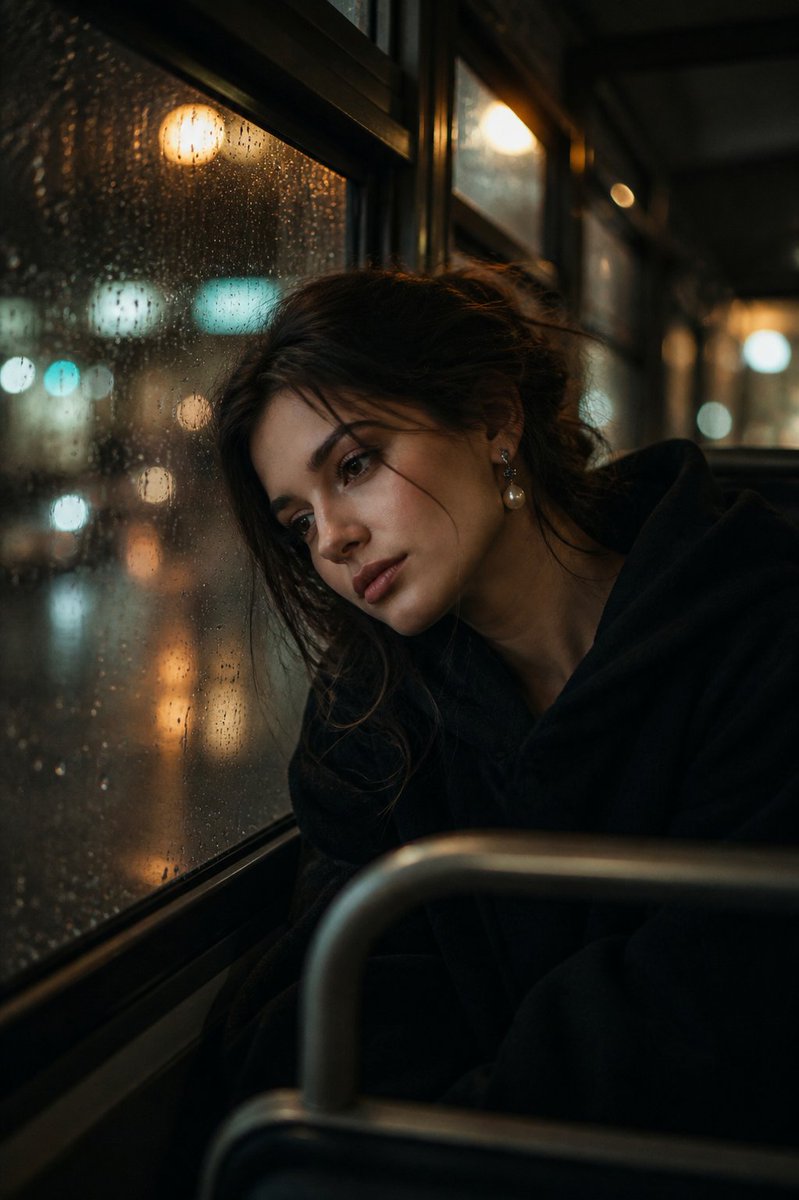
Generate a hyperrealistic, emotionally charged portrait of a melancholic figure against a rainy bus window with beautiful bokeh light reflections.
提示词 · EN
超写实电影感肖像,主角为一位 argsubject: 年轻女性,正坐在 argsetting: 夜晚布满雨滴的巴士车窗 旁,头部轻轻倚靠在玻璃上。她神情忧郁而疏离,双眼微垂,流露出安静的哀伤与内省。
她的头发随意扎成凌乱的发髻,几缕湿润的发丝自然地垂在脸庞。皮肤呈现自然且略带润泽的质感,带有细腻的瑕疵和真实的纹理。她穿着一件 argclothing: 深色大码外套或连帽衫,裹紧身体以抵御寒意。
身侧的车窗布满雨滴,窗外模糊的城市灯光形成了温暖的金色与绿色光斑反射。路灯和过往车辆的光芒透过玻璃柔和地闪烁,增加了画面的深度与氛围感。 灯光采用低调且富有情绪的布光,来自窗外的柔和暖光与轻柔的阴影勾勒出她的面部轮廓。整体色调为电影级调色,呈现青橙色调,饱和度略低,具有胶片质感。 采用浅景深拍摄,焦点清晰地落在她的脸上,背景柔和虚化。构图亲密且略带角度,仿佛是抓拍的瞬间。 风格:超写实,电影摄影,85mm 镜头,f/1.8,胶片颗粒,柔光,情感叙事,8K 细节。 可选附加词(如果您的工具支持):
“雨夜美学”
“电影感巴士内饰”
“情感肖像摄影”
“情绪化灯光,体积光”
关于这个提示词
Generate a hyperrealistic, emotionally charged portrait of a melancholic figure against a rainy bus window with beautiful bokeh light reflections. 它更适合作为 GPT Image 2 的概念艺术起点:先保留画面结构、主体关系和风格约束,再替换成你的品牌、人物或场景。
使用时优先替换 subject、setting、clothing 等占位符,并保持镜头、构图和材质描述的顺序不变。这样更容易获得稳定的画面结果,也方便继续做多版本对比。
如何使用这个提示词
- Copy the entire prompt text and paste it into your preferred AI image generation tool (like Sora 2).
- Select a high-resolution model capable of photorealistic output (e.g., Sora 2, DALL-E 3).
- Customize the variables in curly braces
{ }to change the subject, setting, or clothing details. - For best results, use the optional style keywords at the end to guide the model's aesthetic.
- Generate the image and adjust the prompt variables for more variations.


