
GPT Image 2AI 提示词
Hand-Drawn Photo Annotations — Japanese Journal Style Prompt
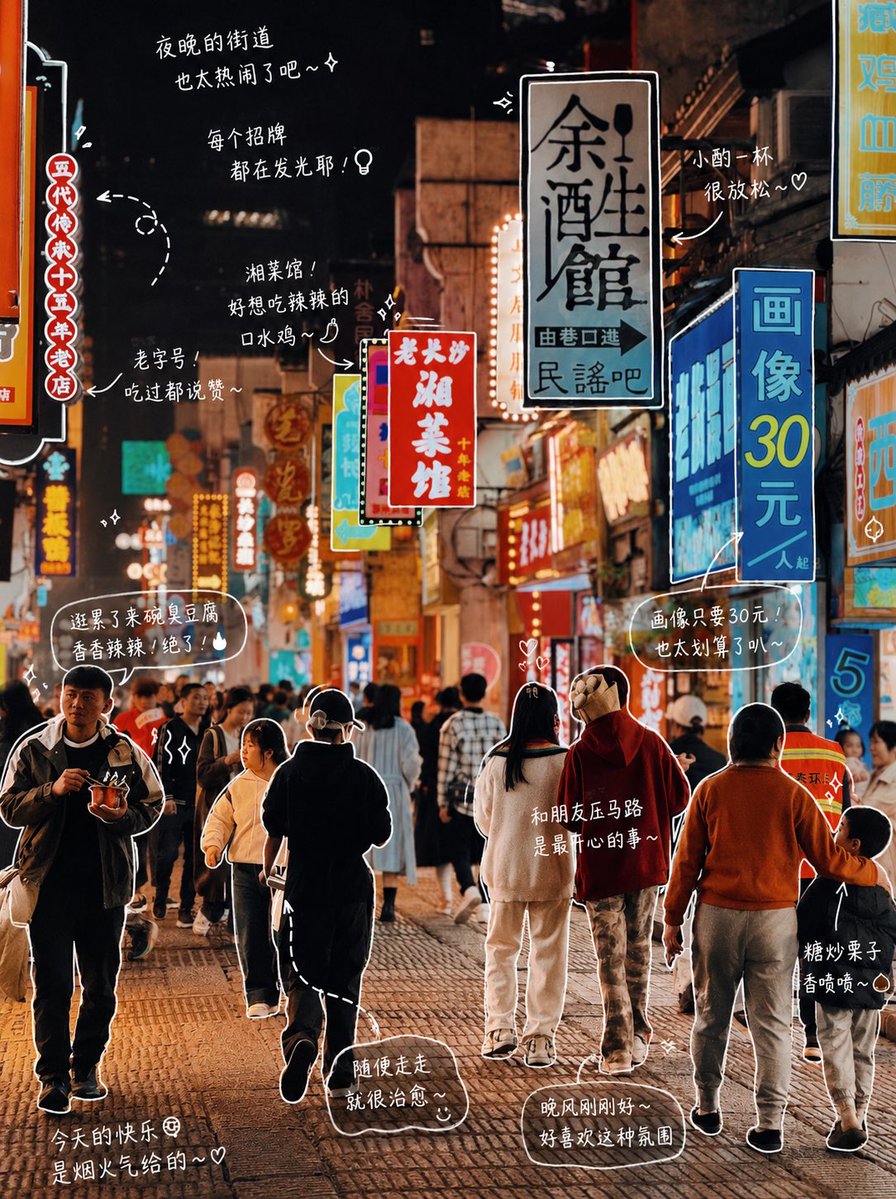
Turn any photo into a charming Japanese-style journal page with cute hand-drawn labels, arrows, and diary-like text annotations.
1 / 3
提示词 · EN
修改照片:请观察照片中的元素,并为每个物体添加有意义的手绘风格标注。填入照片中的物体(例如:argitem list: 披萨, 汽水)。[绘画规则]:• 使用类似白色画笔的纤细手绘线条 • 一笔画风格,随意,略带不规则感 • 为物体添加轮廓线 • 使用箭头或虚线进行视觉引导。[文字规则]:• 手写字体(日系可爱风格) • 短句,如同自言自语 • 带有情感色彩的日记风格。[标注规则]:• 饮品 -> 口感、温度、心情(例如:清爽、微甜、刚刚好) • 食物 -> 质地、美味程度(例如:软糯、超级好吃) • 空间 -> 氛围(例如:非常放松,喜欢这种感觉) • 整体 -> 一句总结(例如:argmood summary: 今天有点小开心~)。[装饰]:• 适度添加蒸汽、闪光、爱心、星星和小表情等元素。不要过度装饰,保留留白。
关于这个提示词
Turn any photo into a charming Japanese-style journal page with cute hand-drawn labels, arrows, and diary-like text annotations. 它更适合作为 GPT Image 2 的概念艺术起点:先保留画面结构、主体关系和风格约束,再替换成你的品牌、人物或场景。
使用时优先替换 item list、mood summary 等占位符,并保持镜头、构图和材质描述的顺序不变。这样更容易获得稳定的画面结果,也方便继续做多版本对比。
如何使用这个提示词
- Copy the entire prompt into your preferred AI image model that supports image editing and text generation.
- Upload or select the photo you want to annotate.
- Replace the default item list (e.g., pizza, soda) with the actual objects visible in your photo.
- Adjust the mood summary line to match your desired emotional tone.
- Generate and review — tweak the decoration level or text style if needed.


