
GPT Image 2AI 提示词
Gothic Portrait Makeover — Sora 2 Prompt
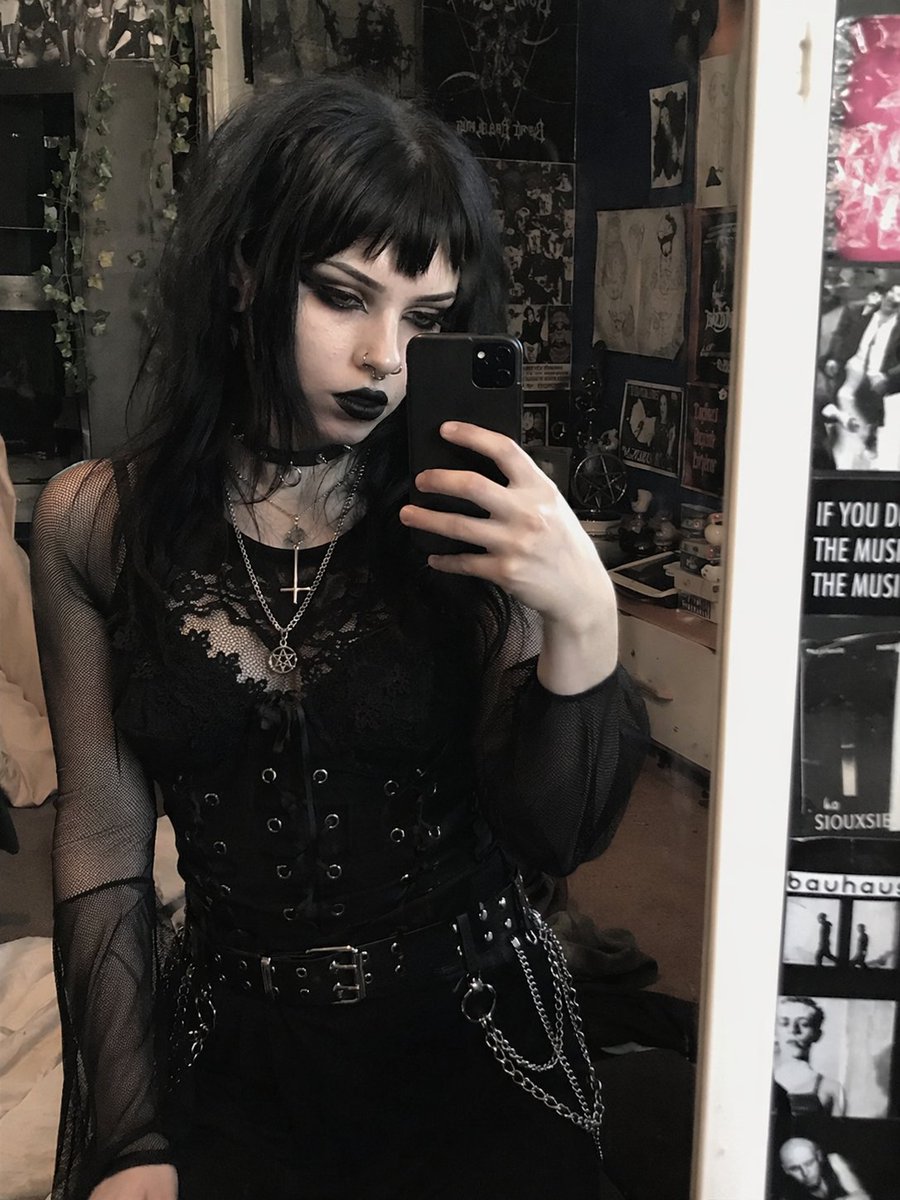
Transform a portrait into a dark, customizable gothic aesthetic with piercings, jewelry, and dramatic makeup while preserving the original pose and outfit.
提示词 · EN
使用 REFERENCE_0,将主体外观转换为 argstyle: 传统哥特 美学风格,同时保留其精确的姿势、服装结构和背景。将她的头发改为 arghair color: 黑色,并配以 arghair style: 碎刘海。打造浓郁的暗黑妆容,特别是 arglip color: 黑色 唇膏和深邃的暗色眼影,并将肤色调整得稍微苍白一些。添加 2 处面部穿孔:一个鼻中隔环和一个鼻钉。最后,将她叠戴的项链修改为 argnecklace pendants: 倒十字架和五角星 吊坠。
关于这个提示词
Transform a portrait into a dark, customizable gothic aesthetic with piercings, jewelry, and dramatic makeup while preserving the original pose and outfit. 它更适合作为 GPT Image 2 的概念艺术起点:先保留画面结构、主体关系和风格约束,再替换成你的品牌、人物或场景。
使用时优先替换 style、hair color、hair style、lip color 等占位符,并保持镜头、构图和材质描述的顺序不变。这样更容易获得稳定的画面结果,也方便继续做多版本对比。
如何使用这个提示词
- Copy the full prompt text into the Sora 2 text field.
- Select the Sora 2 model (or your preferred compatible model).
- Edit the variables (style, hair color, lip color, pendants) inside the curly braces to customize the look.
- Click Generate and review the output.
- Tweak any variable and regenerate for a perfect result.


