
GPT Image 2AI 提示词
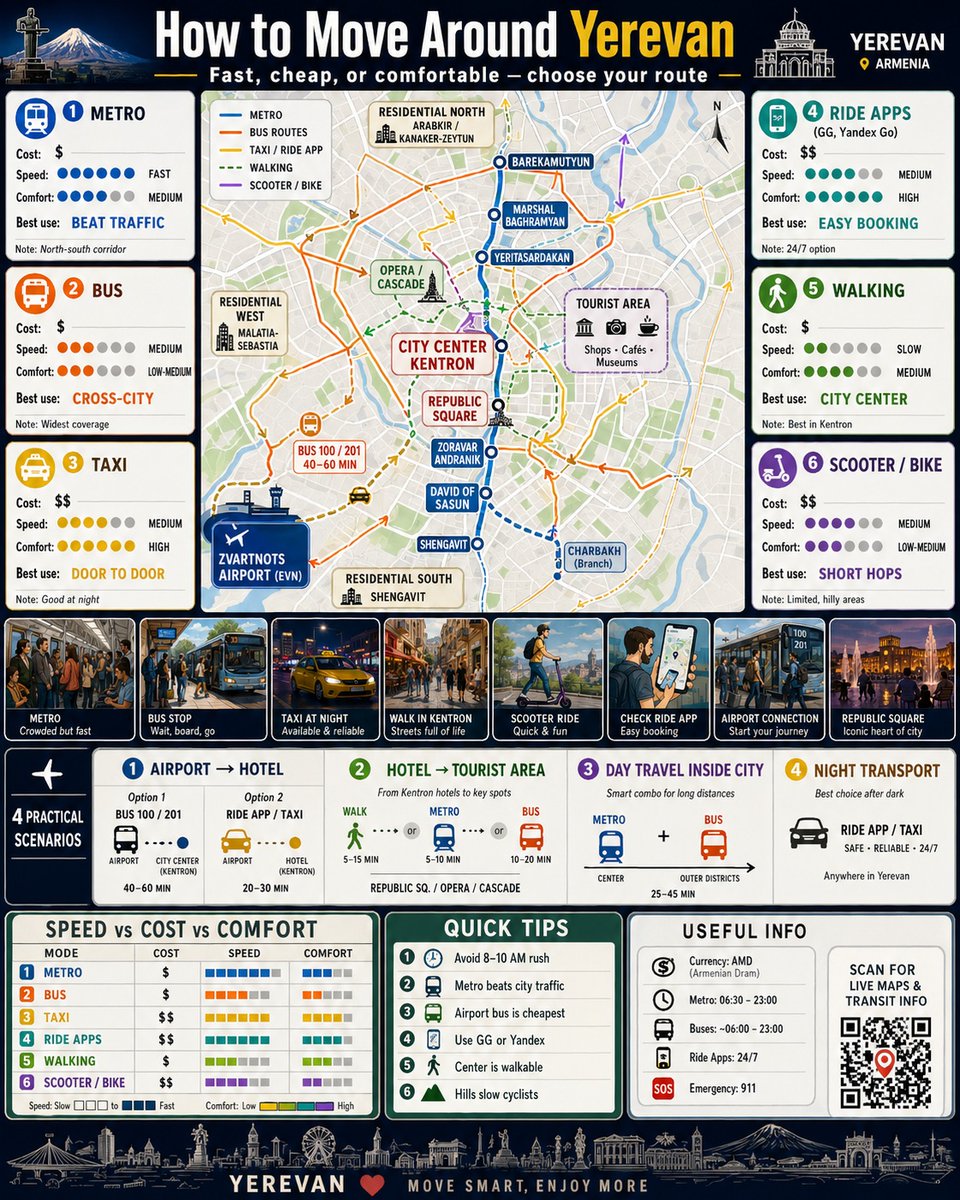
City Transport Guide Infographic — Sora 2 Prompt
Generate a professional infographic poster blending map logic, data panels, and real-world transit scenes for any city.
1 / 4
提示词 · EN
创建一个高度详细、高级的信息图海报,标题为:“如何游览 argcity name: [城市名称]”。该设计应呈现出专业交通指南的质感,结合地图逻辑、数据板块以及真实的使用场景。
关于这个提示词
Generate a professional infographic poster blending map logic, data panels, and real-world transit scenes for any city. 它更适合作为 GPT Image 2 的概念艺术起点:先保留画面结构、主体关系和风格约束,再替换成你的品牌、人物或场景。
使用时优先替换 city name 等占位符,并保持镜头、构图和材质描述的顺序不变。这样更容易获得稳定的画面结果,也方便继续做多版本对比。
如何使用这个提示词
- Copy the prompt to your clipboard.
- Open your AI image generator (e.g., Midjourney, DALL·E, or Sora 2 for video).
- Replace
{city name}with your target city (e.g., "Tokyo"). - Adjust aspect ratio or style parameters for your desired output.
- Generate and refine until you get the perfect poster.


