
GPT Image 2AI 提示词
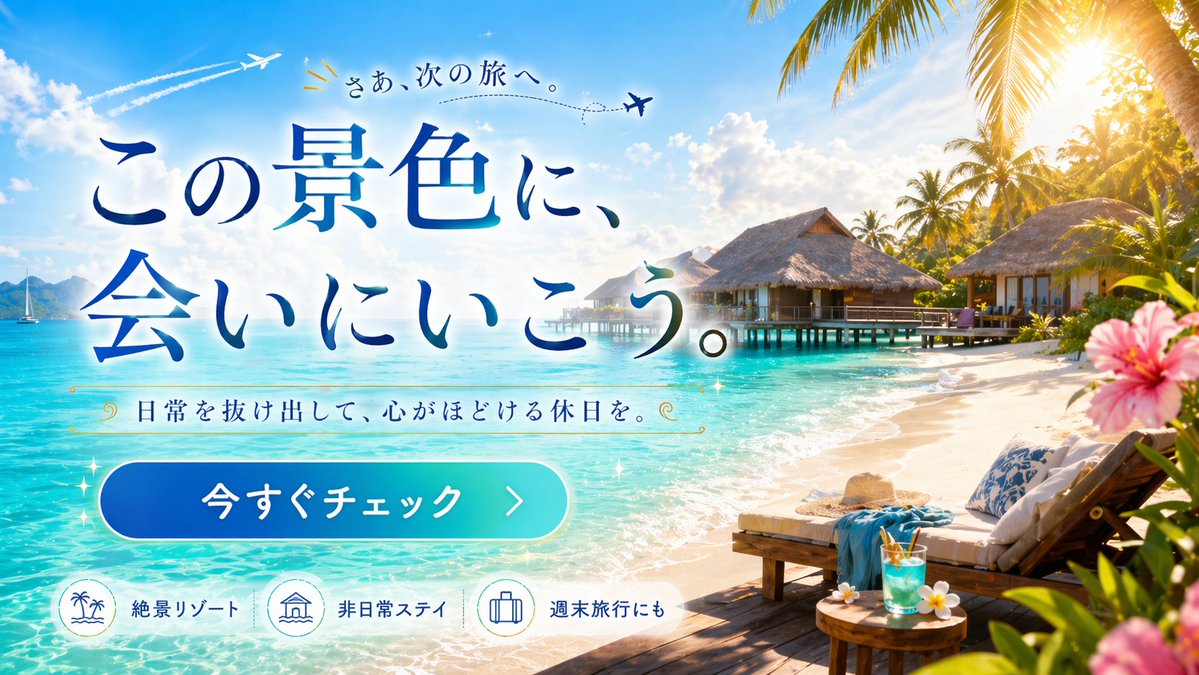
Tropical Paradise Getaway Banner — Sora 2 Prompt
Create a vibrant travel ad banner with a stunning overwater bungalow resort, turquoise waters, palm trees, and customizable promotional text overlays.
提示词 · EN
type
旅游广告网页横幅scene
setting
{argument name="destination type" default="热带水上屋度假村"}background
绿松石色的海水、蓝天、蓬松的云朵、棕榈树、远处的帆船、2 架带有虚线飞行路径的飞机foreground_right
木质甲板、2 把躺椅、白色坐垫、蓝色毛巾、草帽、圆桌、蓝色热带饮品、鸡蛋花、边缘处粉色木槿花装饰layout
text_overlay
position
左中elements
item 1
type
top_texttext
{argument name="top text" default="开启下一段旅程。"}decoration
飞机图标、虚线item 2
type
main_headlinetext
{argument name="main headline" default="去邂逅这片美景。"}style
大型蓝色渐变衬线字体item 3
type
subheadlinetext
{argument name="subheadline" default="逃离日常,享受身心放松的假期。"}decoration
金色装饰漩涡纹样item 4
type
cta_buttontext
{argument name="button text" default="立即查看"}style
蓝青色渐变药丸形状,右箭头bottom_features
position
左下count
3items
item 1
icon
棕榈树和海浪label
绝美度假胜地item 2
icon
水上屋label
非凡住宿体验item 3
icon
行李箱label
适合周末出游关于这个提示词
Create a vibrant travel ad banner with a stunning overwater bungalow resort, turquoise waters, palm trees, and customizable promotional text overlays. 它更适合作为 GPT Image 2 的概念艺术起点:先保留画面结构、主体关系和风格约束,再替换成你的品牌、人物或场景。
这条提示词使用结构化 JSON 组织信息,包含 type、scene、layout 等字段。保留这种层级能让模型更清楚地区分画面主题、布局、界面元素和细节约束。
使用时建议先小幅修改主体、场景、镜头和色调,再生成多个版本对比构图与细节。这样页面内容对用户有实际帮助,也避免把模型名或标签机械堆在正文里。
如何使用这个提示词
- Copy the entire prompt structure and paste it into your preferred AI image generator that supports structured prompts.
- Choose a capable model like Sora 2 or a similar text-to-image AI that handles detailed scene descriptions well.
- Customize the variables: change the destination type, top text, main headline, subheadline, and button text to match your campaign needs.
- Adjust the background setting and foreground elements if you want a different tropical vibe or vacation theme.
- Generate the image and iterate — tweak the text content, colors, or scene details until the banner matches your vision perfectly.


