
GPT Image 2AI 提示词
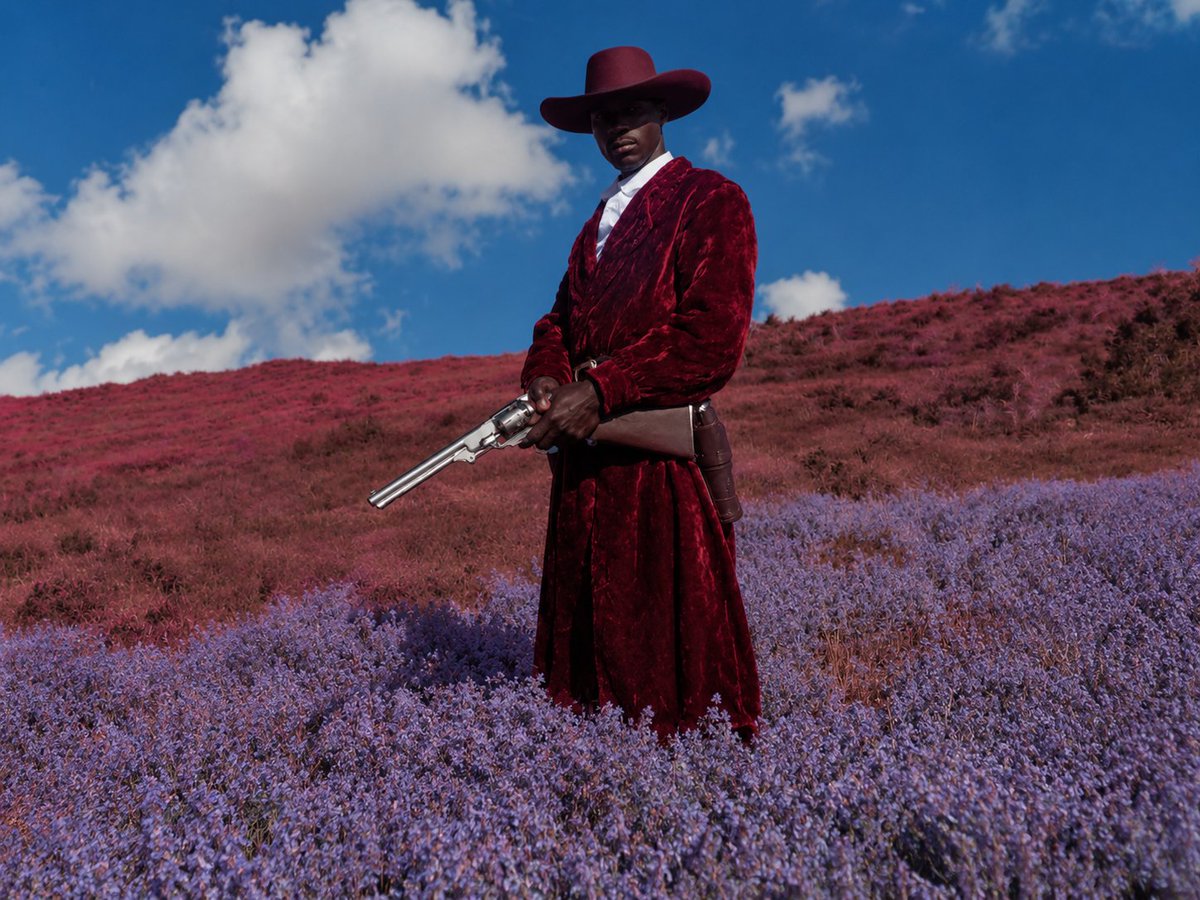
Surreal Cowboy Portrait — High-Fashion Sora 2 Prompt
Create a cinematic, haute couture-style cowboy portrait with a blurred face, vibrant flower fields, and surreal color grading — perfect for fashion moodboards.
提示词 · EN
创作一张电影级超现实时尚西部肖像,画面中心为 argsubject: 一位高大的黑人牛仔 的全身像,伫立在广阔的繁花山坡上。主体佩戴一顶宽檐 arghat color: 深酒红色 牛仔帽,身穿 argcoat color: 深绯红色 长款毛绒丝绒风衣,内搭白色衬衫,系皮带及枪套,双手持一把抛光银色双管左轮手枪,枪口向下斜指。面部特意用柔和的矩形模糊处理,赋予人物一种匿名编辑感。景观呈现梦幻般的色彩偏移:前景为茂密的薰衣草紫野花,背景是柔和的红与洋红色草地连绵起伏,天空呈现饱和的亮蓝色,点缀着大朵柔和的白云。采用低位略微仰视的拍摄角度,中远景构图,清晰的日光,强烈的自然对比度,具有超现实色彩分级的写实摄影风格,高定时尚 moodboard 美学,戏剧性的静谧感,无文字,无其他人物。
关于这个提示词
Create a cinematic, haute couture-style cowboy portrait with a blurred face, vibrant flower fields, and surreal color grading — perfect for fashion moodboards. 它更适合作为 GPT Image 2 的概念艺术起点:先保留画面结构、主体关系和风格约束,再替换成你的品牌、人物或场景。
使用时优先替换 subject、hat color、coat color 等占位符,并保持镜头、构图和材质描述的顺序不变。这样更容易获得稳定的画面结果,也方便继续做多版本对比。
如何使用这个提示词
- Copy the full prompt text from the page.
- Open your preferred AI image generator (e.g., Sora 2, Midjourney, DALL·E).
- Customize the variables like
{subject},{hat color}, and{coat color}to match your creative vision. - Paste the modified prompt into the model's input field.
- Generate and iterate — adjust colors or angles until you get your ideal cinematic cowboy portrait.


