
GPT Image 2AI 提示词
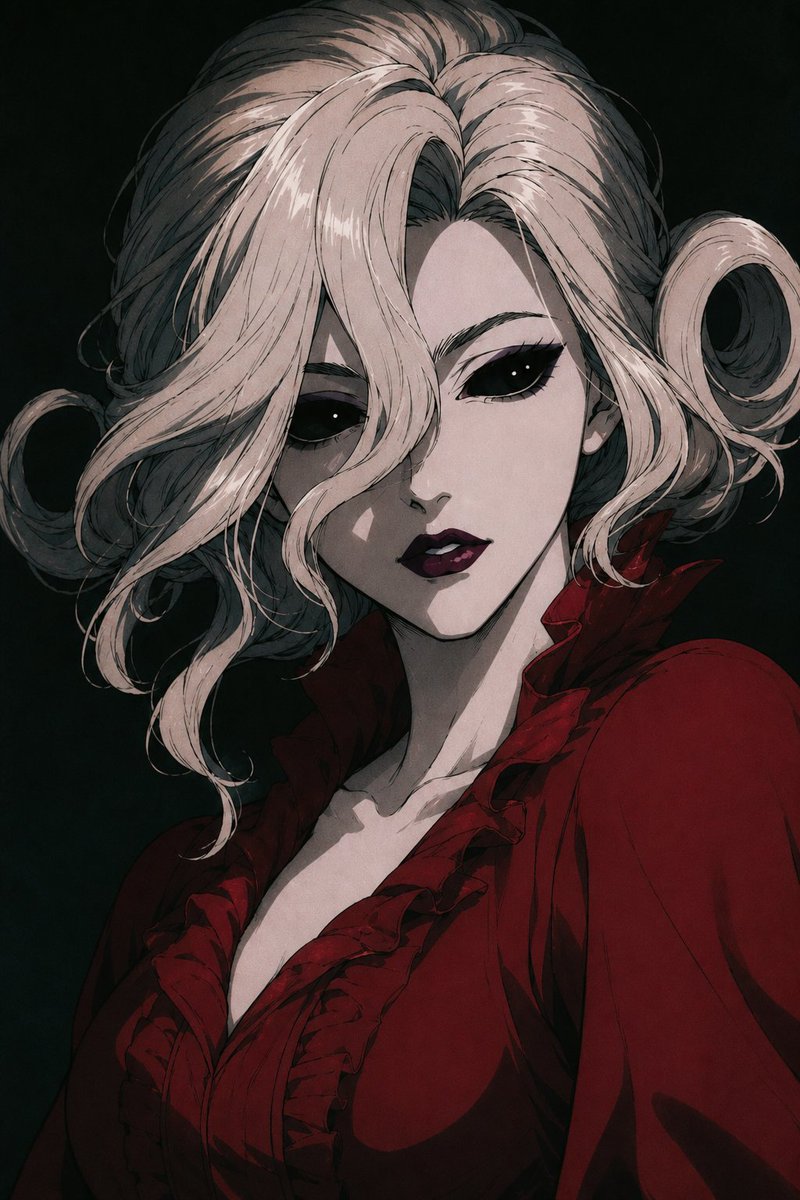
Gothic Queen Portrait Prompt — Sora 2 Dark Anime Art
Create a dark, dramatic Victorian vampire portrait with hidden face, intricate curls, and moody shading — perfect for gothic fantasy character art.
提示词 · EN
创作一张暗黑哥特动漫风格的 argcharacter name: 血腥女王 肖像,采用半身像构图,呈现戏剧性的四分之三侧面姿态,背景为近乎黑色的深绿色。她留着蓬松的 arghair color: 苍银白色 头发,从中间向后梳理,两侧带有松散的卷发环和精致的墨色发丝,通过高对比度的光影进行渲染。她的面部被一个位于正中央的灰色调不透明方形遮挡块刻意隐藏,遮住了眼睛、鼻子、嘴巴及大部分面部特征,但保留了头发、下颌线、颈部和服饰的可见度。她身着深 argdress color: 血红色 的维多利亚风格上衣或礼服,配有深 V 领口、层叠的荷叶边领子、结构化的肩部设计以及厚重的黑色阴影褶皱,营造出邪恶的皇家吸血鬼美学。采用优雅的恐怖漫画插画风格,结合绘画感阴影、细腻的线条、低饱和度的色彩、忧郁的明暗对比照明以及紧张的贵族氛围,垂直肖像构图,无文字,无边框。
关于这个提示词
Create a dark, dramatic Victorian vampire portrait with hidden face, intricate curls, and moody shading — perfect for gothic fantasy character art. 它更适合作为 GPT Image 2 的概念艺术起点:先保留画面结构、主体关系和风格约束,再替换成你的品牌、人物或场景。
使用时优先替换 character name、hair color、dress color 等占位符,并保持镜头、构图和材质描述的顺序不变。这样更容易获得稳定的画面结果,也方便继续做多版本对比。
如何使用这个提示词
- Copy the prompt text from the page.
- Choose a compatible AI image generator (e.g., Sora 2, DALL-E 3, Midjourney).
- Customize the variables in curly braces like
{character name},{hair color}, or{dress color}with your own ideas. - Paste the prompt into the model's input field.
- Generate the image and iterate on the variables for different variations.


