
GPT Image 2AI 提示词
Multi-Frame Banner Ad with Custom Layout — Sora 2 Prompt
Generate professional multi-frame banner ads with Sora 2, customizing layout, dimensions, and product for impactful marketing visuals.
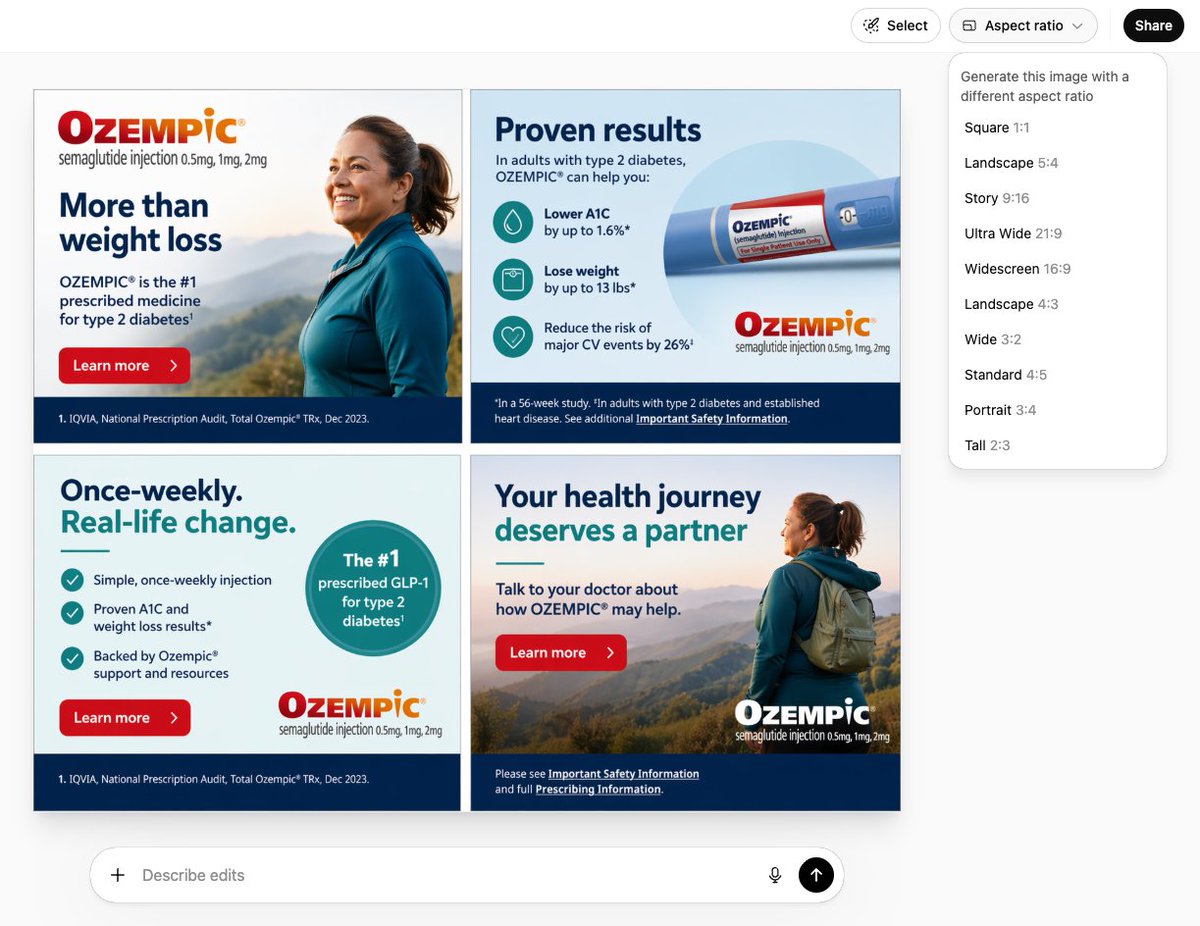
提示词 · EN
创建一个包含 arglayout: 四帧 的 argdimensions: 300x250 横幅广告图片,产品为 argproduct: Ozempic
关于这个提示词
Generate professional multi-frame banner ads with Sora 2, customizing layout, dimensions, and product for impactful marketing visuals. 它更适合作为 GPT Image 2 的概念艺术起点:先保留画面结构、主体关系和风格约束,再替换成你的品牌、人物或场景。
使用时优先替换 layout、dimensions、product 等占位符,并保持镜头、构图和材质描述的顺序不变。这样更容易获得稳定的画面结果,也方便继续做多版本对比。
如何使用这个提示词
- Copy the prompt text from above.
- Customize the arguments: set
layout(e.g., "四帧" for four frames),dimensions(e.g., "300x250"), andproduct(e.g., "Ozempic"). - Open your AI image generation tool (such as GPT Image 2) and paste the modified prompt.
- Generate the image and download your banner ad.


