
GPT Image 2AI 提示词
Whale Shark Underwater Photography — Sora 2 Prompt
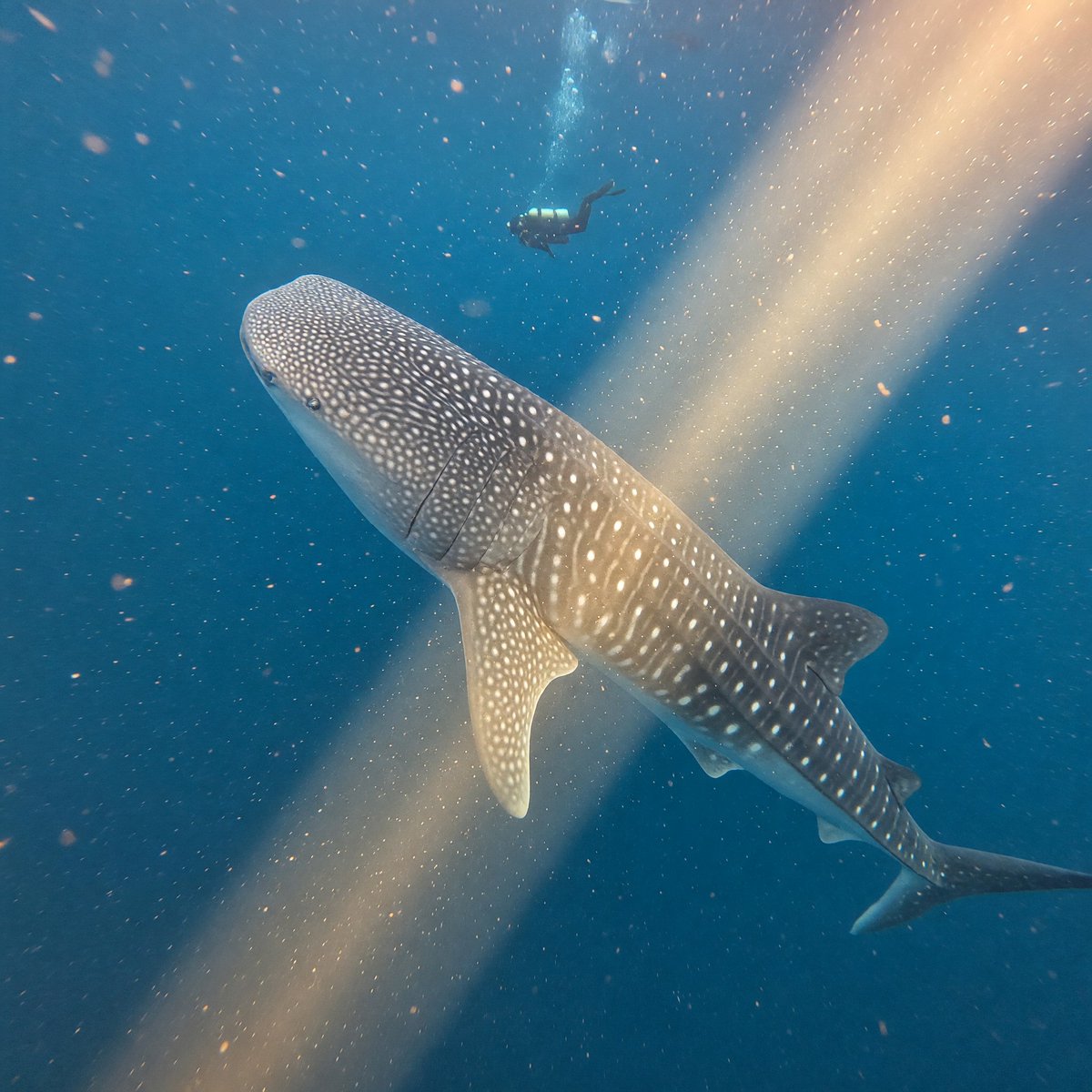
Create a stunningly realistic underwater wildlife photo of a spotted whale shark gliding through turquoise blue water, illuminated by golden sunlight beams with a diver silhouette for scale.
提示词 · EN
创作一张逼真的广角水下野生动物摄影作品,画面中一只 argmain animal: whale shark 正斜向游过深蓝色的海水。视角略高于并位于其前方,使其宽阔且带有斑点的头部占据左下角前景,身体和尾部向右下方延伸。鲸鲨的灰蓝色皮肤上应有准确的白色圆点和条纹标记,可见鳃裂、胸鳍、背鳍,并呈现出优雅缓慢的游动姿态。画面上方中央远处可见一个潜水员的剪影(带有脚蹼和气瓶),作为比例参照。一束温暖的金色阳光从右上角斜向射向左下角,照亮了水中的悬浮颗粒、气泡和浮游生物。使用自然光,采用深绿松石色到海军蓝的调色,营造柔和的水下雾气、逼真的焦散光影、电影级的景深,以及漂浮颗粒带来的细微动态模糊,呈现沉浸式的纪录片质感。无文字,无边框,非人工水族馆背景。
关于这个提示词
Create a stunningly realistic underwater wildlife photo of a spotted whale shark gliding through turquoise blue water, illuminated by golden sunlight beams with a diver silhouette for scale. 它更适合作为 GPT Image 2 的概念艺术起点:先保留画面结构、主体关系和风格约束,再替换成你的品牌、人物或场景。
使用时优先替换 main animal 等占位符,并保持镜头、构图和材质描述的顺序不变。这样更容易获得稳定的画面结果,也方便继续做多版本对比。
如何使用这个提示词
- Copy the full prompt text and paste it into your preferred AI image generator (e.g., Sora 2, Midjourney, DALL·E).
- Replace the
{main animal}variable with any marine creature you prefer (e.g., manta ray, humpback whale) or leave the default whale shark. - Adjust lighting or color descriptors if you want a different mood, such as cooler blue tones or dusk lighting.
- Generate the image and review the result; upscale or re-generate for higher resolution or different compositions.
- Use the output for digital art, presentations, wallpapers, or social media content.


