
GPT Image 2AI 提示词
出师表 Classical Chinese Prose Page Generator — AI Prompt
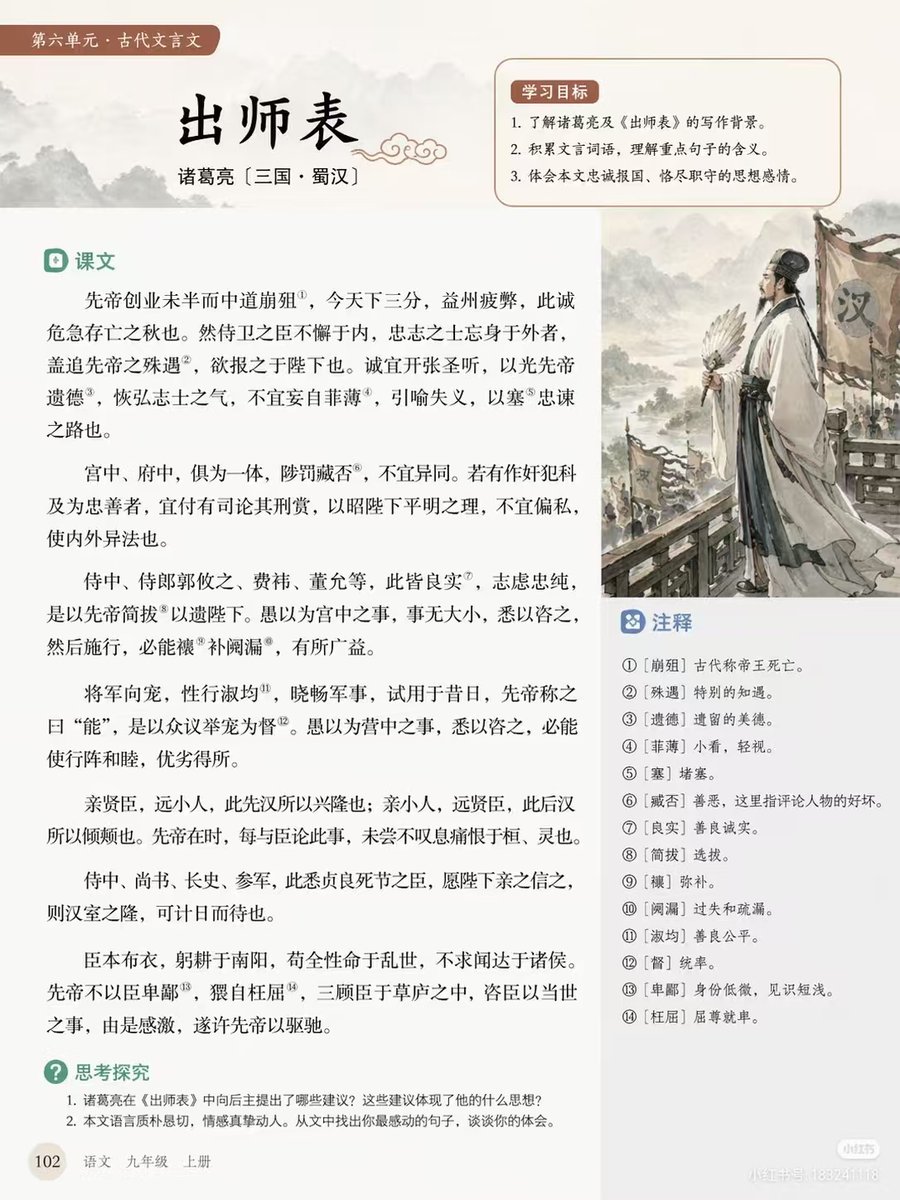
Generate a clean, traditional textbook page for the classical essay '出师表,' complete with numbered annotations, learning goals, and an ink wash illustration of Zhuge Liang.
提示词 · EN
type
教育教材页面排版style
简洁排版,中国传统美学,柔和米色背景header
tag
第六单元 · 古代文言文title
{argument name="main title" default="出师表"}author
{argument name="author info" default="诸葛亮 〔三国 · 蜀汉〕"}layout
sections
item 1
title
学习目标position
右上角方框count
3description
带有柔和红色背景的编号学习目标item 2
title
课文position
左侧主栏count
6description
包含 14 个上标注释编号的古文段落item 3
title
注释position
插图下方右侧方框count
14description
与文中上标对应的编号词汇解释item 4
title
思考探究position
左下角count
2description
编号讨论题illustration
position
中右侧description
{argument name="illustration subject" default="诸葛亮手持羽扇,立于汉军旗前,水墨画风格"}footer
page_number
102book_info
{argument name="textbook info" default="语文 九年级 上册"}关于这个提示词
Generate a clean, traditional textbook page for the classical essay '出师表,' complete with numbered annotations, learning goals, and an ink wash illustration of Zhuge Liang. 它更适合作为 GPT Image 2 的概念艺术起点:先保留画面结构、主体关系和风格约束,再替换成你的品牌、人物或场景。
这条提示词使用结构化 JSON 组织信息,包含 type、style、header、layout 等字段。保留这种层级能让模型更清楚地区分画面主题、布局、界面元素和细节约束。
使用时建议先小幅修改主体、场景、镜头和色调,再生成多个版本对比构图与细节。这样页面内容对用户有实际帮助,也避免把模型名或标签机械堆在正文里。
如何使用这个提示词
- Copy the prompt from sora2hub.com.
- Open Sora 2 (or compatible AI) and paste the prompt.
- Adjust optional arguments like
main title,author info, orillustration subjectto personalize the lesson. - Generate the output to receive a structured page layout with all sections.
- Use the result directly in educational materials or refine further.


